vizarr
vizarr is a minimal, purely client-side viewer for multiscale Zarr-based bioimages, built by HMS DBMI. It renders with Viv (GPU-accelerated, deck.gl-based) and reads Zarr stores directly in the browser with zarrita.js – no tile server, no image pyramid pre-baked into PNGs, just the raw chunked array. It understands the OME-NGFF convention: point it at a store with multiscales and omero metadata and it reconstructs the resolution pyramid, channel names, colors, contrast limits, and Z-stacks automatically.
@render_vizarr wraps a vizarr.Viewer the way the other renderers in this roster wrap their widgets: it applies filling-layout defaults, and gives the decorated function .widget (the live Viewer, for programmatic updates) and .value (your return value). vizarr has no reactive accessors – the browser’s layer controls (channel colors, contrast, visibility) are local UI state that never syncs back to Python – but the camera (view_state) does sync, debounced to the browser’s frame rate, so viewer.read("view_state") is enough to drive a second view off panning and zooming.
Choose vizarr when your data is a 2D/3D/4D pixel array – fluorescence microscopy, histology, EM, anything OME-Zarr – rather than a 3D mesh or point cloud (see ../pyvista/guide.md, ../k3d/guide.md) or a geospatial raster (see ../lonboard/guide.md, ../maplibre/guide.md). For molecule-level structural biology, see ../ipyaladin/guide.md (sky surveys) or ../nglview/guide.md (molecular structures).
Installation
pip install 'shinywidgets[vizarr]'vizarr pins zarr<3, which is why it’s a separate extra rather than bundled with the rest of shinywidgets’ test matrix: if your project also needs zarr>=3 for something else, it can’t share an environment with vizarr. The viewer’s own JavaScript (vizarr + Viv) loads from a CDN at render time, so the app needs internet access.
Quick start
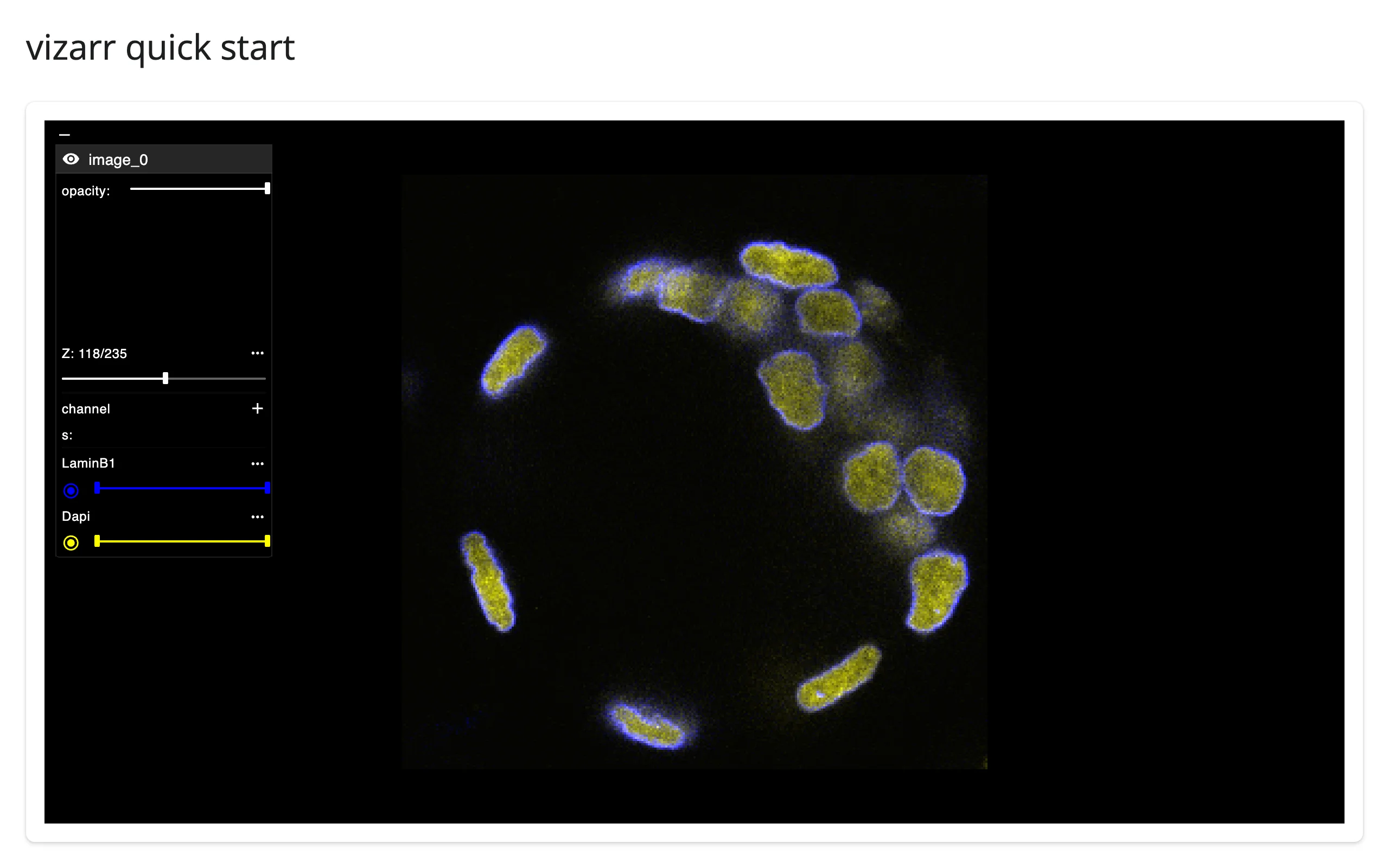
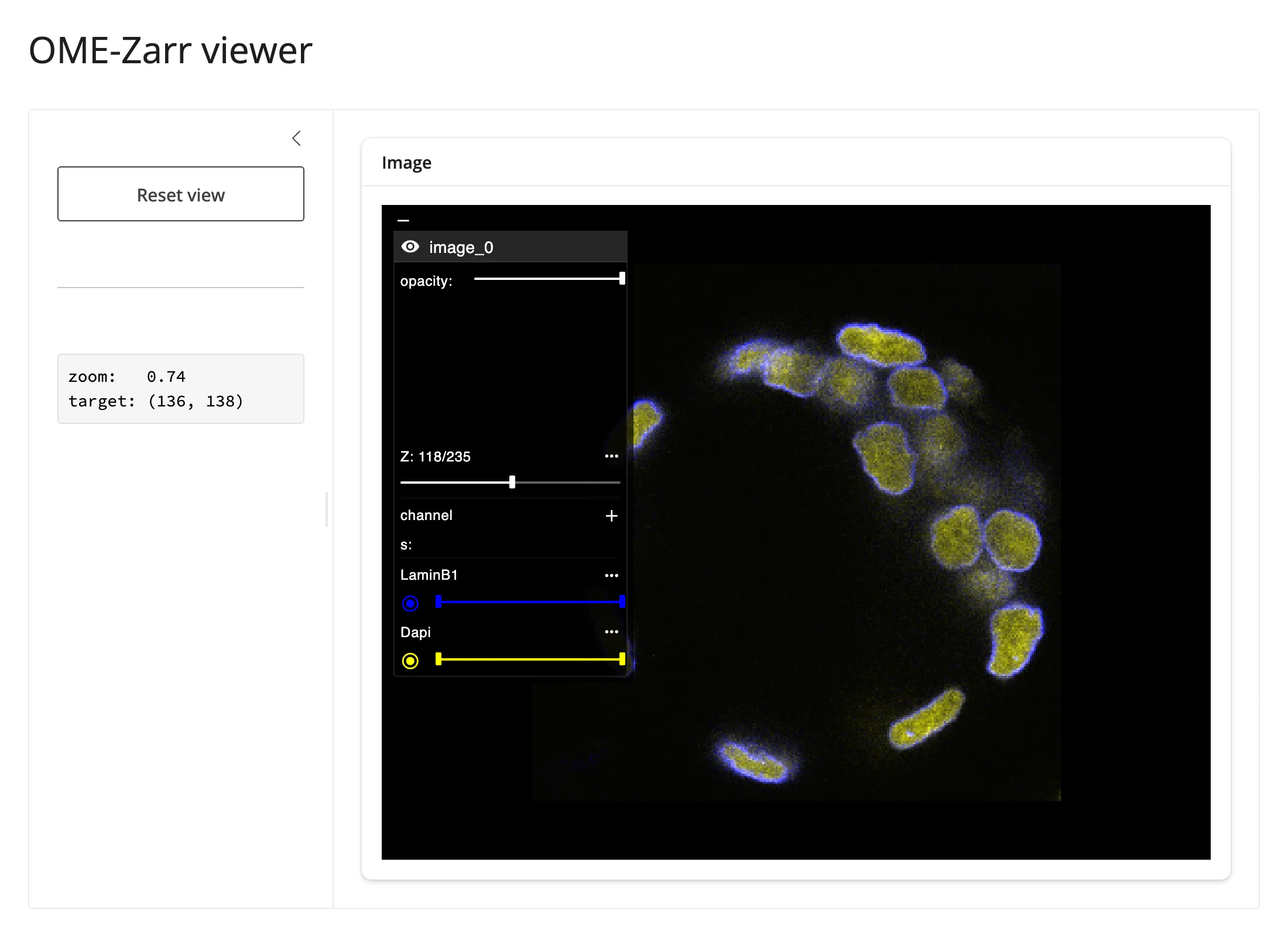
A public OME-NGFF sample from the Image Data Resource (IDR) – a confocal z-stack of cell nuclei, two channels (LaminB1, DAPI). add_image() takes the URL directly; the browser fetches the store itself, so shinywidgets never touches the pixel data.
# A public OME-NGFF (OME-Zarr) sample from the Image Data Resource (IDR): a
# spinning-disk confocal z-stack of nuclei (LaminB1 in blue, DAPI in yellow).
# vizarr's browser code fetches this URL directly -- shinywidgets never sees
# the pixel data.
import vizarr
from shiny.express import ui

from shinywidgets import render_vizarr

IDR_SAMPLE = "https://minio-dev.openmicroscopy.org/idr/v0.3/idr0062-blin-nuclearsegmentation/6001240.zarr"

ui.page_opts(title="vizarr quick start", fillable=True)

with ui.card(full_screen=True):

    @render_vizarr
    def viewer():
        v = vizarr.Viewer()
        v.add_image(source=IDR_SAMPLE)
        return v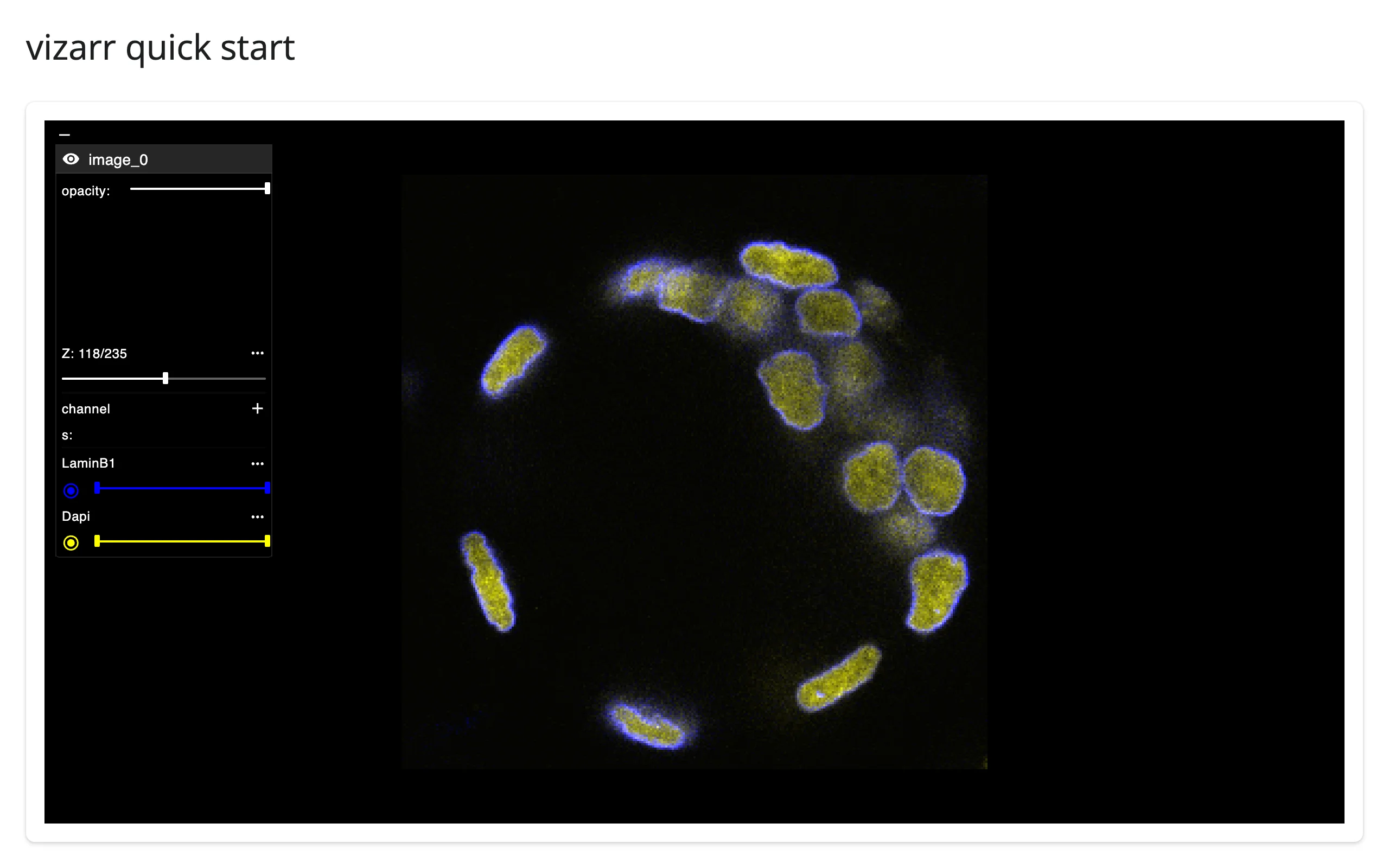
vizarr built its own layer-control panel (channel toggles, a Z slider for the stack, an opacity slider) and read the channel names and colors straight from the store’s omero metadata – none of that came from Python.
What you can build
A plain numpy array, zero setup
No zarr store, no file, no server round trip beyond the Shiny comm: add_image() accepts a numpy array directly, wrapping it in a single-chunk in-memory zarr store for you.
# Any in-memory numpy array can be viewed directly -- no zarr store, no file,
# no server. vizarr wraps the array in a single-chunk in-memory zarr store and
# streams it to the browser over the Shiny websocket. `scipy.datasets.face()`
# downloads a small sample photo the first time it's called (cached after).
import numpy as np
import vizarr
from scipy.datasets import face
from shiny.express import ui

from shinywidgets import render_vizarr

gray = np.mean(face(), axis=-1).astype(np.uint8)  # (768, 1024) grayscale

ui.page_opts(title="vizarr: a plain numpy array", fillable=True)

with ui.card(full_screen=True):

    @render_vizarr
    def viewer():
        v = vizarr.Viewer()
        v.add_image(source=gray, name="raccoon")
        return v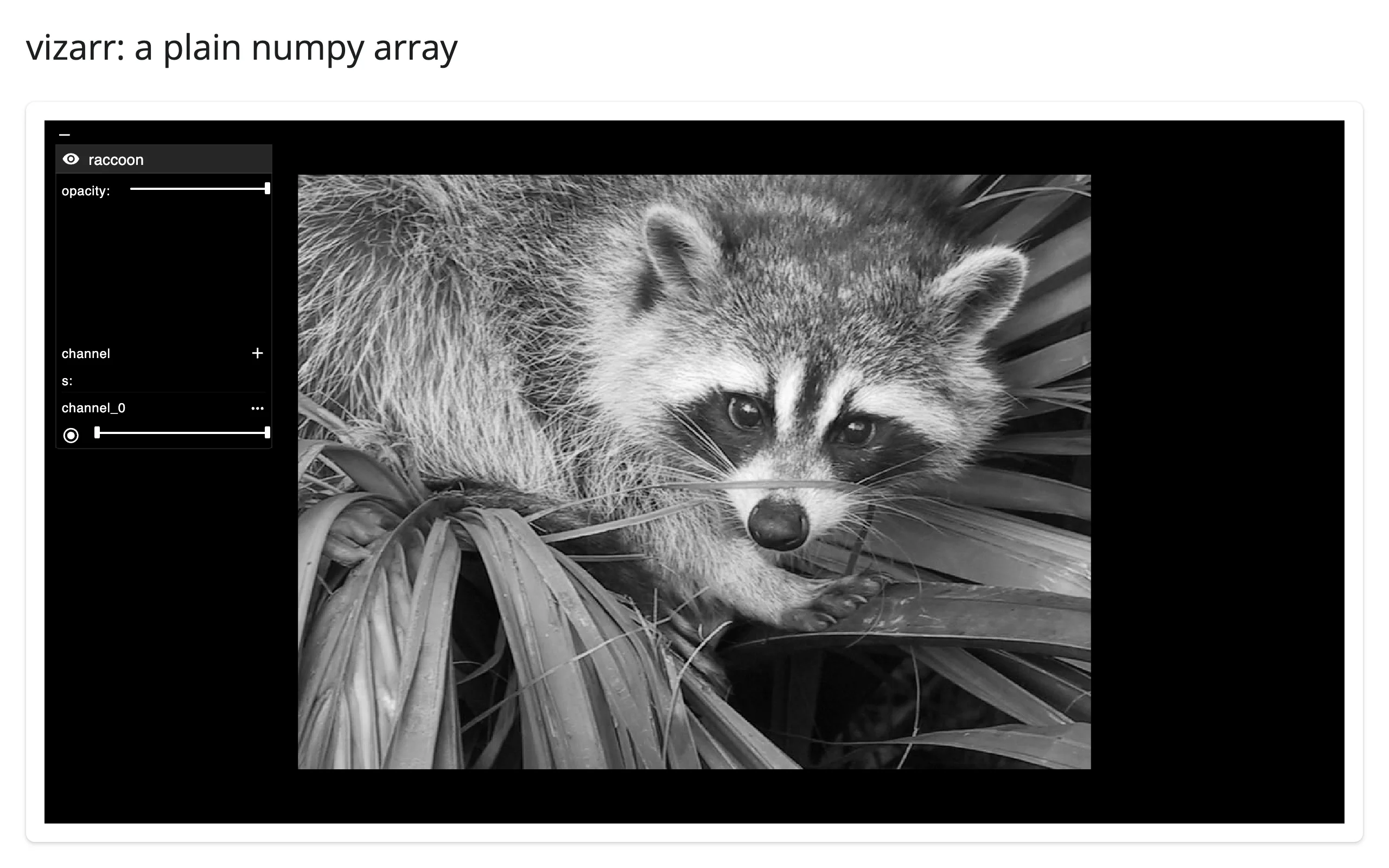
This is the fastest way to eyeball an array mid-analysis – a segmentation mask, a denoised frame, anything your pipeline already has in memory. For anything bigger than a quick look, write proper OME-Zarr (next section) so you get a resolution pyramid instead of one full-resolution chunk.
Multichannel composites, with contrast and color from the store itself
The recommended way to control per-channel color and contrast is the OME-NGFF omero metadata convention – write it once into the store’s attributes, and both vizarr’s standalone viewer and this Shiny integration read it identically. Here’s a synthetic 3-channel tissue image (nuclei, cytoplasm, vessels) written as a local OME-Zarr store; shinywidgets streams its chunks to the browser over the Shiny comm as you pan and zoom.
# A local, synthetic 3-channel OME-Zarr store. The colors and contrast limits
# come entirely from the store's own OME-NGFF "omero" metadata -- vizarr reads
# that convention automatically, the same way it would for a real microscope's
# export. shinywidgets serves this store's chunks to the browser on demand
# over the Shiny comm (base64-encoded; prefer a remote URL for large images).
import tempfile

import numpy as np
import vizarr
import zarr
from shiny.express import ui

from shinywidgets import render_vizarr

rng = np.random.default_rng(42)
n = 512
yy, xx = np.mgrid[0:n, 0:n]
nuclei = np.zeros((n, n), np.float32)
for _ in range(250):
    cy, cx, r = rng.integers(15, n - 15, 3)
    nuclei += rng.uniform(140, 240) * np.exp(-((yy - cy) ** 2 + (xx - cx) ** 2) / (2 * max(3, r % 8) ** 2))
cytoplasm = 25 + 18 * np.sin(xx / 65) * np.cos(yy / 55) + 0.35 * nuclei
vessels = 200 * np.abs(np.sin((xx + 2 * yy) / 75)) ** 64 * 255
image = np.stack([nuclei, cytoplasm, vessels]).clip(0, 255).astype(np.uint8)

grp = zarr.open_group(f"{tempfile.mkdtemp()}/tissue.zarr", mode="w")
_ = grp.create_dataset("0", data=image[None, :, None, :, :], chunks=(1, 1, 1, 256, 256))
grp.attrs["multiscales"] = [{"version": "0.1", "datasets": [{"path": "0"}]}]
grp.attrs["omero"] = {
    "channels": [
        {"color": "4488FF", "window": {"start": 0, "end": 255}, "label": "DAPI", "active": True},
        {"color": "44FF44", "window": {"start": 0, "end": 255}, "label": "Cytoplasm", "active": True},
        {"color": "FF4444", "window": {"start": 0, "end": 255}, "label": "Vessels", "active": True},
    ],
    "rdefs": {"model": "color"},
}

ui.page_opts(title="vizarr: multichannel contrast and colors", fillable=True)

with ui.card(full_screen=True):

    @render_vizarr
    def viewer():
        v = vizarr.Viewer()
        v.add_image(source=grp, name="synthetic tissue")
        return v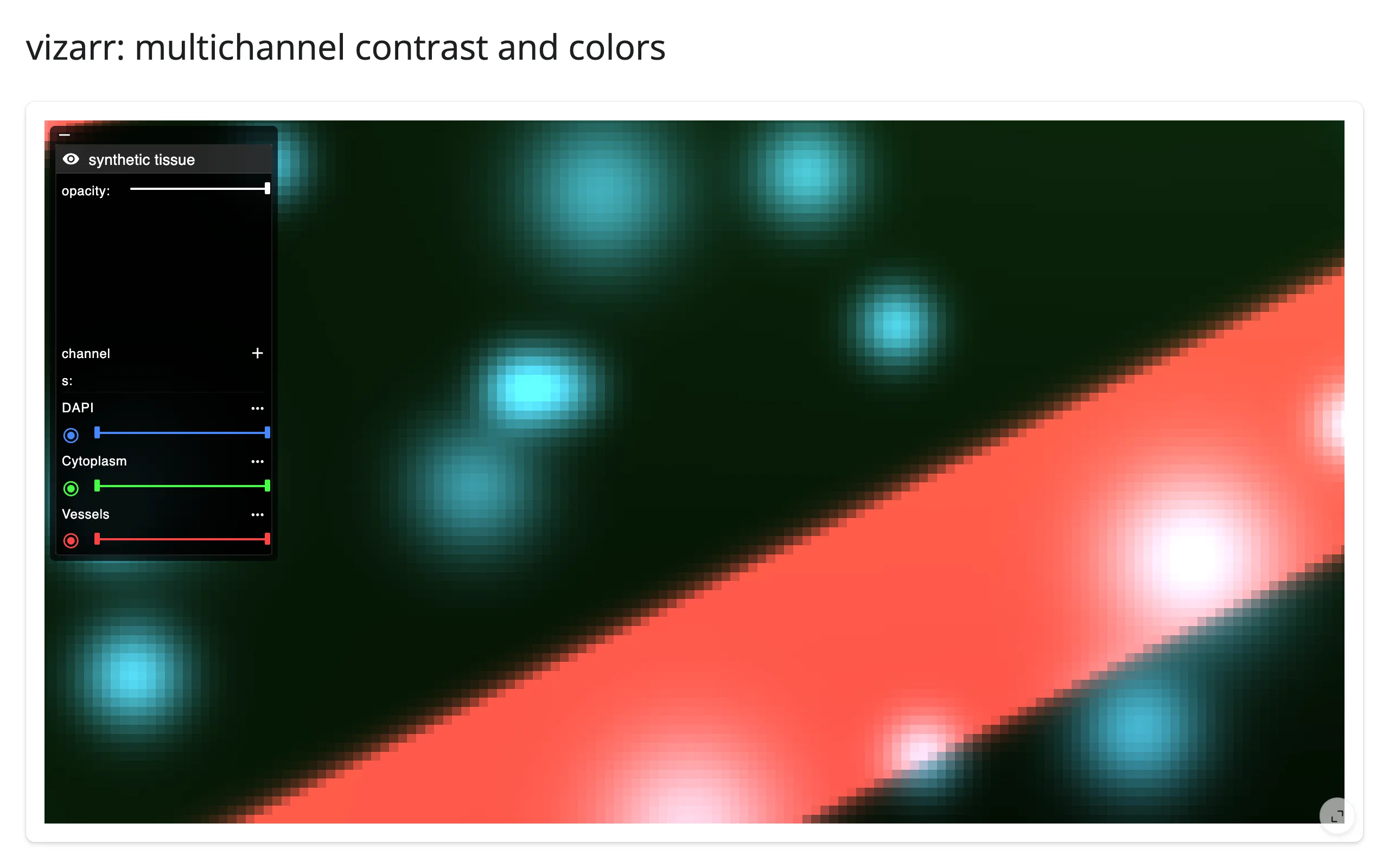
add_image() also accepts low-level per-call overrides (channel_axis, colors, contrast_limits, visibilities, opacity) for arrays that don’t carry their own OME metadata, but the exact keys and shapes it expects are inconsistent and undocumented upstream – see “Gotchas and limitations” before reaching for them.
Z-stacks and resolution pyramids, for free
Any OME-NGFF store with a z axis or multiple multiscales levels gets a Z slider and pyramid-aware tiling automatically – that’s where the quick start’s Z: 118/235 slider came from. There’s nothing Shiny- or Python-side to configure; it’s a property of the store’s metadata, read once at mount.
Reacting to user interaction
vizarr defines no reactive accessors: there’s no selection, click, or brush concept, and the browser’s own layer controls (channel color, contrast, visibility, opacity) are local UI state that’s never sent back to Python – only the camera is. That makes the .read() fallback tier the whole story here.
Beyond accessors: .read()
| Trait | Returns | Fires when | Default rate policy |
|---|---|---|---|
view_state |
{"target": [x, y], "zoom": z} (image-pixel coordinates; zoom follows deck.gl’s convention, screen pixels per image pixel = 2 ** zoom) |
The user pans or zooms the viewer | Debounced ~200ms, hardcoded in vizarr’s own JavaScript (just-debounce-it) |
view_state starts at {} before the viewer’s first paint, then settles to vizarr’s own “fit the whole image” default a moment after mount (not something Python chooses). Setting .widget.view_state = {...} moves the camera in place; viewer.read("view_state") is the only way to know what the user is looking at. Prefer it over reactive_read(viewer.widget, "view_state") – same underlying read, but it also cancels on its own before the viewer has rendered at all, so there’s no separate viewer.widget is None check to write.
# vizarr has no accessors (see "Reacting to user interaction" below), but its
# `view_state` trait -- the pan/zoom camera, as {"target": [x, y], "zoom": z}
# -- syncs from the browser whenever you pan or zoom, debounced ~200ms.
# `viewer.read("view_state")` turns that into a reactive input (it falls
# through to reactive_read() on the rendered widget, and cancels on its own
# before the first render -- no manual `viewer.widget is None` check needed).
# Setting `.view_state` from Python flies the camera to a region of interest,
# in place (no re-render).
import tempfile

import numpy as np
import vizarr
import zarr
from shiny import reactive
from shiny.express import input, render, ui

from shinywidgets import render_vizarr

rng = np.random.default_rng(42)
n = 512
yy, xx = np.mgrid[0:n, 0:n]
nuclei = np.zeros((n, n), np.float32)
for _ in range(250):
    cy, cx, r = rng.integers(15, n - 15, 3)
    nuclei += rng.uniform(140, 240) * np.exp(-((yy - cy) ** 2 + (xx - cx) ** 2) / (2 * max(3, r % 8) ** 2))
image = nuclei.clip(0, 255).astype(np.uint8)[None, None, None, :, :]

grp = zarr.open_group(f"{tempfile.mkdtemp()}/nuclei.zarr", mode="w")
_ = grp.create_dataset("0", data=image, chunks=(1, 1, 1, 256, 256))
grp.attrs["multiscales"] = [{"version": "0.1", "datasets": [{"path": "0"}]}]

ui.page_opts(title="vizarr: reading the camera", fillable=True)

with ui.layout_sidebar():
    with ui.sidebar():
        ui.input_action_button("fly", "Fly to center")

        @render.code
        def camera():
            vs = viewer.read("view_state")
            if not vs:
                return "loading..."
            target = vs.get("target", [0, 0])
            return f"zoom:   {vs.get('zoom', 0):.2f}\ntarget: ({target[0]:.0f}, {target[1]:.0f})"

    with ui.card(full_screen=True):

        @render_vizarr
        def viewer():
            v = vizarr.Viewer()
            v.add_image(source=grp, name="nuclei")
            return v

    @reactive.effect
    @reactive.event(input.fly)
    def _():
        if viewer.widget is not None:
            viewer.widget.view_state = {"target": [256, 256], "zoom": 2.0}
Before interacting, then after a scroll-zoom + drag pan, then after clicking “Fly to center” (which sets the camera from Python, in place):
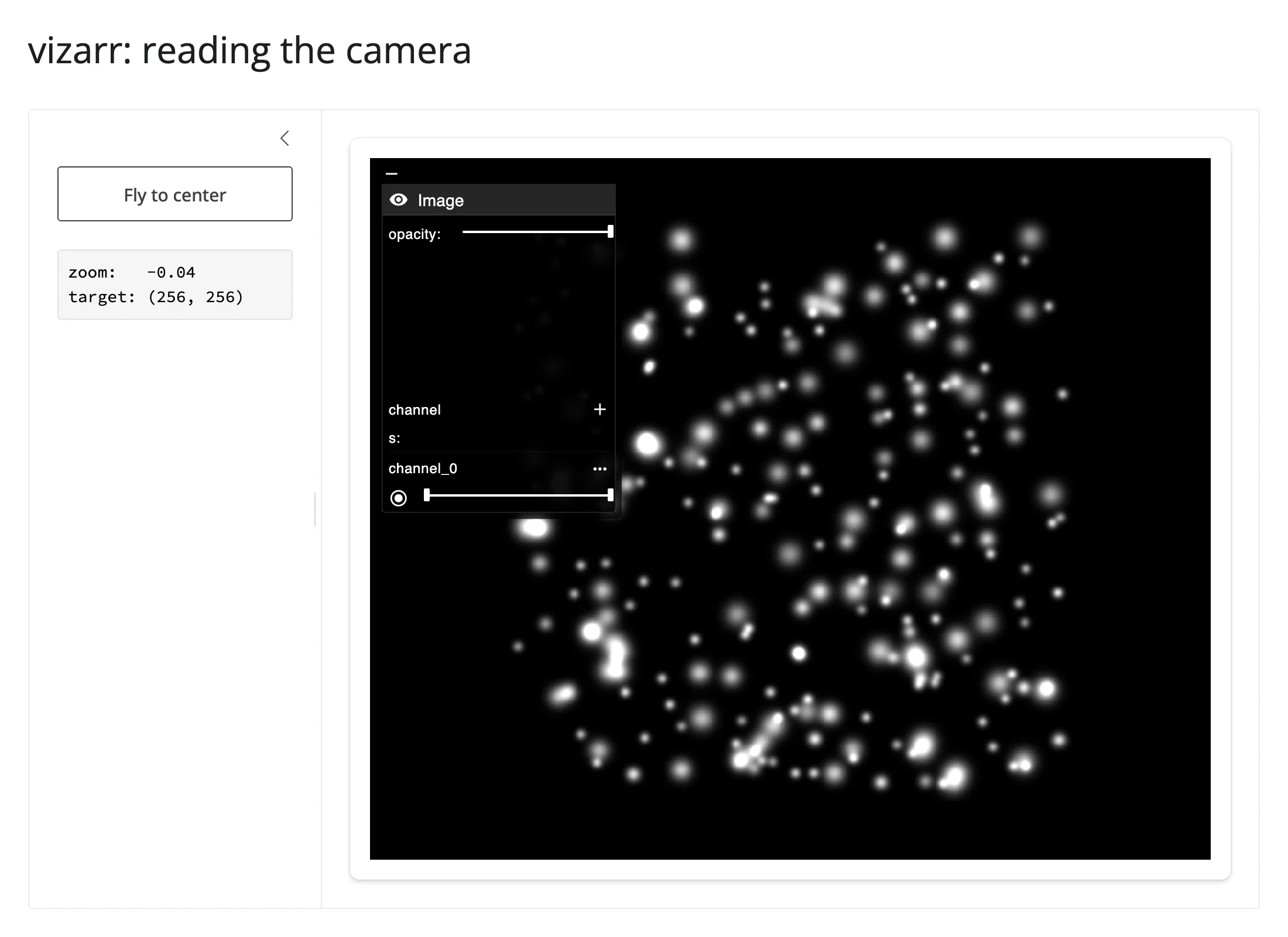
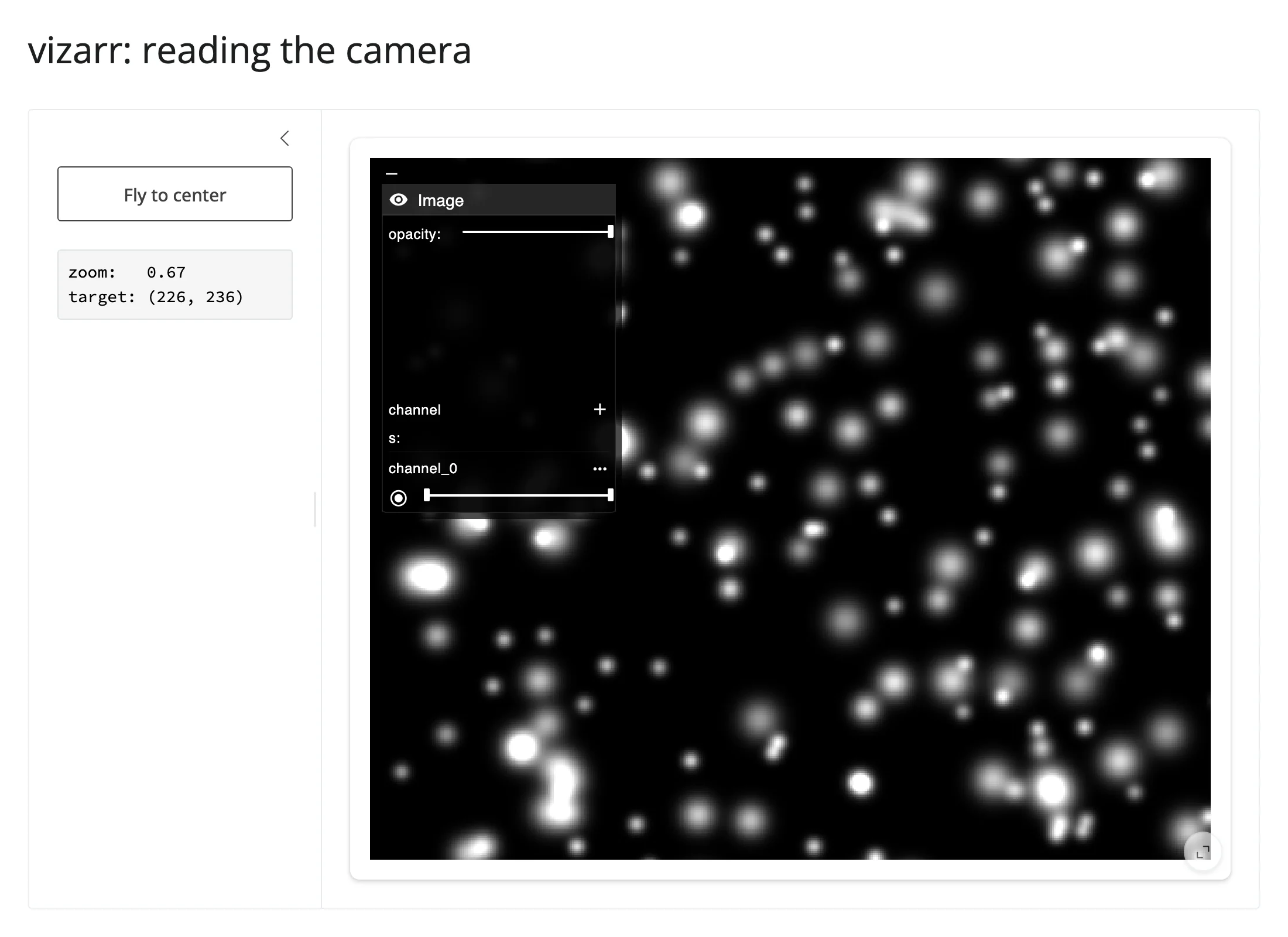
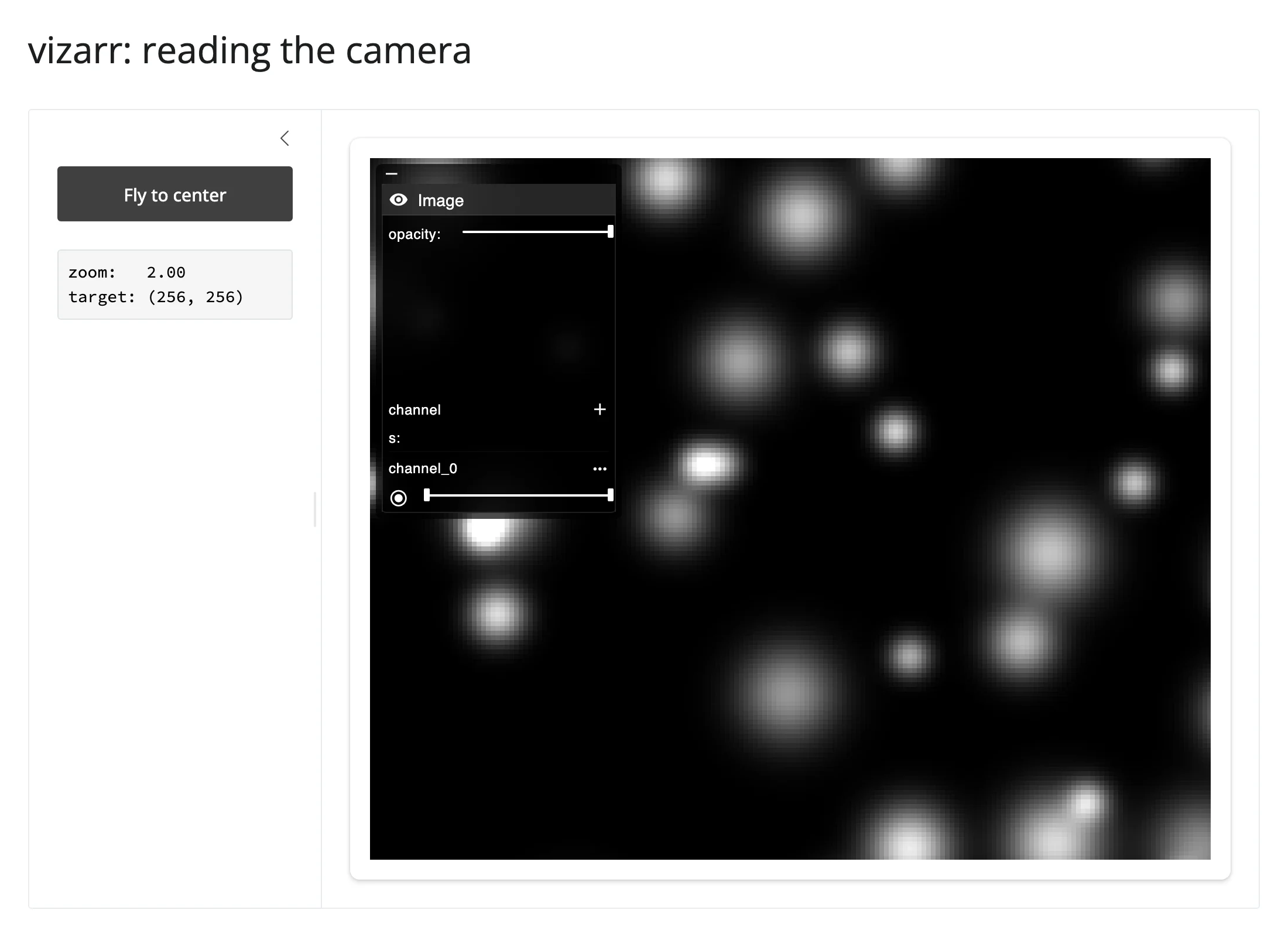
The readout tracks every gesture: zoom: 2.17, target: (280, 268) after the drag, then snapping to exactly zoom: 2.00, target: (256, 256) after the button click – a real round trip from a Python-set trait, to the browser’s camera, and back out through .read().
Rate limiting
There’s no rate_policy/rate_delay parameter on render_vizarr – those exist on renderers whose accessors route through shinywidgets’ own rate-limiting layer, and vizarr has no accessors. The ~200ms debounce on view_state is baked into vizarr’s bundled JavaScript and isn’t configurable from Python.
Updating the widget from Python
In place: adding a layer
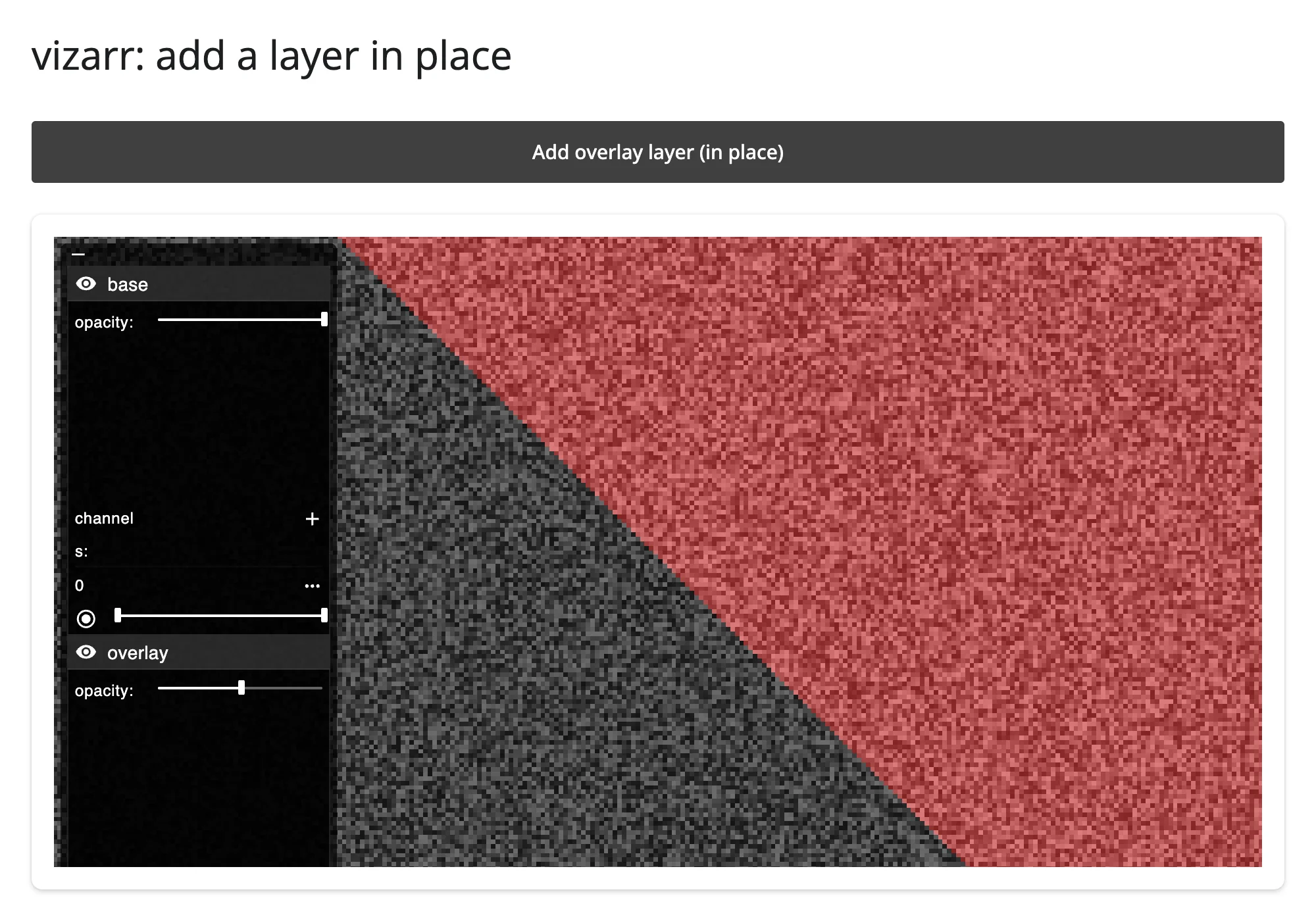
.widget.add_image() appends a new layer to the running viewer. vizarr’s browser code only ever adds layers – there’s no “remove” or “replace” – so this never rebuilds the viewer or re-sends its JS bundle, and the camera you already set stays exactly where it was.
# `.widget.add_image()` appends a new layer to the running viewer: vizarr's
# browser code only ever *adds* layers (there's no "remove" or "replace"), so
# this never rebuilds the viewer or re-sends its JS bundle -- the camera you
# already set stays put. Compare this to a full re-render (next example),
# which always resets the camera unless you restore it yourself.
import tempfile

import numpy as np
import vizarr
import zarr
from shiny import reactive
from shiny.express import input, ui

from shinywidgets import render_vizarr


def single_channel_zarr(data, color):
    grp = zarr.open_group(f"{tempfile.mkdtemp()}/img.zarr", mode="w")
    _ = grp.create_dataset("0", data=data[None, None, None, :, :], chunks=(1, 1, 1, 256, 256))
    grp.attrs["multiscales"] = [{"version": "0.1", "datasets": [{"path": "0"}]}]
    grp.attrs["omero"] = {
        "channels": [{"color": color, "window": {"start": 0, "end": 255}, "active": True}]
    }
    return grp


rng = np.random.default_rng(0)
base = (rng.random((512, 512)) * 180 + 40).astype(np.uint8)
wedge = (np.triu(np.ones((512, 512))) * 220).astype(np.uint8)  # bright triangle

base_store = single_channel_zarr(base, "FFFFFF")
overlay_store = single_channel_zarr(wedge, "FF2222")

ui.page_opts(title="vizarr: add a layer in place", fillable=True)

ui.input_action_button("add", "Add overlay layer (in place)")

with ui.card(full_screen=True):

    @render_vizarr
    def viewer():
        v = vizarr.Viewer()
        v.add_image(source=base_store, name="base")
        return v


@reactive.effect
@reactive.event(input.add)
def _():
    if viewer.widget is not None:
        viewer.widget.add_image(source=overlay_store, name="overlay", opacity=0.5)
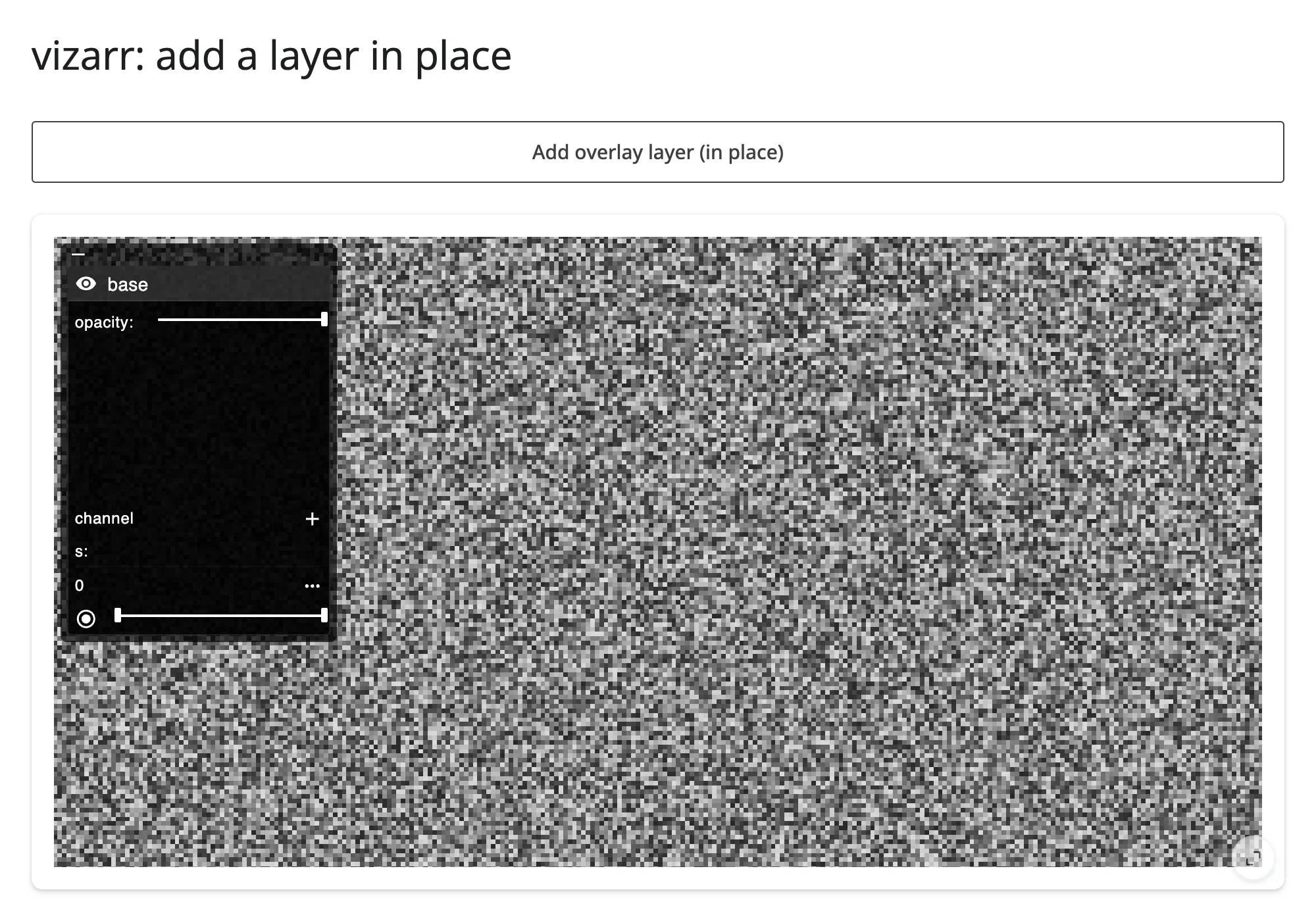
Before and after clicking the button – same zoomed-in crop in both, new layer appears in the side panel:
Re-rendering: changing an existing layer
A channel’s contrast, color, and visibility are fixed when its layer is added – there’s no Python-side call that updates one already on screen. So a Shiny input that controls an existing channel (a contrast slider, say) has to rebuild the viewer: the render function reruns and returns a brand new vizarr.Viewer(), with the channel’s window taken from the current input value.
# A channel's contrast/color/visibility is fixed when its layer is added --
# vizarr's browser code never updates an already-added layer, only appends new
# ones (see the previous example). So a Shiny input that controls an
# *existing* channel (here, a contrast slider) has to rebuild the viewer: the
# render function reruns and returns a fresh `vizarr.Viewer()`, with the
# channel's `window` taken from the current slider value.
#
# Unlike the add-a-layer case, the camera can't be reliably carried across
# this kind of re-render: vizarr's deck.gl view always re-fits itself to the
# whole image on mount and reports that back to Python a moment later,
# racing (and often beating) any `view_state` you restore. See "Gotchas and
# limitations" for details -- a contrast/channel control like this one is
# simplest to accept as a full reset of the camera.
import tempfile

import numpy as np
import vizarr
import zarr
from shiny.express import input, ui

from shinywidgets import render_vizarr

rng = np.random.default_rng(1)
n = 512
yy, xx = np.mgrid[0:n, 0:n]
nuclei = np.zeros((n, n), np.float32)
for _ in range(250):
    cy, cx, r = rng.integers(15, n - 15, 3)
    nuclei += rng.uniform(140, 240) * np.exp(-((yy - cy) ** 2 + (xx - cx) ** 2) / (2 * max(3, r % 8) ** 2))
image = nuclei.clip(0, 255).astype(np.uint8)

grp = zarr.open_group(f"{tempfile.mkdtemp()}/nuclei.zarr", mode="w")
_ = grp.create_dataset("0", data=image[None, None, None, :, :], chunks=(1, 1, 1, 256, 256))
grp.attrs["multiscales"] = [{"version": "0.1", "datasets": [{"path": "0"}]}]

ui.page_opts(title="vizarr: contrast slider (re-render)", fillable=True)

ui.input_slider("max_contrast", "Contrast ceiling", min=40, max=255, value=255, step=5)

with ui.card(full_screen=True):

    @render_vizarr
    def viewer():
        grp.attrs["omero"] = {
            "channels": [
                {
                    "color": "44FF88",
                    "label": "nuclei",
                    "active": True,
                    "window": {"start": 0, "end": input.max_contrast()},
                }
            ]
        }
        v = vizarr.Viewer()
        v.add_image(source=grp, name="nuclei")
        return v
Before (zoomed in, ceiling 255) and after dragging the slider down to 150 – the contrast changes, but so does the camera, back to vizarr’s default fit view:
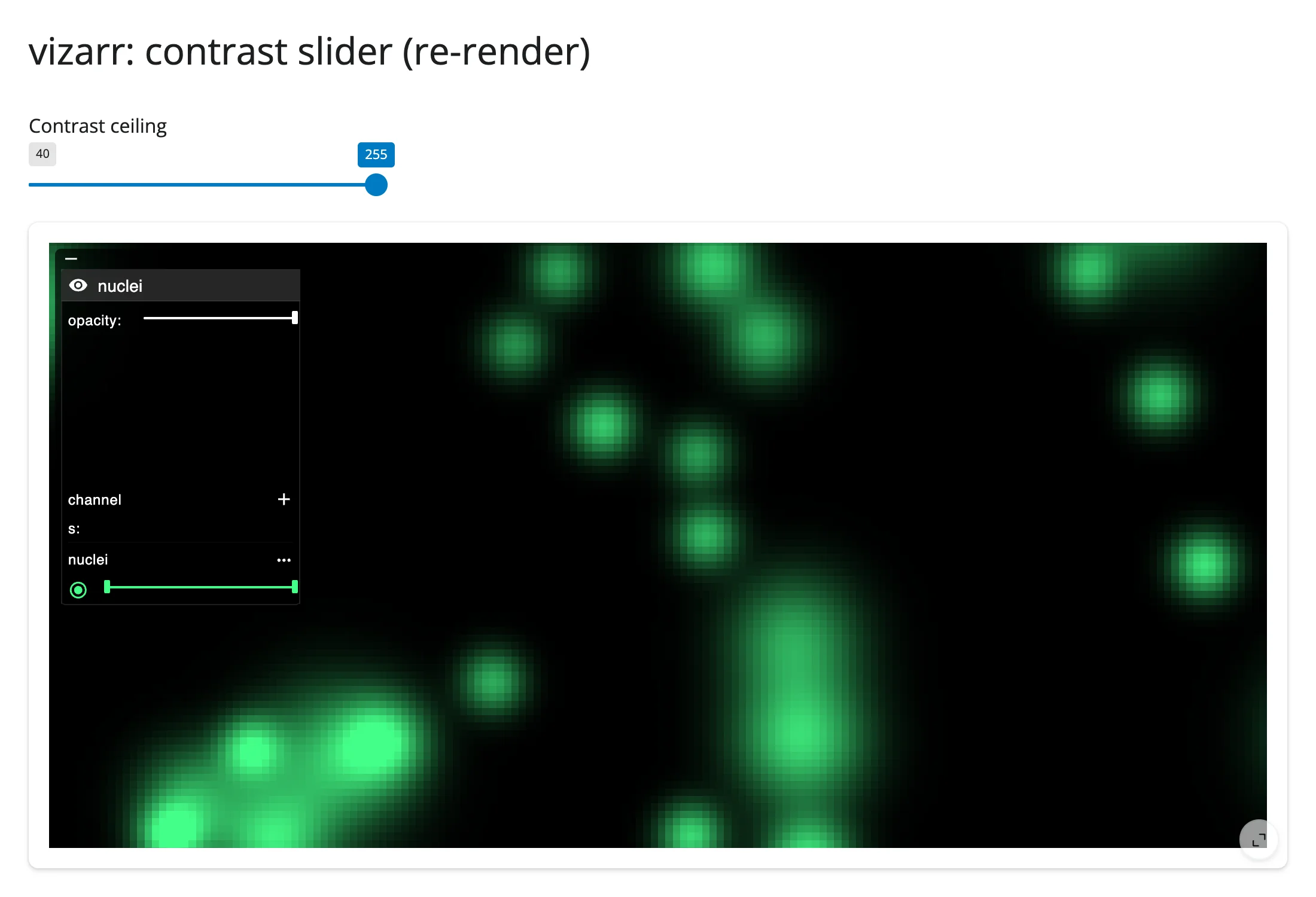
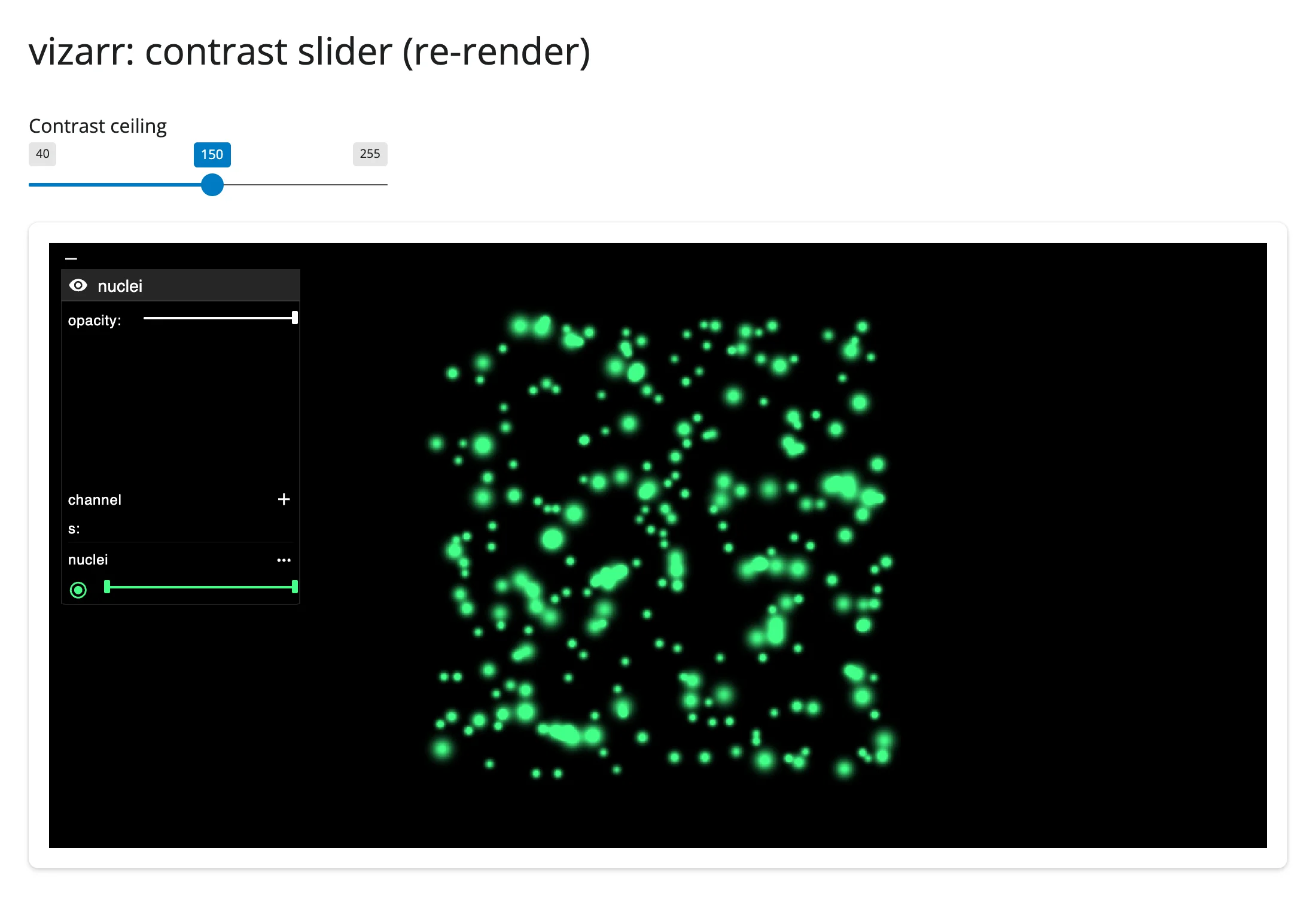
That camera reset is not a bug to work around: see “Gotchas and limitations” for why a naive restore doesn’t hold up, and accept the reset for controls that must change an existing layer.
Coordinating multiple views
vizarr exposes exactly one piece of interaction state – the camera – but that’s enough to drive real Python-side analysis, since Python already holds whatever array built the store. Both patterns below read viewer.read("view_state") and convert zoom/target into an image-space crop using deck.gl’s zoom convention (screen pixels per image pixel is 2 ** zoom); treat the conversion as approximate, since it depends on the viewer’s on-screen pixel size, which Python doesn’t know exactly.
Viewport on a minimap
# The viewport you're looking at, drawn on a minimap of the whole image.
# `viewer.read("view_state")` is the only interaction state vizarr exposes
# (no accessors; it falls through to reactive_read() on the rendered
# widget), but it's enough to keep a second view in sync: `zoom` follows
# deck.gl's convention (screen pixels per image pixel is 2 ** zoom), so the
# viewport's image-space half-width is derived from the card's pixel size
# and the current zoom.
import tempfile

import matplotlib.pyplot as plt
import numpy as np
import vizarr
import zarr
from matplotlib.patches import Rectangle
from shiny import req
from shiny.express import render, ui

from shinywidgets import render_vizarr

rng = np.random.default_rng(1)
n = 512
yy, xx = np.mgrid[0:n, 0:n]
nuclei = np.zeros((n, n), np.float32)
for _ in range(250):
    cy, cx, r = rng.integers(15, n - 15, 3)
    nuclei += rng.uniform(140, 240) * np.exp(-((yy - cy) ** 2 + (xx - cx) ** 2) / (2 * max(3, r % 8) ** 2))
image = nuclei.clip(0, 255).astype(np.uint8)

grp = zarr.open_group(f"{tempfile.mkdtemp()}/nuclei.zarr", mode="w")
_ = grp.create_dataset("0", data=image[None, None, None, :, :], chunks=(1, 1, 1, 256, 256))
grp.attrs["multiscales"] = [{"version": "0.1", "datasets": [{"path": "0"}]}]

ui.page_opts(title="vizarr: viewport minimap", fillable=True)
CANVAS_PX = 700  # approximate on-screen width of the viewer card, in pixels

with ui.layout_columns(col_widths=(8, 4)):

    with ui.card(full_screen=True):

        @render_vizarr
        def viewer():
            v = vizarr.Viewer()
            v.add_image(source=grp, name="nuclei")
            return v

    with ui.card():
        ui.card_header("Minimap")

        @render.plot
        def minimap():
            vs = viewer.read("view_state")
            req(vs)
            target = vs.get("target", [n / 2, n / 2])
            half_width = (CANVAS_PX / 2) / (2 ** vs.get("zoom", 0))

            fig, ax = plt.subplots(figsize=(3, 3))
            ax.imshow(image, cmap="gray", vmin=0, vmax=255)
            ax.add_patch(
                Rectangle(
                    (target[0] - half_width, target[1] - half_width),
                    2 * half_width,
                    2 * half_width,
                    fill=False,
                    edgecolor="red",
                    linewidth=2,
                )
            )
            ax.set_xticks([])
            ax.set_yticks([])
            return fig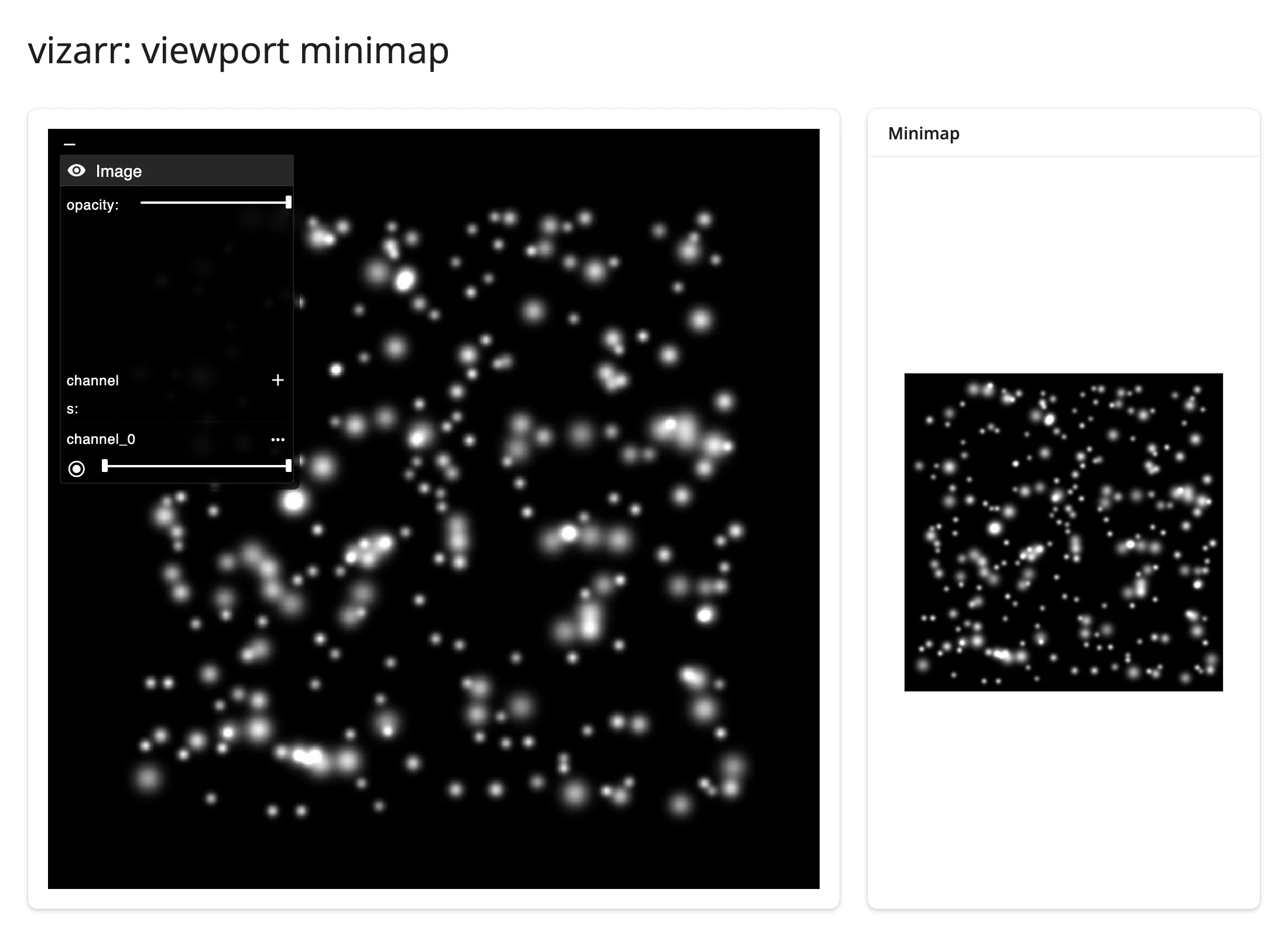
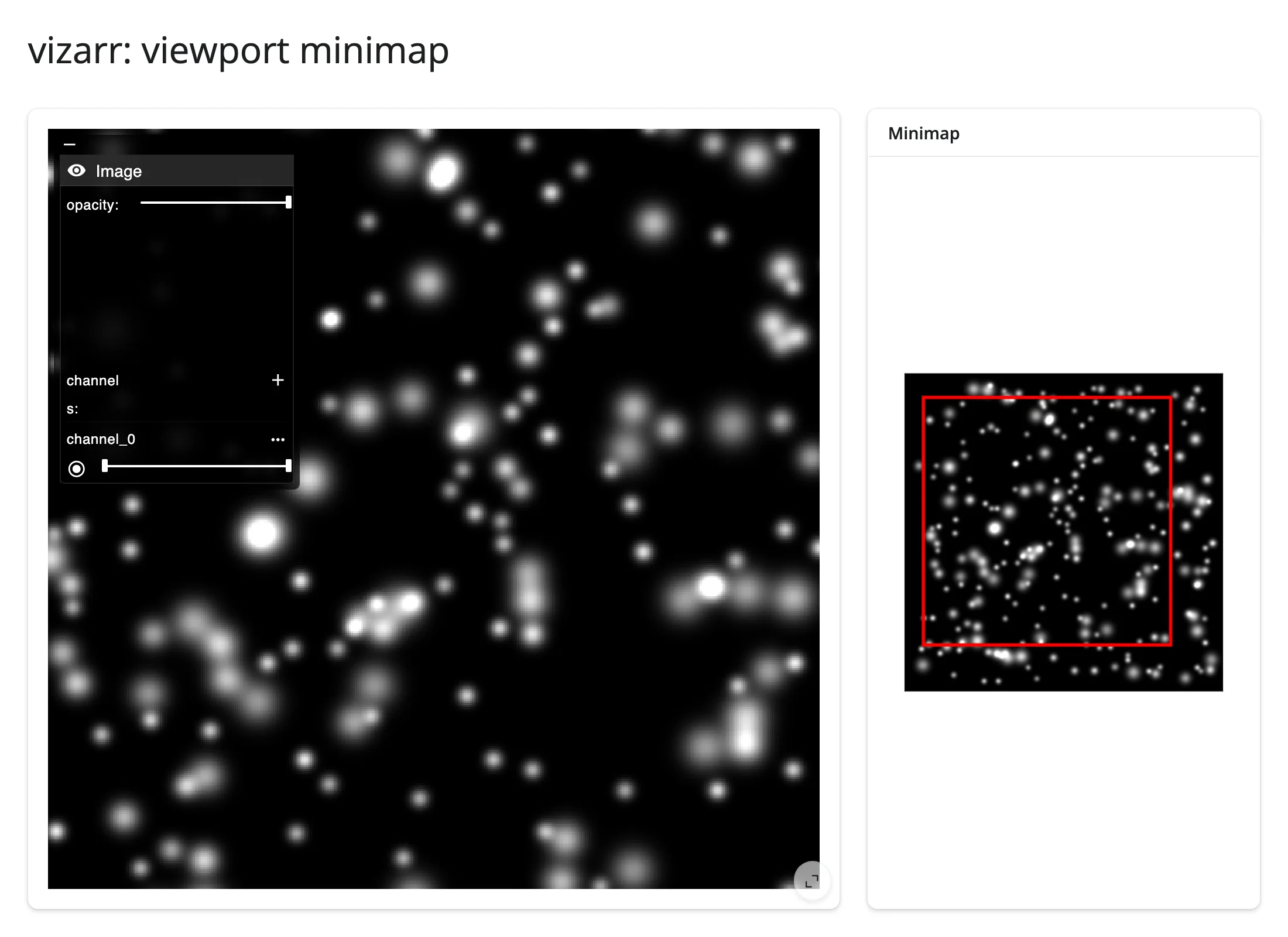
Viewport to a live histogram
The same crop, summarized with numpy and matplotlib instead of drawn as a rectangle – a real “Shiny-side analysis” pairing: the pixels under the camera, recomputed every time it settles.
# A live histogram of the pixels currently in view. vizarr only ever shows
# you pixels -- it has no notion of "the data under the viewport" -- but
# Python already holds the source array, so cropping it to the current
# `view_state` and summarizing it is just numpy, recomputed every time the
# camera settles (vizarr debounces `view_state` to ~200ms).
import tempfile

import matplotlib.pyplot as plt
import numpy as np
import vizarr
import zarr
from shiny import req
from shiny.express import render, ui

from shinywidgets import render_vizarr

rng = np.random.default_rng(1)
n = 512
yy, xx = np.mgrid[0:n, 0:n]
nuclei = np.zeros((n, n), np.float32)
for _ in range(250):
    cy, cx, r = rng.integers(15, n - 15, 3)
    nuclei += rng.uniform(140, 240) * np.exp(-((yy - cy) ** 2 + (xx - cx) ** 2) / (2 * max(3, r % 8) ** 2))
image = nuclei.clip(0, 255).astype(np.uint8)

grp = zarr.open_group(f"{tempfile.mkdtemp()}/nuclei.zarr", mode="w")
_ = grp.create_dataset("0", data=image[None, None, None, :, :], chunks=(1, 1, 1, 256, 256))
grp.attrs["multiscales"] = [{"version": "0.1", "datasets": [{"path": "0"}]}]

ui.page_opts(title="vizarr: viewport histogram", fillable=True)
CANVAS_PX = 700  # approximate on-screen width of the viewer card, in pixels

with ui.layout_columns(col_widths=(8, 4)):

    with ui.card(full_screen=True):

        @render_vizarr
        def viewer():
            v = vizarr.Viewer()
            v.add_image(source=grp, name="nuclei")
            return v

    with ui.card():
        ui.card_header("Intensity histogram (pixels in view)")

        @render.plot
        def histogram():
            vs = viewer.read("view_state")
            req(vs)
            target = vs.get("target", [n / 2, n / 2])
            half_width = (CANVAS_PX / 2) / (2 ** vs.get("zoom", 0))

            x0, x1 = np.clip([target[0] - half_width, target[0] + half_width], 0, n).astype(int)
            y0, y1 = np.clip([target[1] - half_width, target[1] + half_width], 0, n).astype(int)
            crop = image[y0:y1, x0:x1]

            fig, ax = plt.subplots(figsize=(3.3, 2.6))
            if crop.size:
                ax.hist(crop.ravel(), bins=32, range=(0, 255), color="#2ca02c")
            ax.set_xlabel("pixel intensity")
            ax.set_ylabel("count")
            fig.tight_layout()
            return fig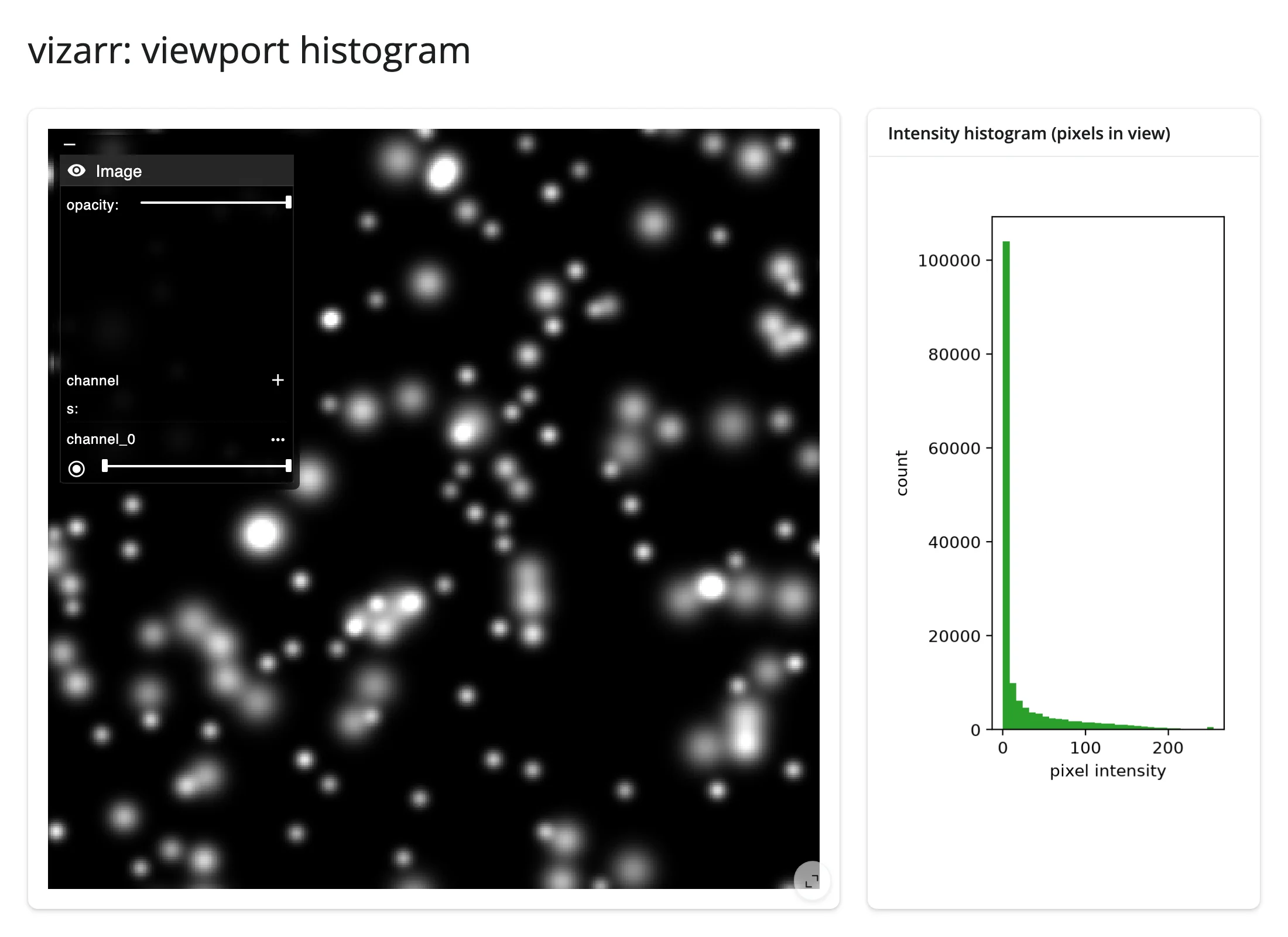
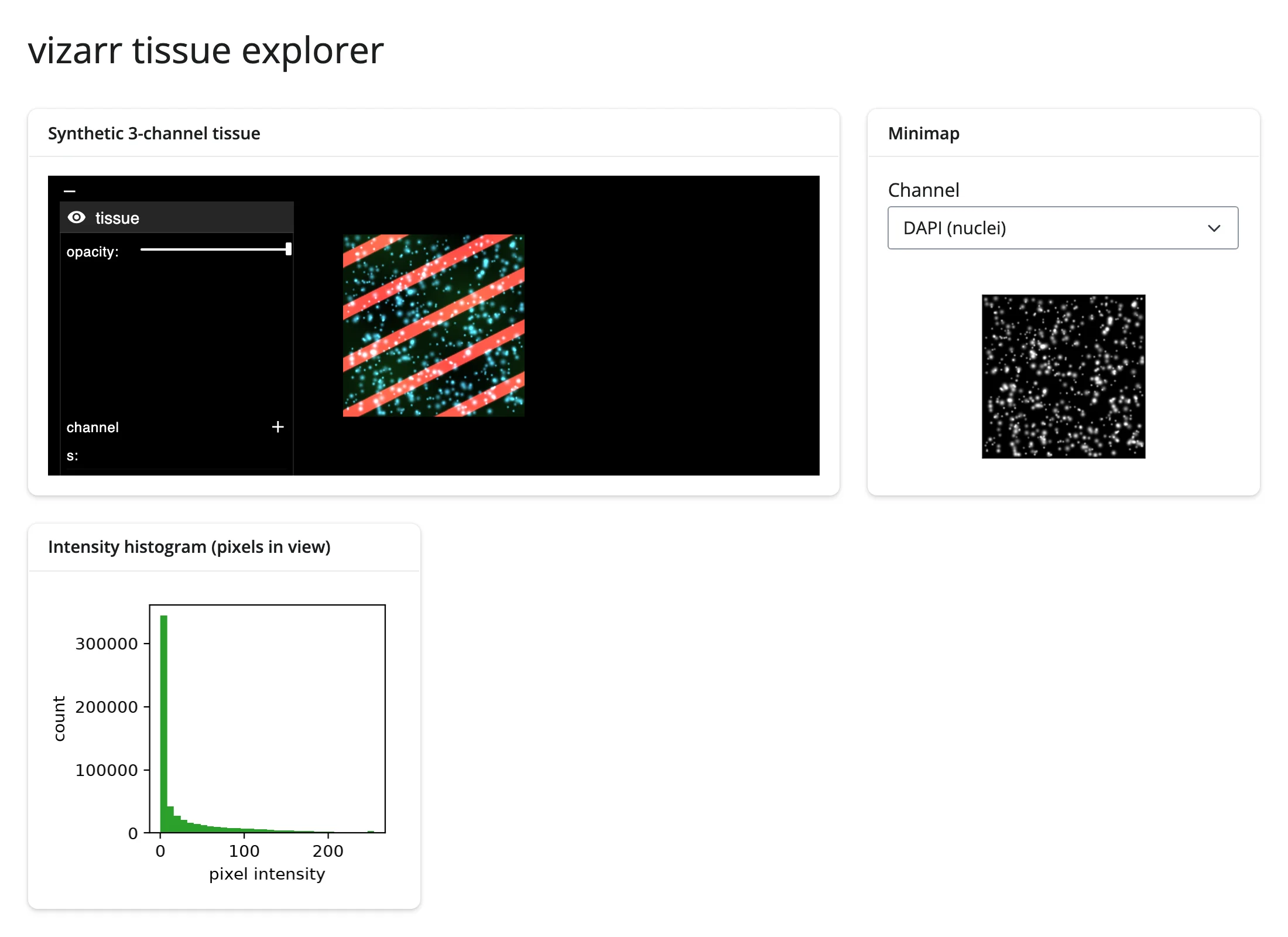
Pairs well with ../plotly/guide.md or ../matplotlib/guide.md for a dashboard-style layout; see the showcase gallery app for both patterns side by side with a channel selector.
Large data
vizarr is the clearest “only send what’s visible” example in this roster – see Large data & performance’s three approaches: it reads a multiscale OME-Zarr pyramid and fetches only the chunks the current pan/zoom level needs, GPU-composited by Viv. The practical limit is how those chunks reach the browser, not image size itself: a remote URL is fetched by the browser directly and scales to gigapixel stores; a local array served over the Shiny comm (base64-encoded, since Shiny has no binary message channel) costs about 33% more in transit bytes and rides the websocket, so it’s the slower path for anything large – see “Gotchas and limitations” for the measured figure. Prefer a remote Zarr store over add_image() on a big local array when the image is large.
Layout and sizing
In a filling layout, the viewer grows or shrinks to fit its container; an explicit output_widget(height=...) sizes it to that height instead. Otherwise vizarr’s own height trait applies (default "500px") – setting it yourself (vizarr.Viewer(height="300px")) opts out of filling, and an explicit output height still wins over it. render_vizarr marks the widget with a shinywidgets-vizarr CSS class so the stylesheet can fit the viewer’s (unstyled) root <div> to an explicit output height, which vizarr’s own inline styles don’t do on their own.
Gotchas and limitations
- No accessors, and the layer panel doesn’t sync back. Channel color, contrast, visibility, and opacity set through vizarr’s own side panel are local browser state; nothing reads them back into Python. Only
view_state(the camera) is synced. - Layers are append-only.
add_image()always adds a new layer; there’s no Python-side call to remove or update one already shown. Changing an existing channel’s look requires rebuilding theViewer(a re-render). - A re-render resets the camera, and a naive restore is racy. We verified this directly: vizarr’s deck.gl view always re-fits itself to the whole image on mount and reports that default camera back to Python a moment later – racing (and often beating) a
view_stateyou set either before or immediately after construction. A correct fix requires waiting for that one-time default report per widget and then overriding it exactly once, which is enough undocumented, order-dependent machinery that we recommend accepting the reset for controls that must change an existing layer, rather than shipping a timing-dependent workaround. add_image()’s per-call config kwargs are inconsistent for raw arrays. For a true OME-NGFF store (channel axis +omerometadata), colors/contrast/visibility are plural lists (colors,contrast_limits,visibilities) keyed by channel. For a plain array with no channel axis, the same concepts are singular keys (color,contrast_limitsas a flat[min, max],visibility,opacity) – passing the plural forms to a plain array is silently ignored, not an error. We verified this by inspecting vizarr’s minified JS; it isn’t documented upstream. Prefer writing realomerometadata on the store over guessing at these kwargs.- Local arrays cost ~33% in transit size and ride the Shiny websocket.
add_image()on a non-URL source serves chunks over the widget comm, base64-encoded (Shiny has no binary message channel). A remote URL is fetched by the browser directly and scales far better for large images. - Requires internet access. The viewer’s JavaScript (vizarr + Viv) loads from a CDN at render time.
zarr<3pin. vizarr can’t share a virtual environment with anything that needszarr>=3.
Gallery candidates
template_ome_zarr_viewer.py – a clean starting point: full-screen viewer on a public IDR sample, a “reset view” button, and a live camera readout. Swap the URL for your own store.
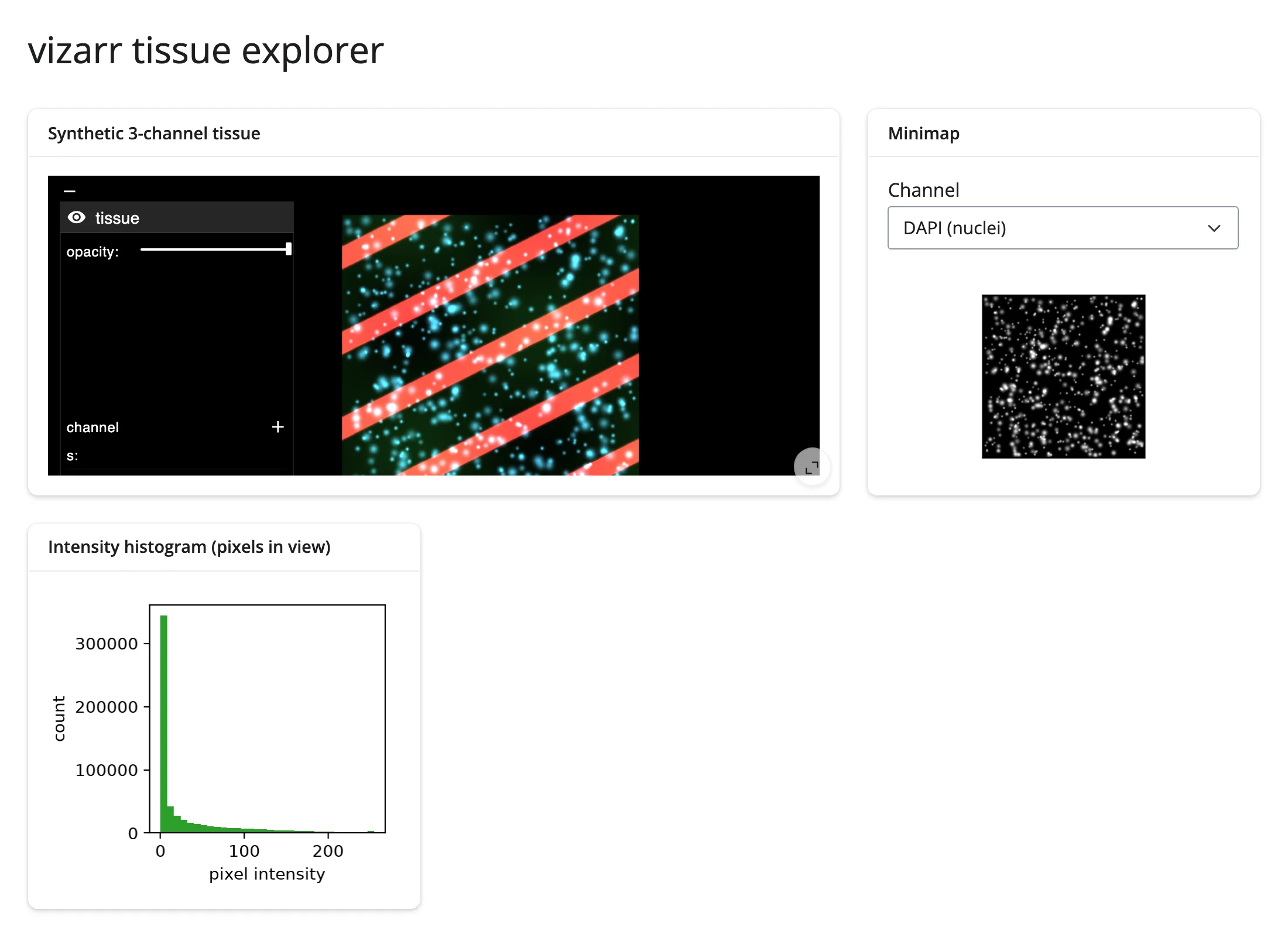
showcase_tissue_explorer.py – the two linked-view patterns above (minimap + histogram) combined with a channel selector, against a synthetic 3-channel tissue image.
Learn more
- vizarr on GitHub
- Viv (the GPU rendering layer vizarr builds on)
- OME-NGFF specification (the
multiscales/omerometadata convention) - Image Data Resource (public OME-Zarr datasets for testing)
- Related guides in this roster:
../pyvista/guide.md,../k3d/guide.md(3D meshes/volumes),../lonboard/guide.md,../maplibre/guide.md(geospatial raster/vector)