NGLView
NGLView is a Python wrapper around NGL, a WebGL viewer for macromolecular structures built and maintained by Alexander Rose and the NGL/nglview community. It’s the viewer behind a large share of structural-biology notebooks: it renders cartoons, surfaces, ball-and-stick and space-filling representations of proteins, nucleic acids and small molecules, colors them by any of NGL’s built-in or custom schemes, and – uniquely among the widgets in this roster – plays back molecular-dynamics trajectories frame by frame, streaming only the changed atom coordinates to the browser.
@render_nglview accepts an nglview.NGLWidget, most often built with nglview.show_file(), show_text(), show_url(), or a trajectory loader like show_mdtraj(). It applies shinywidgets’ layout defaults (the viewer fills its container unless the widget has its own height), and it quietly works around two upstream rough edges so the integration is safe to use inside Shiny’s render-per-session model: every NGLWidget starts background threads that poll forever in a notebook, and shinywidgets stops them when the widget closes instead of leaking a pair per re-render; and nglview constructs a process-global color-scheme registry at import time, which shinywidgets exempts from Shiny’s “no widgets outside a session” rule the same way it does for lonboard.
NGLView has no curated reactive accessors – the single most useful piece of interaction, clicking an atom, is a synced widget trait you read with structure.read("picked") (the generic trait-reading primitive every output has), exactly like reading "zoom" on an ipyleaflet.Map output that also has no accessor for it. That’s enough to build real linked views: a click gives you a full atom record (residue, chain, element, coordinates, B-factor) to drive a detail card or highlight, and setting .widget.frame streams a trajectory into any plot you build alongside it. Choose NGLView when the subject is a real molecular structure or trajectory; for generic 3D scenes (meshes, point clouds, custom geometry) see k3d, ipyvolume, or pythreejs, and for 2D chemistry (molecule grids, substructure search) see mols2grid.
Installation
pip install 'shinywidgets[nglview]'This installs nglview itself (an sdist that builds from source; it also pulls in notebook/jupyterlab as dependencies, which only matters for install time, not for a Shiny app). Loading a trajectory additionally needs a structure/trajectory backend such as MDTraj (pip install mdtraj) or MDAnalysis; the trajectory examples below use MDTraj.
Quick start
nglview.show_file() (or show_text(), show_url(), show_structure_file()) builds an NGLWidget with a default cartoon representation. Nothing else is required – the viewer fills its card like any other shinywidgets output.
import nglview
from shiny.express import ui
from shinywidgets import render_nglview

ui.page_opts(fillable=True)

with ui.card(full_screen=True):
    ui.card_header("Rhodopsin (PDB 1U19)")

    @render_nglview
    def structure():
        # nglview ships a few structures for examples/tests; no network needed
        view = nglview.show_file(nglview.datafiles.PDB)
        view.center()
        view.control.zoom(0.3)
        return view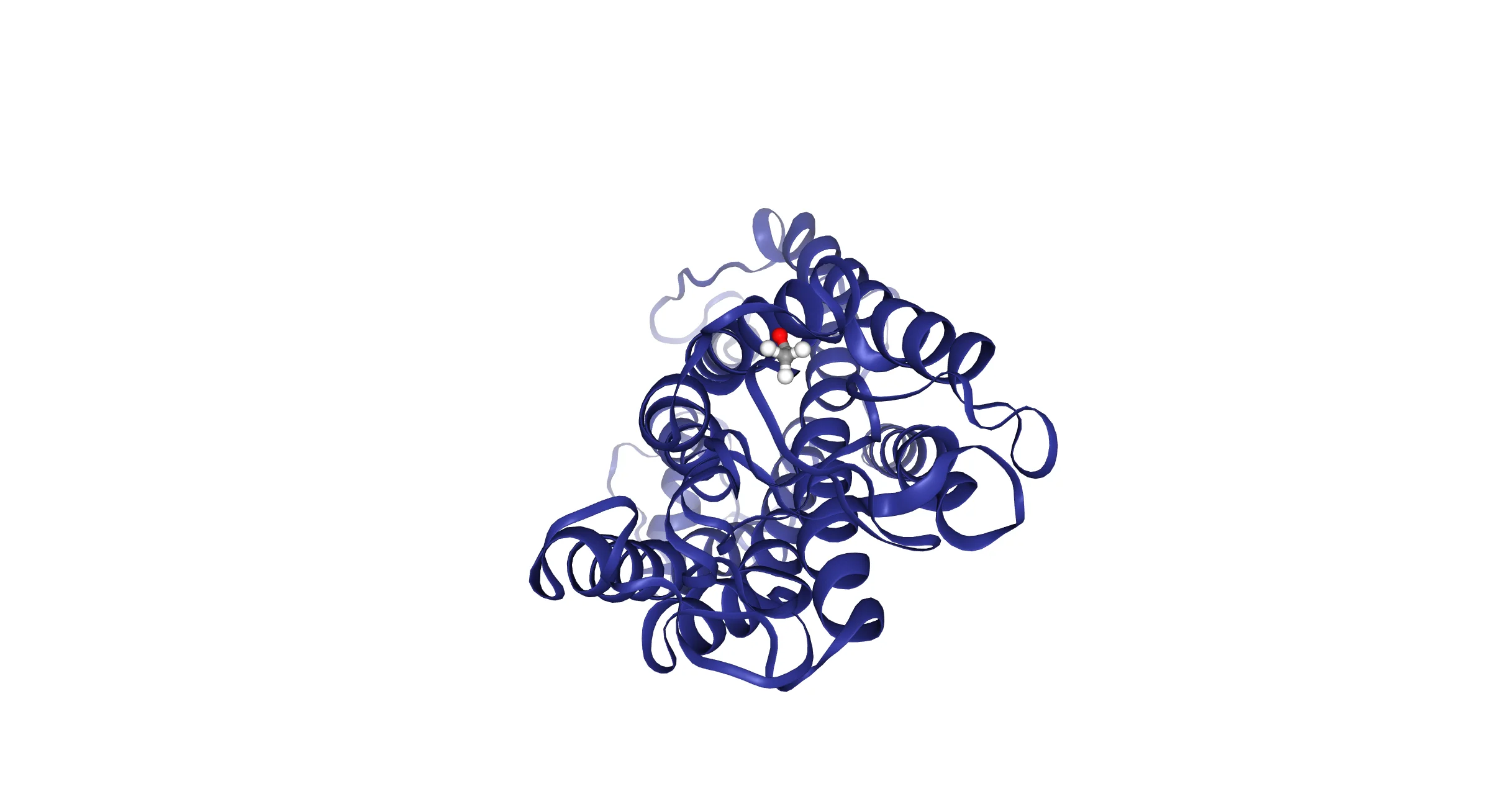
What you can build
Any structure source, local or remote
show_file()/show_text()/show_structure_file() read on the server. show_url() instead queues a loadFile call that the browser fetches directly – the server never downloads the structure, which matters for a multi-user Shiny app. Avoid nglview.show_pdbid(): it calls urlopen() synchronously inside the render function, blocking that worker’s event loop (every session) until the download finishes.
import nglview
from shiny.express import input, ui
from shinywidgets import render_nglview

ui.page_opts(fillable=True)

ui.input_select(
    "source",
    "Structure source",
    {
        "bundled": "Bundled file (nglview.datafiles.PDB, no network)",
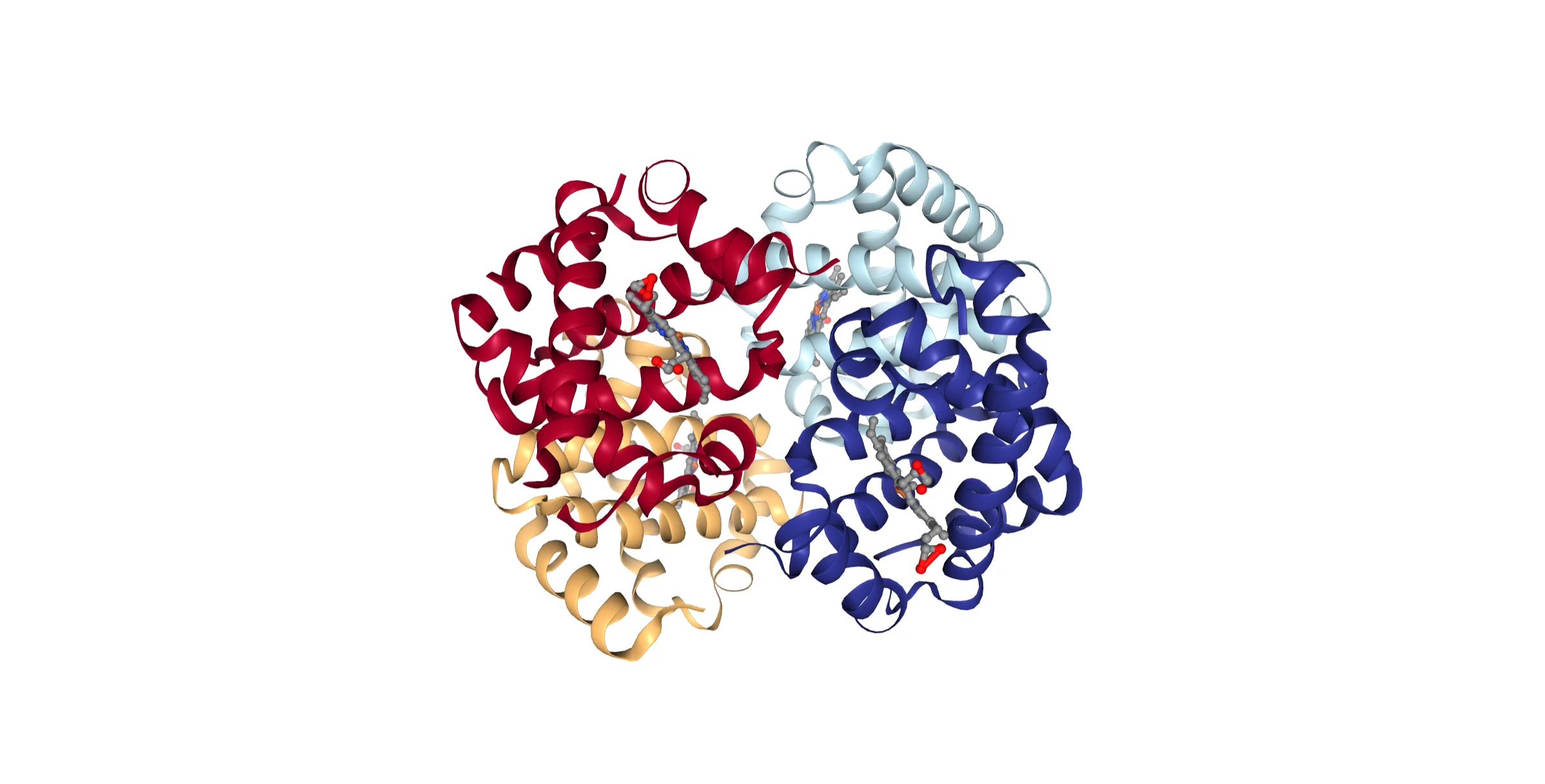
        "rcsb": "Fetched by the browser from RCSB (4HHB, hemoglobin)",
    },
)

with ui.card(full_screen=True):

    @render_nglview
    def structure():
        if input.source() == "bundled":
            # Read on the server; good for files you already have locally
            return nglview.show_file(nglview.datafiles.PDB)
        # show_url() queues a loadFile the *browser* fetches directly, so the
        # server never downloads the structure. Prefer this (or show_file/
        # show_text) over show_pdbid(), which blocks the server on urlopen().
        return nglview.show_url("https://files.rcsb.org/download/4HHB.cif")
Switching to the RCSB-hosted option fetches live from files.rcsb.org and renders hemoglobin’s four chains:
Representations and coloring, restyled in place
NGL separates what’s drawn (representation: cartoon, licorice, spacefill, surface, …) from how it’s colored (scheme: by residue index, chain, B-factor, hydrophobicity, a custom scheme, …). Changing either from a @reactive.effect that mutates .widget restyles the live viewer – no re-render, so the user’s camera position survives (see Updating the widget from Python).
import nglview
from shiny import reactive
from shiny.express import input, ui
from shinywidgets import render_nglview

ui.page_opts(fillable=True)

REPRESENTATIONS = ["cartoon", "licorice", "spacefill", "surface"]
COLOR_SCHEMES = ["residueindex", "chainindex", "bfactor", "hydrophobicity"]

with ui.sidebar():
    ui.input_select("representation", "Representation", REPRESENTATIONS)
    ui.input_select("color_scheme", "Color scheme", COLOR_SCHEMES)

with ui.card(full_screen=True):

    @render_nglview
    def structure():
        view = nglview.show_file(
            nglview.datafiles.PDB, default_representation=False
        )
        view.add_representation("cartoon", color_scheme="residueindex")
        view.center()
        return view

    # Restyle the already-rendered viewer in place instead of re-rendering:
    # the camera position and zoom survive, and the structure file isn't
    # re-sent to the browser
    @reactive.effect
    def _restyle():
        view = structure.widget
        if view is None:
            return
        view.clear_representations()
        view.add_representation(
            input.representation(), color_scheme=input.color_scheme()
)| Cartoon, by residue index | Surface, by hydrophobicity |
|---|---|
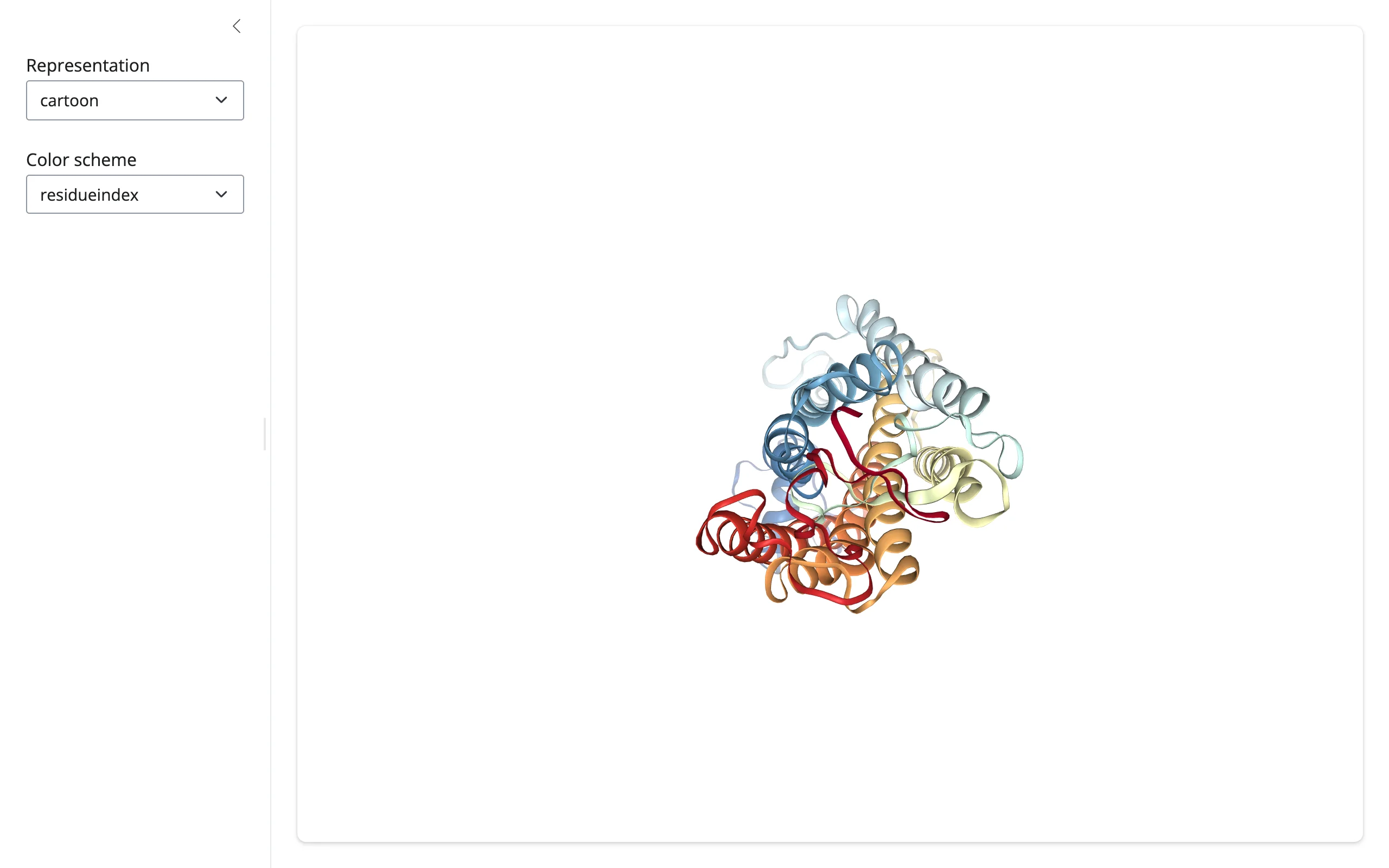 |
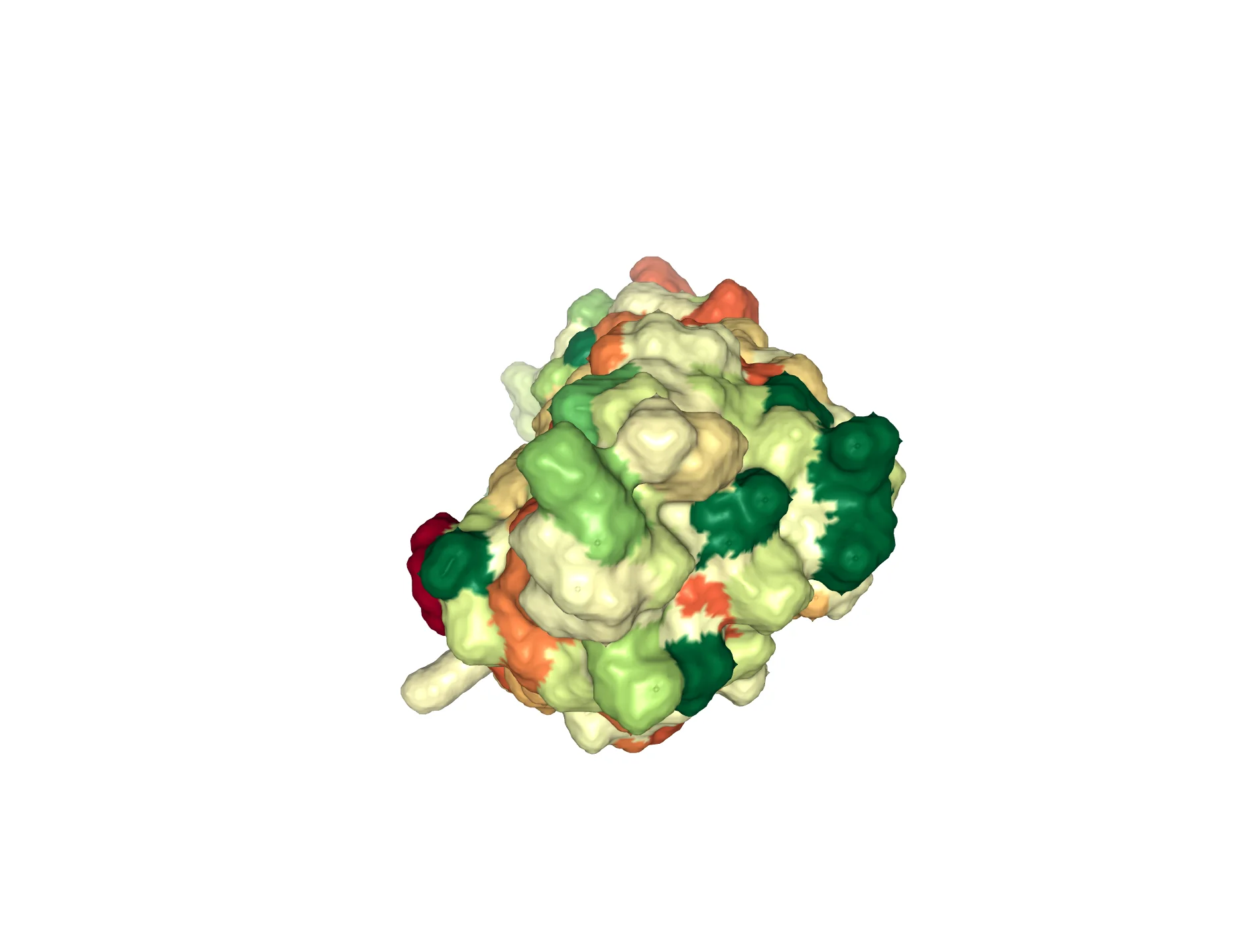 |
Selection language: highlight what you choose in Shiny
NGL’s selection language picks out atoms by residue number ("262"), range ("260-265"), residue name ("LRT"), or keyword ("protein", "hetero"). Giving a highlight its own representation type (here, spacefill, distinct from the base cartoon) means remove_spacefill() clears only the highlight.
import nglview
from shiny import reactive
from shiny.express import input, ui
from shinywidgets import render_nglview

ui.page_opts(fillable=True)

ui.input_slider("residues", "Highlight residues", min=1, max=348, value=(260, 265))

with ui.card(full_screen=True):
    ui.card_header("Rhodopsin (1U19): highlight a residue range")

    @render_nglview
    def structure():
        view = nglview.show_file(
            nglview.datafiles.PDB, default_representation=False
        )
        view.add_representation("cartoon", color="lightgrey")
        view.center()
        return view

    # NGL's selection language ("262", "260-265", "LRT", "protein", ...) picks
    # out atoms by residue number, name, or keyword. A distinct representation
    # type (spacefill) for the highlight means remove_spacefill() only clears
    # it, leaving the cartoon representation untouched.
    @reactive.effect
    def _highlight():
        view = structure.widget
        if view is None:
            return
        lo, hi = input.residues()
        view.remove_spacefill()
view.add_representation("spacefill", selection=f"{lo}-{hi}", color="red")| Residues 260-265 | Residues ~35-45 |
|---|---|
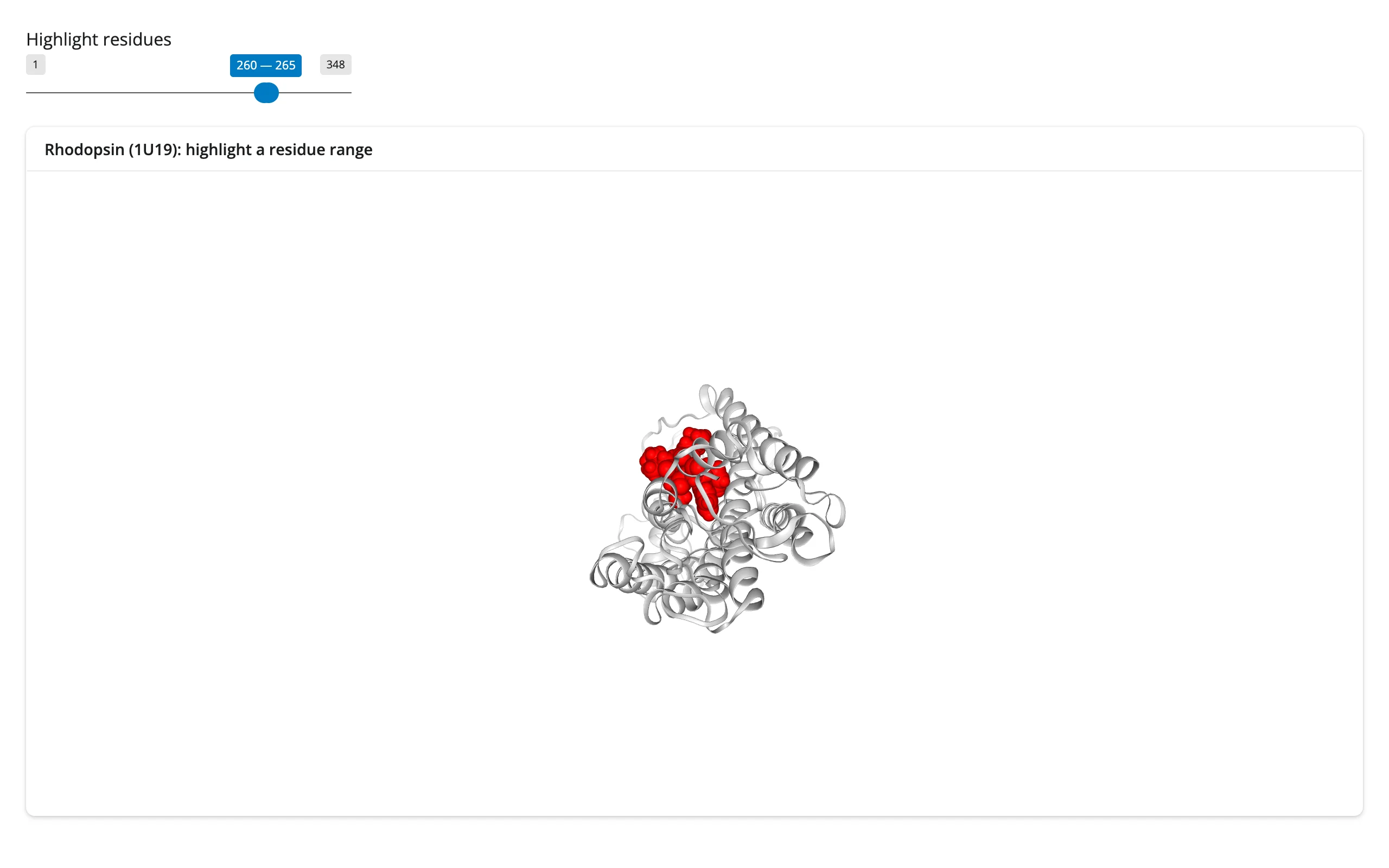 |
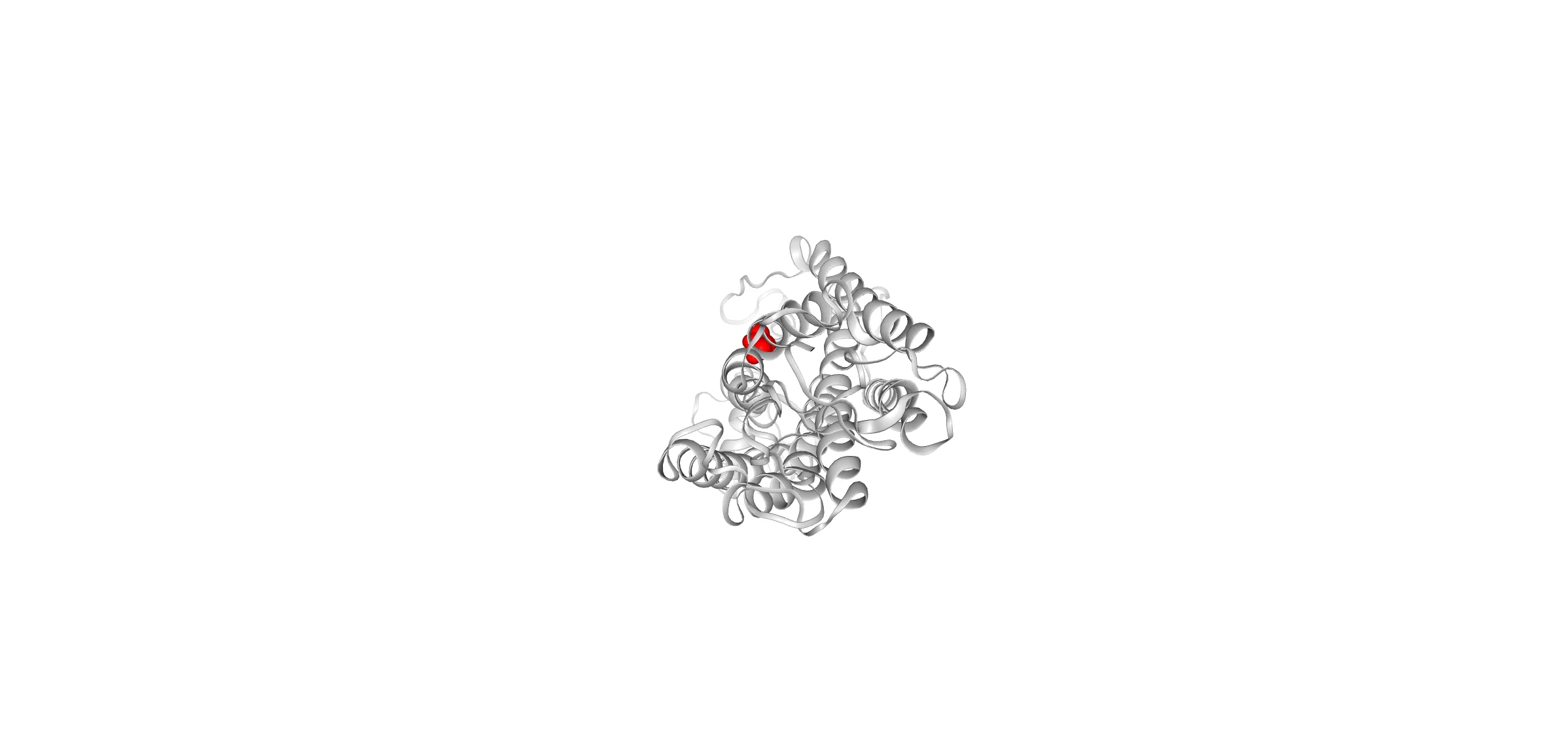 |
Trajectory playback
show_mdtraj() (or show_mdanalysis(), show_simpletraj()) loads every frame’s coordinates once; after that, setting .widget.frame streams just the new positions, so a Shiny slider with animate=True turns into a scrubbable molecular-dynamics movie.
# Needs mdtraj to load the bundled trajectory: `uv run --with mdtraj shiny run ...`
# (or `pip install mdtraj`; MDAnalysis works too, via nglview.show_mdanalysis()).
import mdtraj
import nglview
from shiny import reactive
from shiny.express import input, ui
from shinywidgets import render_nglview

ui.page_opts(fillable=True)

# A bundled 1 ns rhodopsin trajectory, 51 frames, 20 ps apart
traj = mdtraj.load(nglview.datafiles.XTC, top=nglview.datafiles.PDB)

ui.input_slider("frame", "Frame", min=0, max=traj.n_frames - 1, value=0, animate=True)

with ui.card(full_screen=True):

    @render_nglview
    def structure():
        return nglview.show_mdtraj(traj)

    # `frame` is a synced trait: setting it in place sends only the new
    # coordinates, not the whole structure again
    @reactive.effect
    def _scrub():
        view = structure.widget
        if view is not None:
            view.frame = input.frame()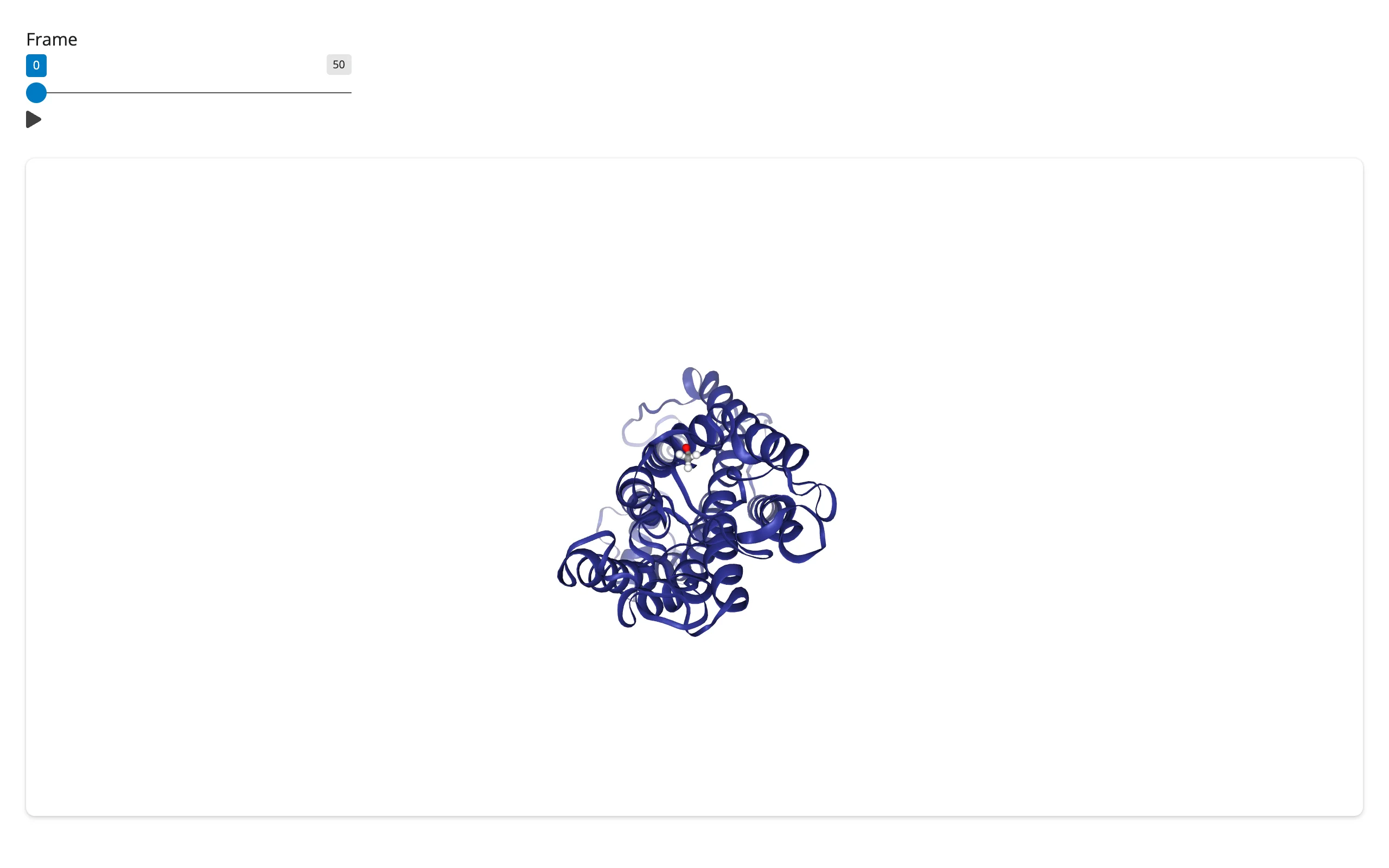
Reacting to user interaction
Accessor reference
render_nglview declares no curated accessors (confirmed by reading _render_widget.py: unlike render_plotly or render_lonboard, its class body is just a docstring). The traits below live on the rendered NGLWidget itself, so read them with structure.read("trait") – every output’s generic trait-by-name reader, which falls through to reactive_read() on .widget under the hood. It’s the same tier used for any renderer’s un-curated traits; reach for plain reactive_read(obj, "trait") instead only when the trait lives on a different widget than the one the renderer returns (there’s no such case in this guide – nglview has no child widgets with traits worth reading).
| trait | returns | fires when | starting value | notes |
|---|---|---|---|---|
"picked" |
dict |
the user clicks the viewer | {} |
{} on every click too, briefly, before the atom record (see below); {} again if nothing is hit |
"frame" |
int |
.widget.frame is set, from Python or synced back from a displayed _iplayer/GUI player |
the render function’s initial value (usually 0) |
also settable from Python to drive playback |
"_camera_orientation" |
list[float] (16, a 4x4 matrix) |
the user drags/scrolls/pans, debounced ~100 ms by NGL’s own JS | [] until first move |
private (leading underscore) but stable; used internally for multi-view camera sync |
picked: click an atom
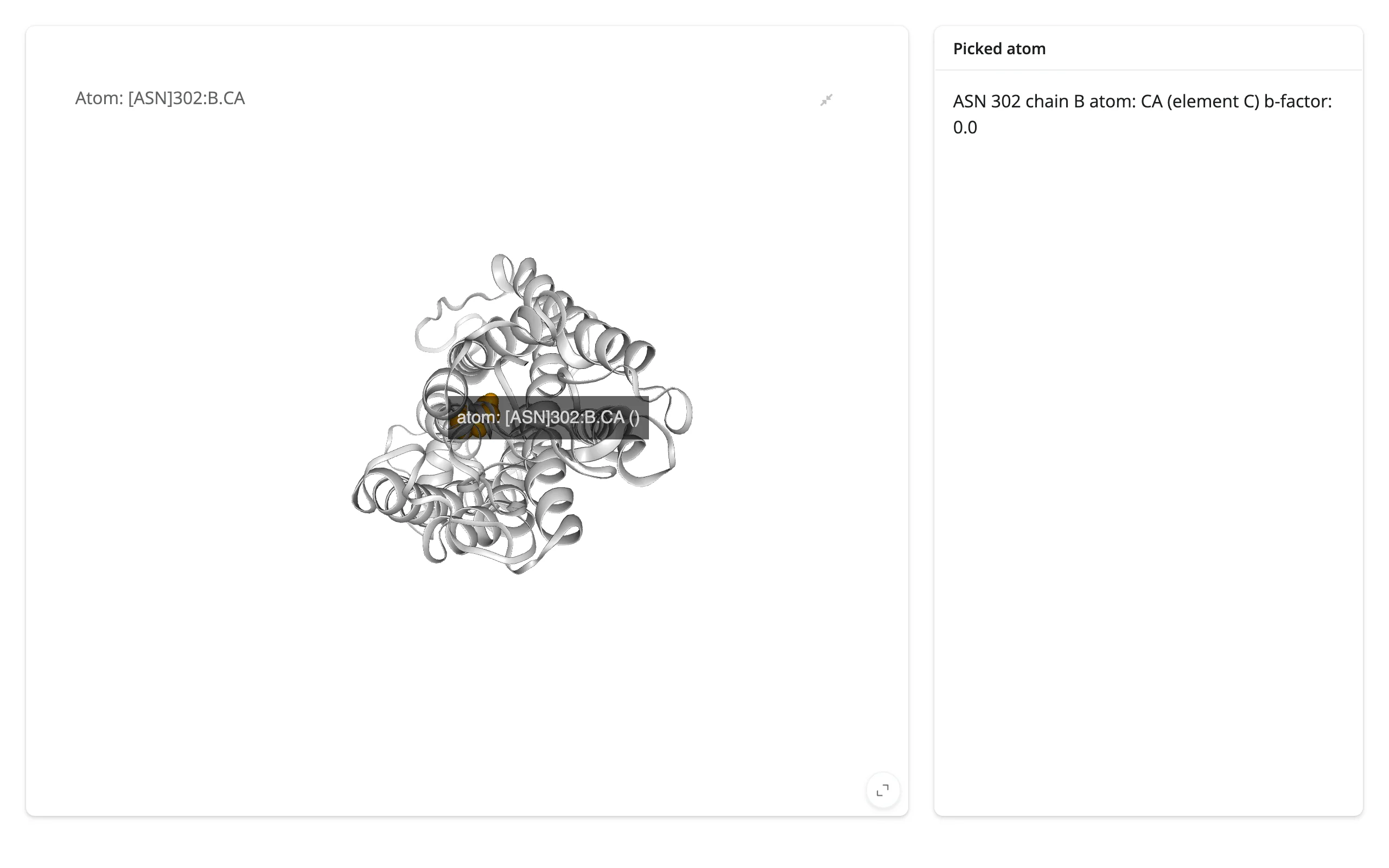
A click fires picked twice: once with {} immediately (NGL clears the previous pick before raising the new one), then with the real record. Verified by logging every change server-side: a single click on an atom produced PICKED_EVENT: {} followed by PICKED_EVENT: {'atom1': {...}, 'component': 0}. Code that reads picked should treat {} as “nothing (yet)”, which picked.get("atom1") does naturally. The atom record has resname, resno, chainname, atomname, element, bfactor, x/y/z, index, serial, and name (a composed label like "[ASN]302:B.CA"). Clicking empty space resets picked to {} too, so there’s no separate “deselect” case to handle.
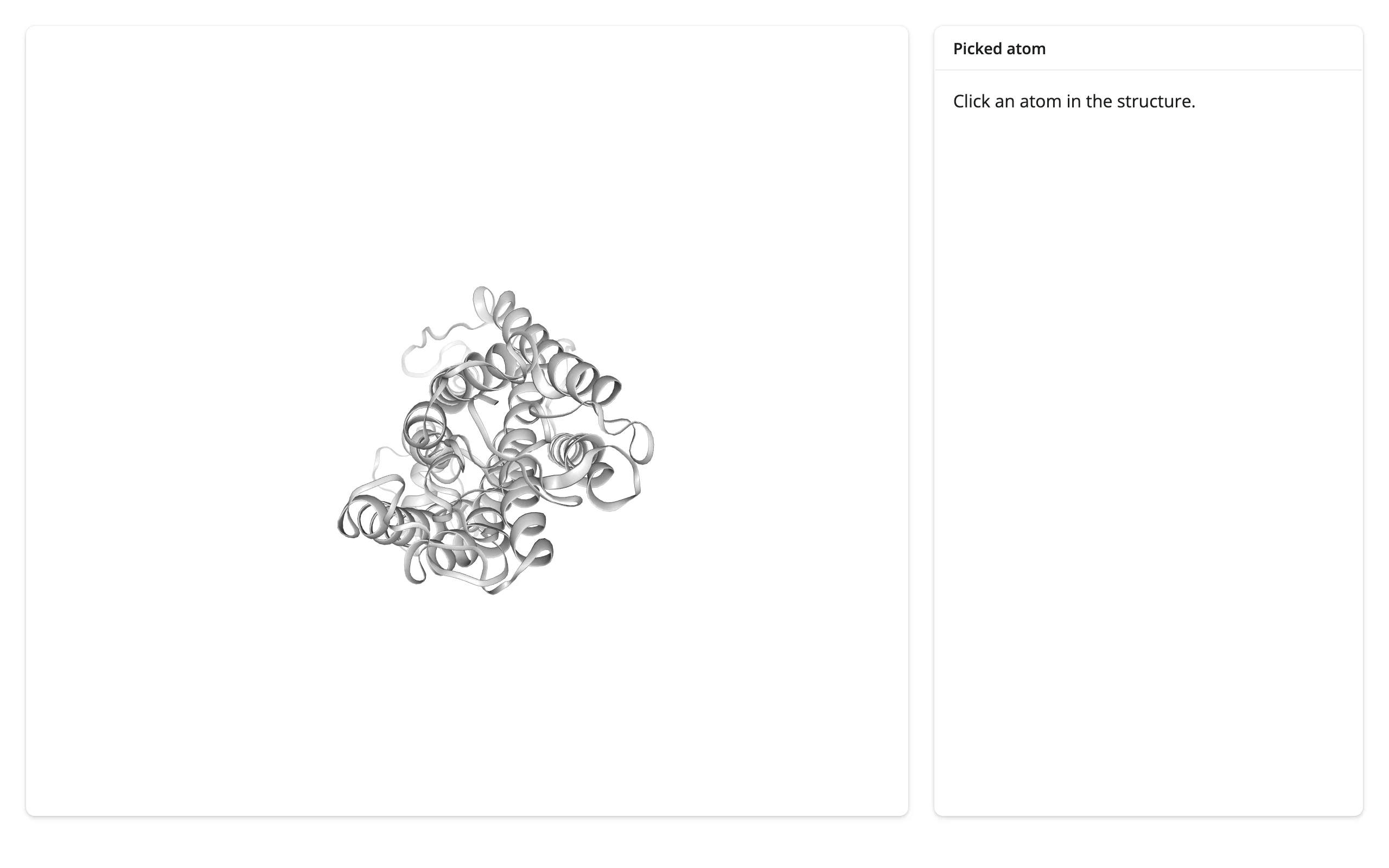
This example also highlights the clicked residue in place, combining the click-driven read with an in-place representation change:
import nglview
from shiny import reactive
from shiny.express import render, ui
from shinywidgets import render_nglview

ui.page_opts(fillable=True)

with ui.layout_columns(col_widths=[8, 4]):
    with ui.card(full_screen=True):

        @render_nglview
        def structure():
            view = nglview.show_file(
                nglview.datafiles.PDB, default_representation=False
            )
            view.add_representation("cartoon", color="lightgrey")
            view.add_representation("ball+stick", selection="hetero")
            view.center()
            return view

    with ui.card():
        ui.card_header("Picked atom")

        @render.text
        def atom_info():
            picked = structure.read("picked")
            atom = picked.get("atom1") if picked else None
            if atom is None:
                return "Click an atom in the structure."
            return (
                f"{atom['resname']} {atom['resno']} chain {atom['chainname']}\n"
                f"atom: {atom['atomname']} (element {atom['element']})\n"
                f"b-factor: {atom['bfactor']:.1f}"
            )

    # Highlight the clicked residue in place, on top of the cartoon
    @reactive.effect
    def _highlight_picked():
        view = structure.widget
        if view is None:
            return
        picked = structure.read("picked")
        atom = picked.get("atom1") if picked else None
        view.remove_spacefill()
        if atom is not None:
            view.add_representation(
                "spacefill", selection=str(atom["resno"]), color="orange"
)| Before clicking | After clicking an atom |
|---|---|
 |
 |
frame: scrub or stream a trajectory
Setting .widget.frame from Python (as in the playback example above) is the common direction. It’s also readable with structure.read("frame"), which matters when something other than your own code might move it – nglview’s constructor always builds a Play/IntSlider pair (.widget._iplayer) linked to frame via ipywidgets.jslink; if an app displays that player, dragging it updates frame in the browser, and structure.read("frame") sees it exactly like any other synced trait. The trajectory + RMSD example below reads frame indirectly, through a shared reactive.value that both a Shiny slider and a plot click can set.
_camera_orientation: camera state after a drag
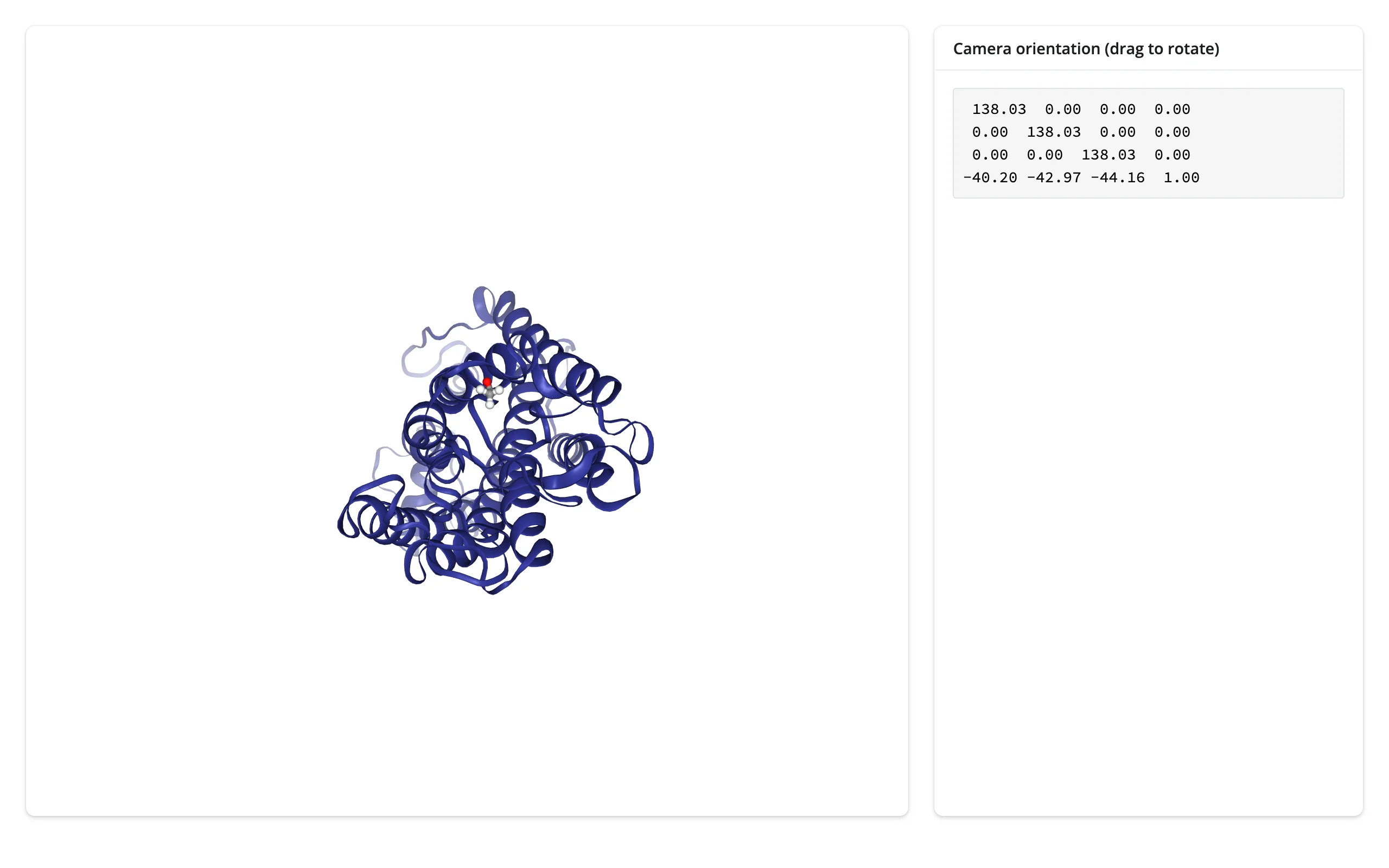
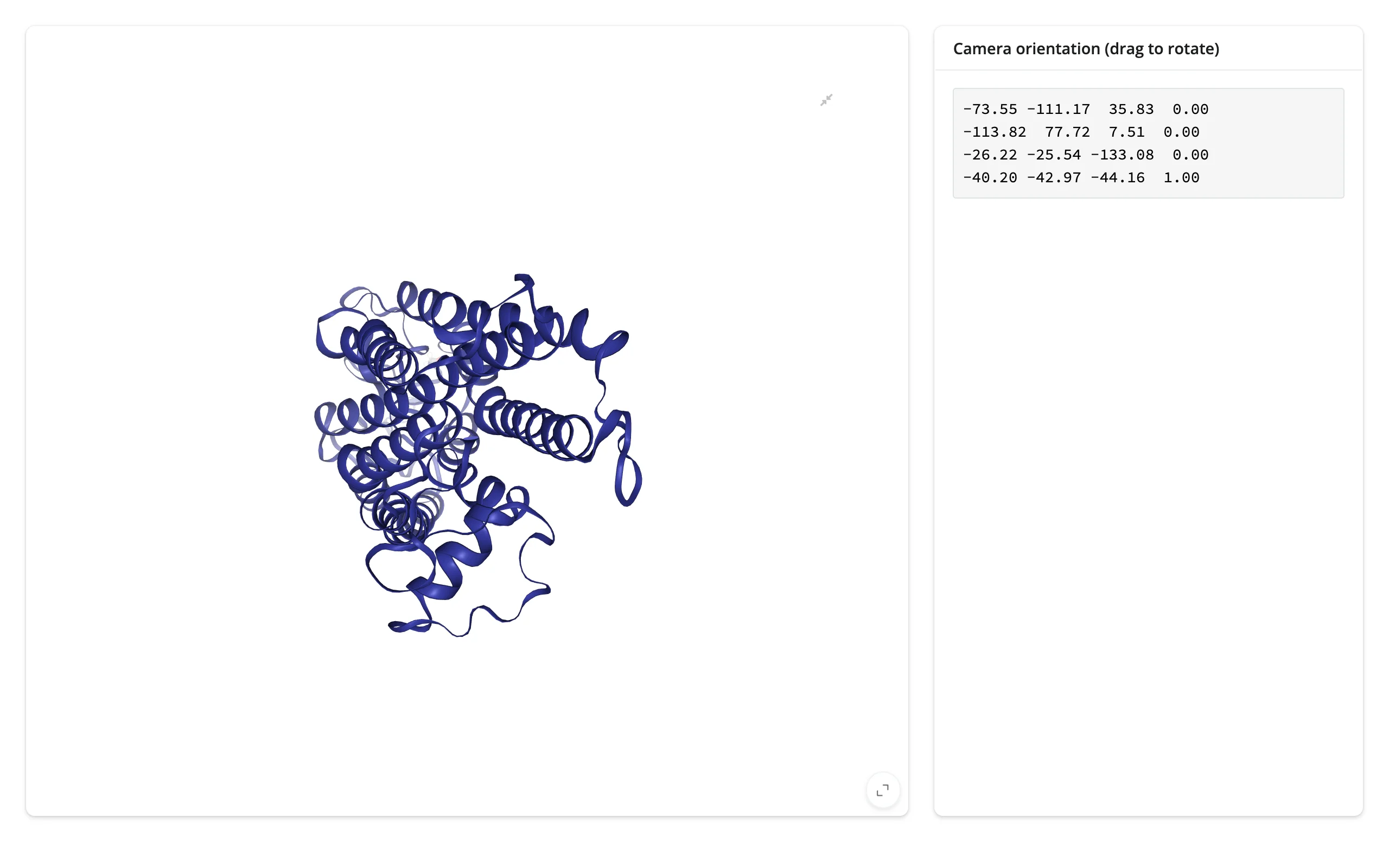
Dragging to rotate, scrolling to zoom, and right-click-dragging to pan all update _camera_orientation – a flattened 4x4 matrix – after NGL’s own ~100 ms debounce. It’s private API (and nglview’s docs call camera control “unstable”), but it’s been stable across versions and is what nglview itself uses to sync cameras between multiple linked views. Reach for it if you want to save/restore a view, or log what orientation a user settled on.
import nglview
from shiny.express import render, ui
from shinywidgets import render_nglview

ui.page_opts(fillable=True)

with ui.layout_columns(col_widths=[8, 4]):
    with ui.card(full_screen=True):

        @render_nglview
        def structure():
            view = nglview.show_file(nglview.datafiles.PDB)
            view.center()
            return view

    with ui.card():
        ui.card_header("Camera orientation (drag to rotate)")

        @render.code
        def orientation():
            # A 4x4 matrix (16 floats), updated ~100ms after the user stops
            # dragging/scrolling/panning the view
            matrix = structure.read("_camera_orientation")
            return "\n".join(
                " ".join(f"{v: .2f}" for v in matrix[i : i + 4])
                for i in range(0, len(matrix), 4)
)| Before dragging | After dragging |
|---|---|
 |
 |
Rate limiting
Neither structure.read("trait") nor plain reactive_read() is rate-limited on its own – every change to the trait invalidates your reactive context immediately, as many times as the browser reports a change (@render_nglview’s own rate_policy/rate_delay kwargs apply here too, since .read() falls through to reactive_read() under the hood). In practice this rarely matters for NGLView: picked only changes on discrete clicks (twice per click, as noted above, not a stream); frame changes once per slider step or trajectory tick; and the one truly continuous interaction, camera dragging, already arrives pre-throttled from NGL’s own JS at roughly 10 updates/second, not on every mouse-move event. If you still want to throttle further (e.g. to avoid redrawing an expensive downstream plot on every camera update), wrap the read in your own @reactive.calc and poll it, or debounce the consuming output rather than the trait itself.
Updating the widget from Python
Every example above restyles or scrubs .widget from a @reactive.effect rather than returning a new widget from the render function. This matters more for NGLView than most widgets: a full re-render resets the camera to NGL’s default view, discarding any zoom, rotation, or pan the user has made, and re-sends the structure file to the browser. An in-place change (.widget.add_representation(...), .widget.frame = ..., .widget.clear_representations()) keeps the camera exactly where the user left it and sends only the small message the change requires – even though nglview makes many of these calls from its own background thread rather than the main one (confirmed working on current main; this needs shiny>=1.9, which is shinywidgets’ own minimum pinned version, so it’s automatic, not something to configure).
import nglview
from shiny import reactive
from shiny.express import input, ui
from shinywidgets import render_nglview

ui.page_opts(fillable=True)

ui.input_action_button("restyle", "Restyle in place (keeps camera)")
ui.input_action_button("rerender", "Rerender (resets camera)")

rerender_count = reactive.value(0)

with ui.card(full_screen=True):

    @render_nglview
    def structure():
        rerender_count()  # a dependency here forces a full rebuild on "Rerender"
        view = nglview.show_file(nglview.datafiles.PDB, default_representation=False)
        view.add_representation("cartoon", color="lightgrey")
        view.center()
        return view

    @reactive.effect
    @reactive.event(input.rerender)
    def _force_rerender():
        rerender_count.set(rerender_count.get() + 1)

    # Changes representation without touching the render function, so the
    # camera (position, rotation, zoom) the user set by dragging is untouched
    @reactive.effect
    @reactive.event(input.restyle)
    def _restyle_in_place():
        view = structure.widget
        if view is not None:
            view.clear_representations()
            view.add_representation("surface", color="skyblue", opacity=0.6)
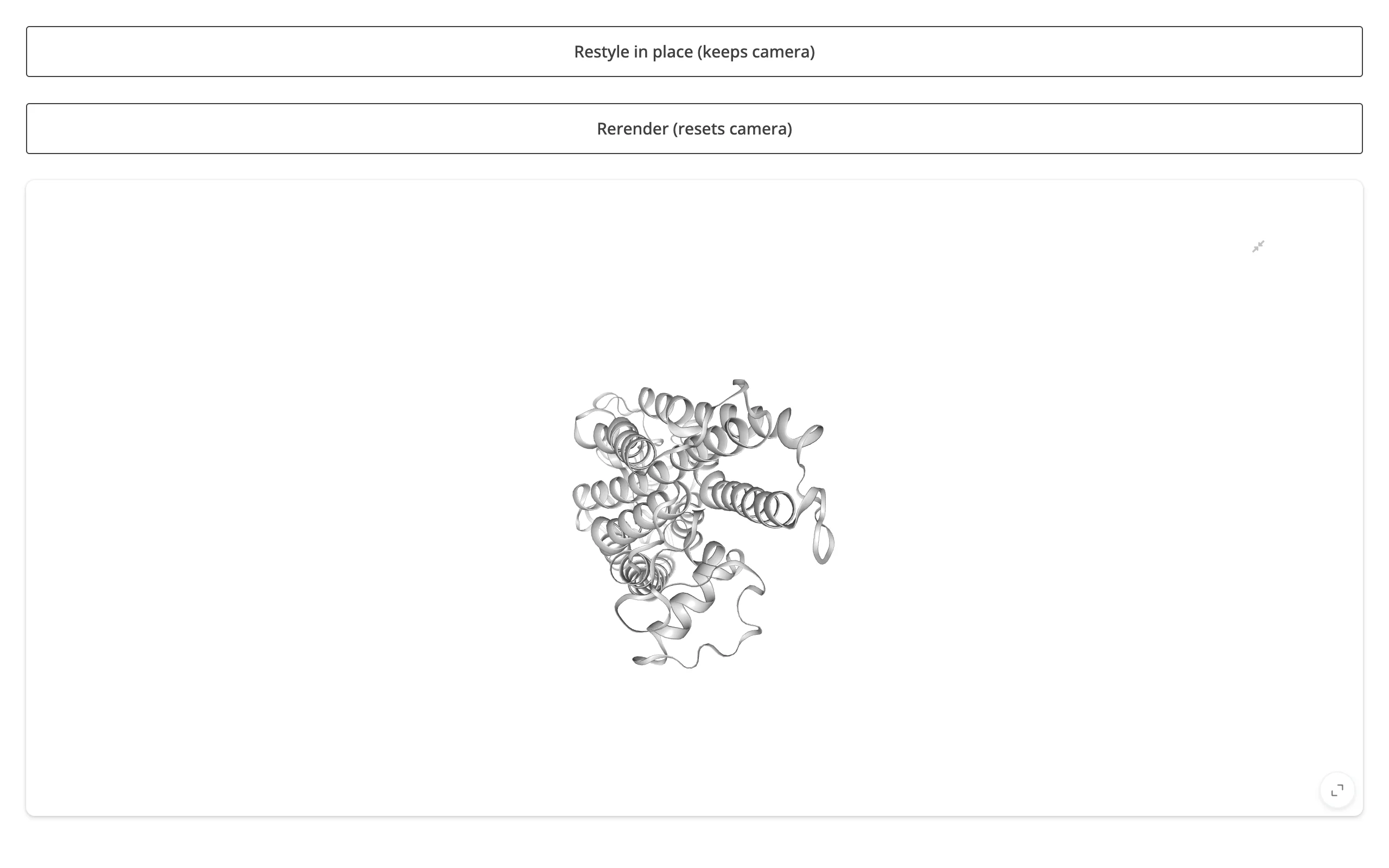
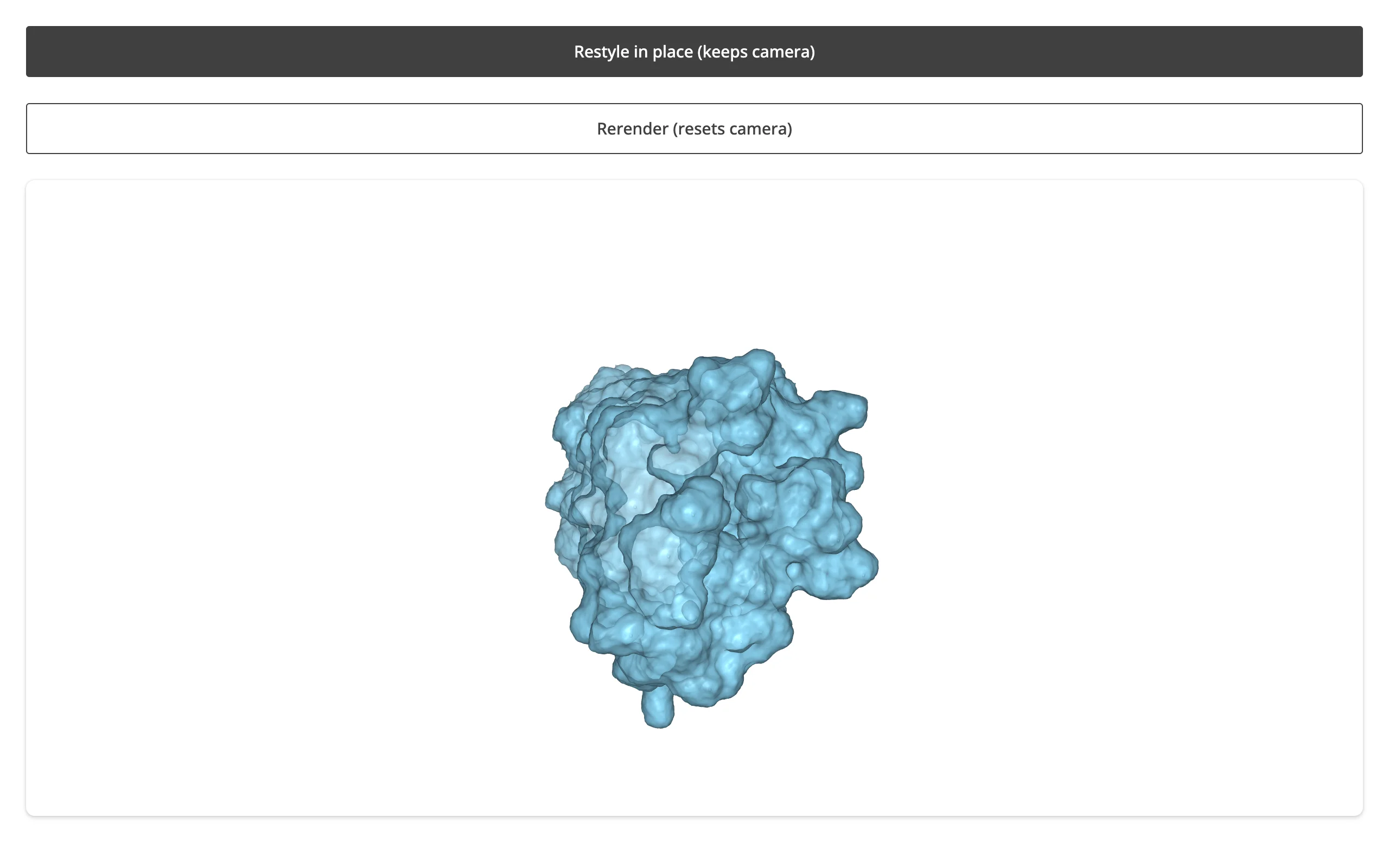
Drag to rotate, then restyle in place – the camera holds:
| After dragging | After “Restyle in place” | After “Rerender” |
|---|---|---|
 |
 |
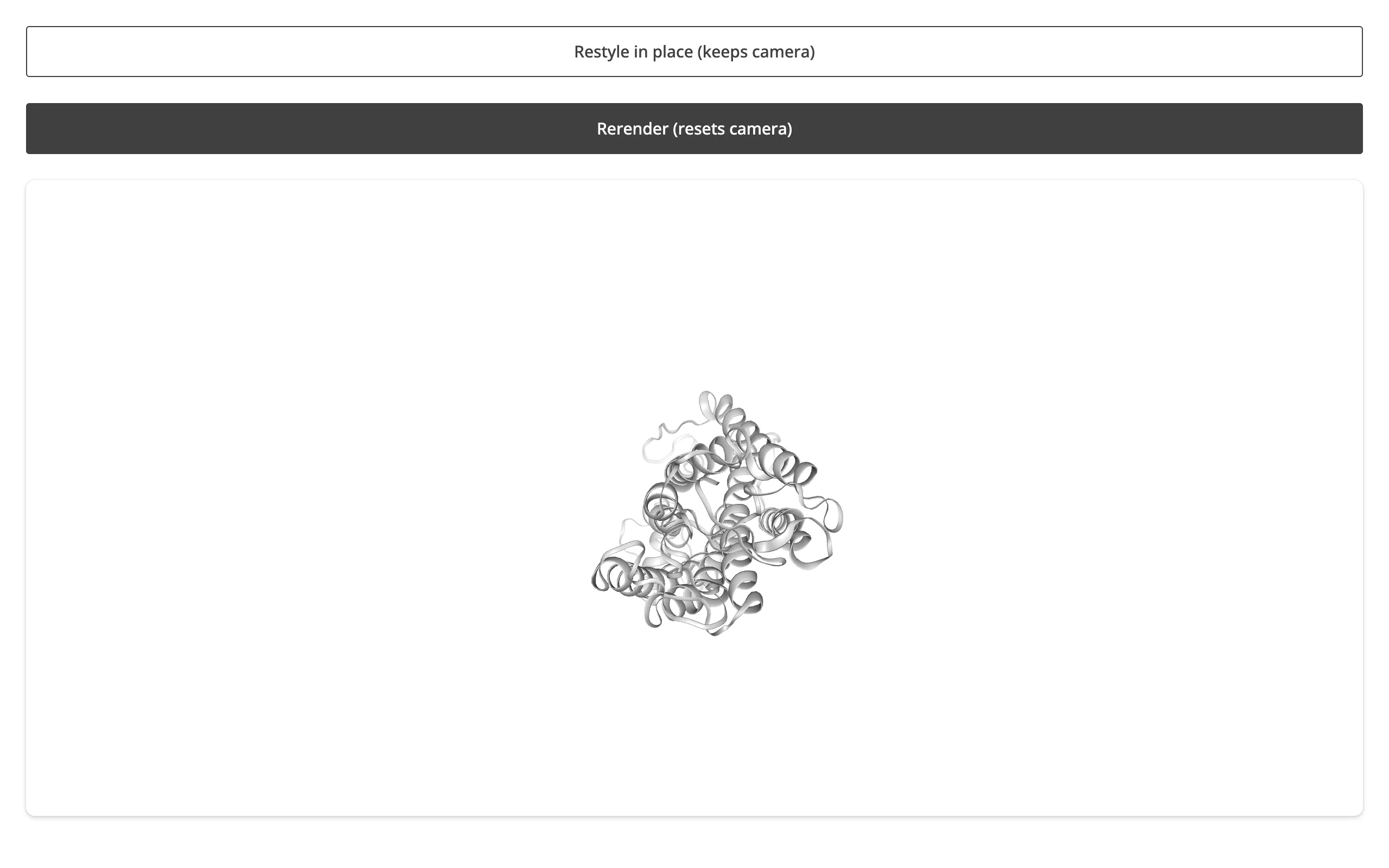 |
The rerender screenshot shows the camera snapped back to NGL’s default centered view, and the representation reset to the render function’s own cartoon – exactly the two things an in-place update preserves.
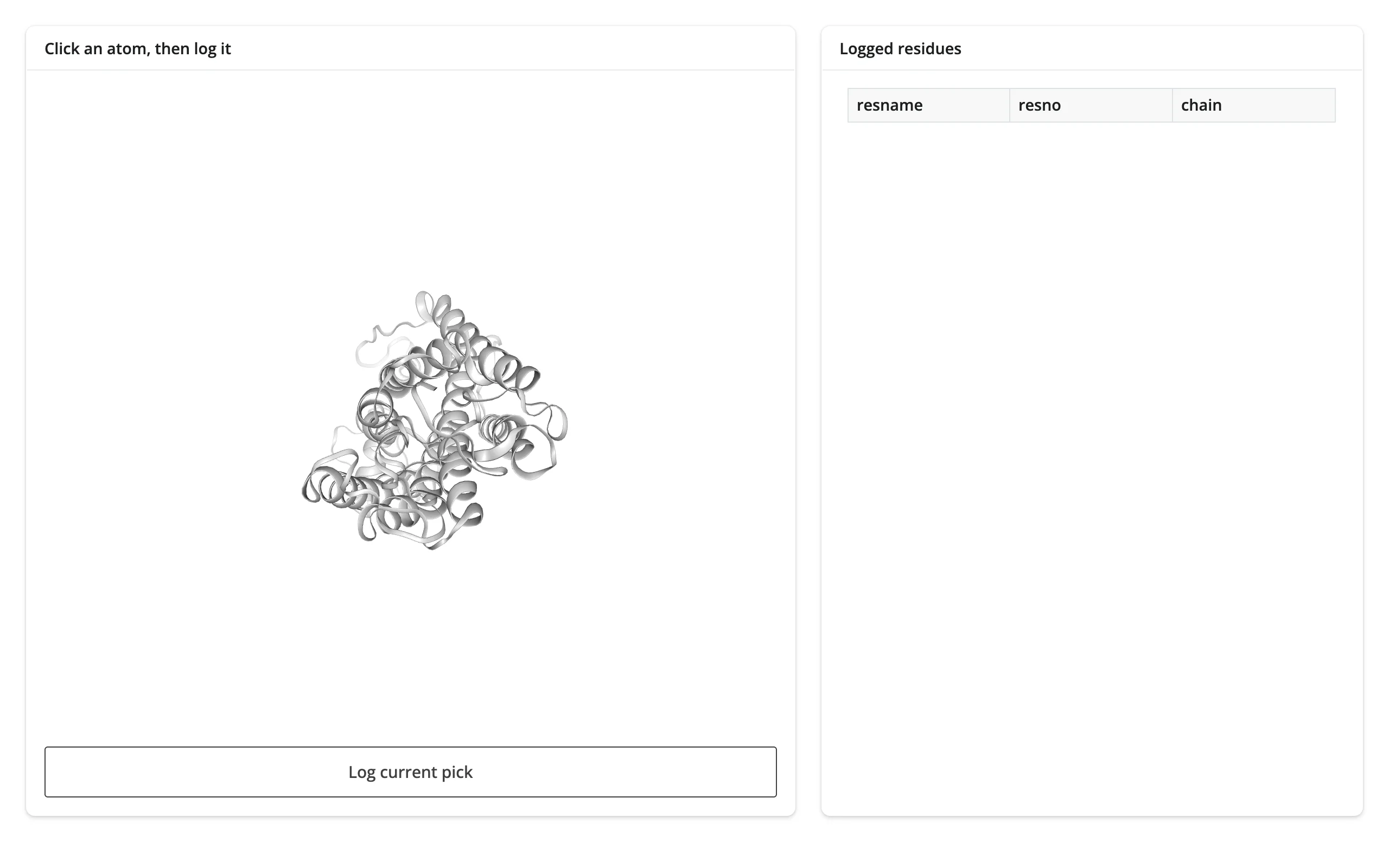
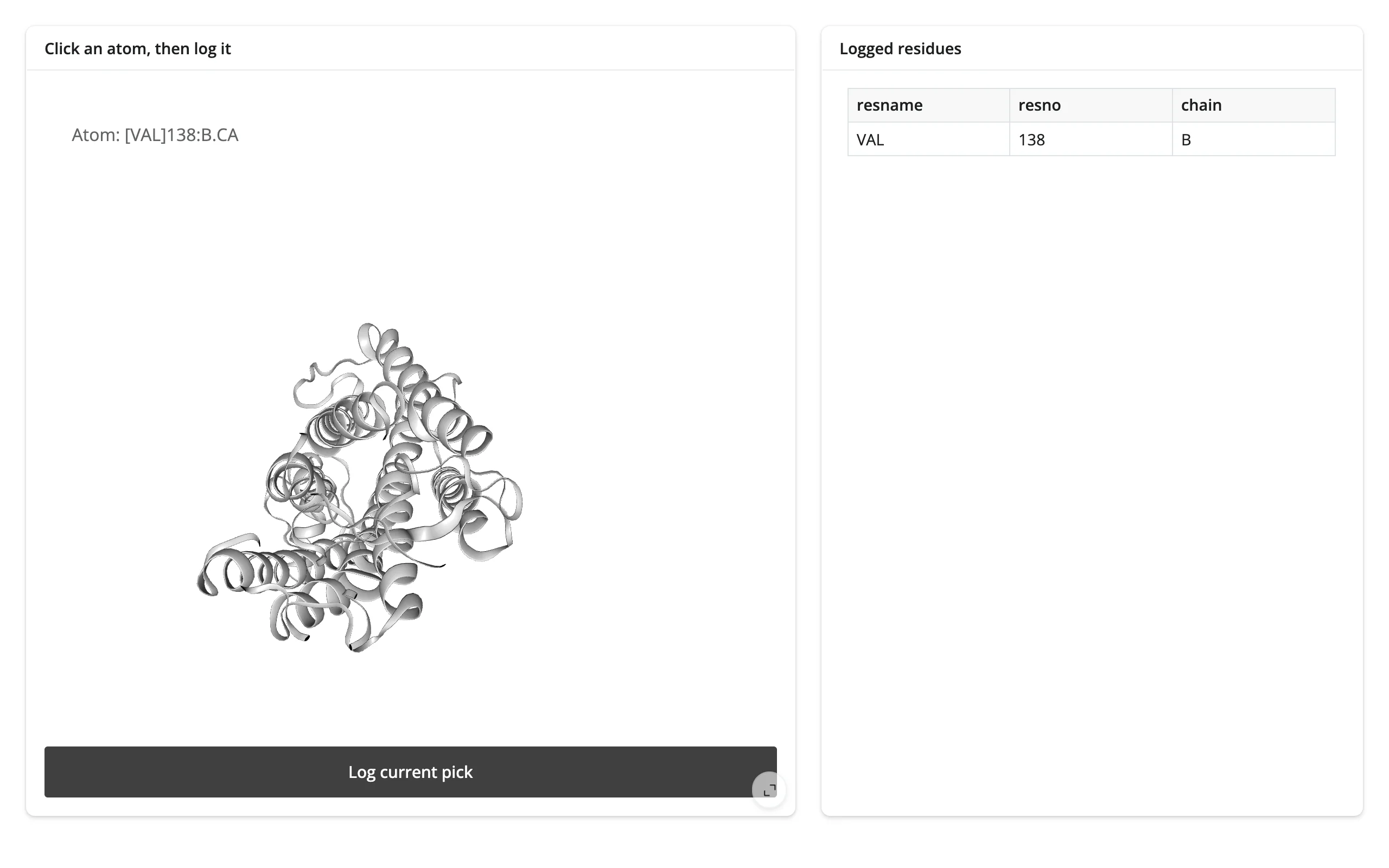
Read on demand: log picks from a button
structure.read("picked") is live from the moment the viewer renders, not just from the moment something first reads it – so a button handler that fires long after the last click still sees it correctly, with no warm-up read needed first. That makes “build a list as you go” patterns simple: click a few atoms, then log the ones worth keeping.
import nglview
import pandas as pd
from shiny import reactive
from shiny.express import input, render, ui
from shinywidgets import render_nglview

ui.page_opts(fillable=True)

log = reactive.value(pd.DataFrame(columns=["resname", "resno", "chain"]))

with ui.layout_columns(col_widths=[7, 5]):
    with ui.card(full_screen=True):
        ui.card_header("Click an atom, then log it")

        @render_nglview
        def structure():
            view = nglview.show_file(
                nglview.datafiles.PDB, default_representation=False
            )
            view.add_representation("cartoon", color="lightgrey")
            view.add_representation("ball+stick", selection="hetero")
            view.center()
            return view

        ui.input_action_button("log", "Log current pick")

    with ui.card():
        ui.card_header("Logged residues")

        @render.data_frame
        def logged():
            return log.get()


# `picked` is live from the moment the viewer renders -- reading it here, in
# a button handler that may fire minutes after the last click, needs no
# warm-up read and never misses an interaction that happened before this
# ran.
@reactive.effect
@reactive.event(input.log)
def _log_pick():
    picked = structure.read("picked")
    atom = picked.get("atom1") if picked else None
    if atom is None:
        return
    row = {"resname": atom["resname"], "resno": atom["resno"], "chain": atom["chainname"]}
    with reactive.isolate():
        log.set(pd.concat([log.get(), pd.DataFrame([row])], ignore_index=True))
Click an atom, then click “Log current pick” – the residue is appended to the table on the right:
Coordinating multiple views
Click an atom, see it highlighted and described. The picked example above is already a complete linked-view pattern: a click on the 3D viewer updates both a text card and a highlight representation on the same widget, with no re-render.
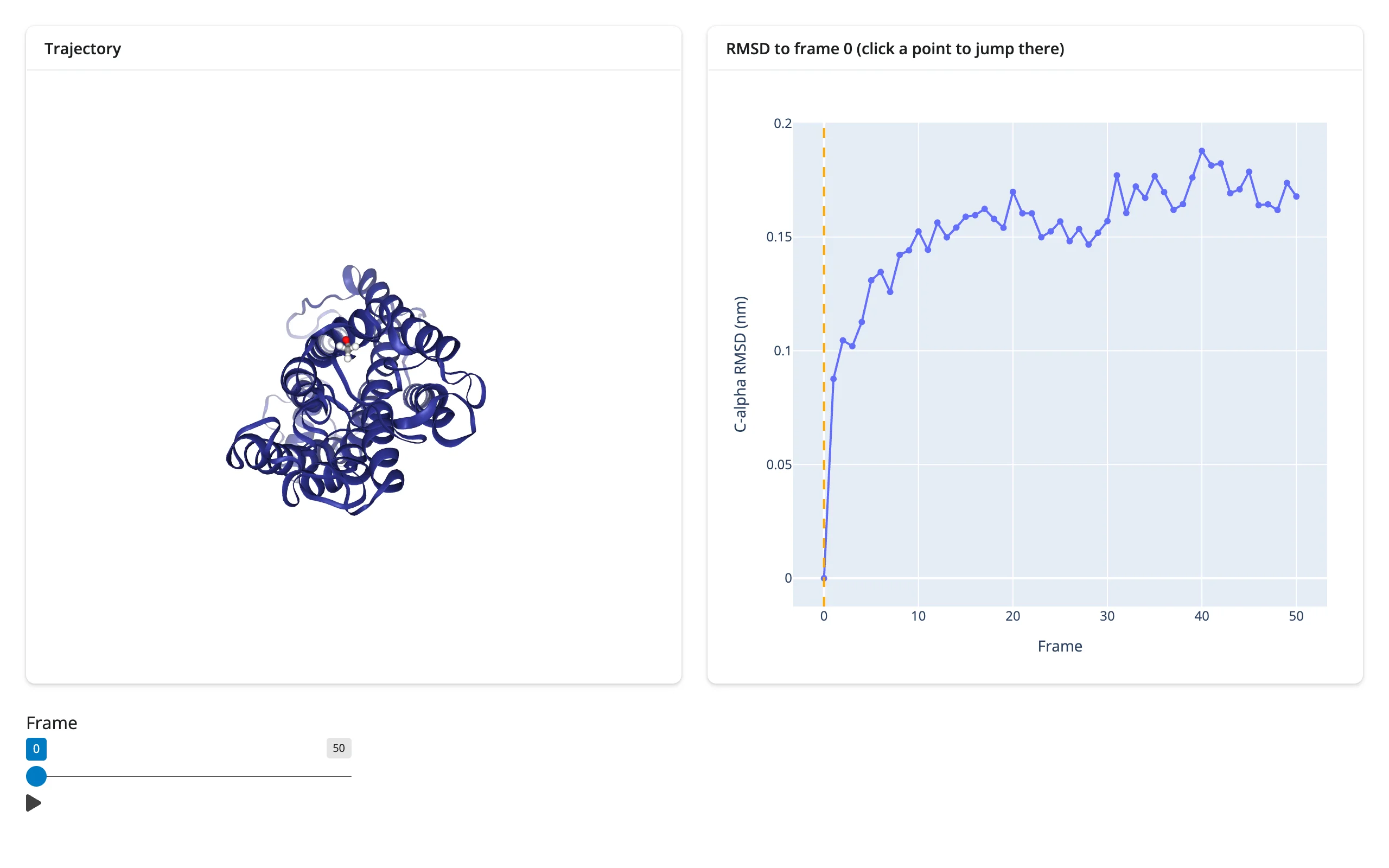
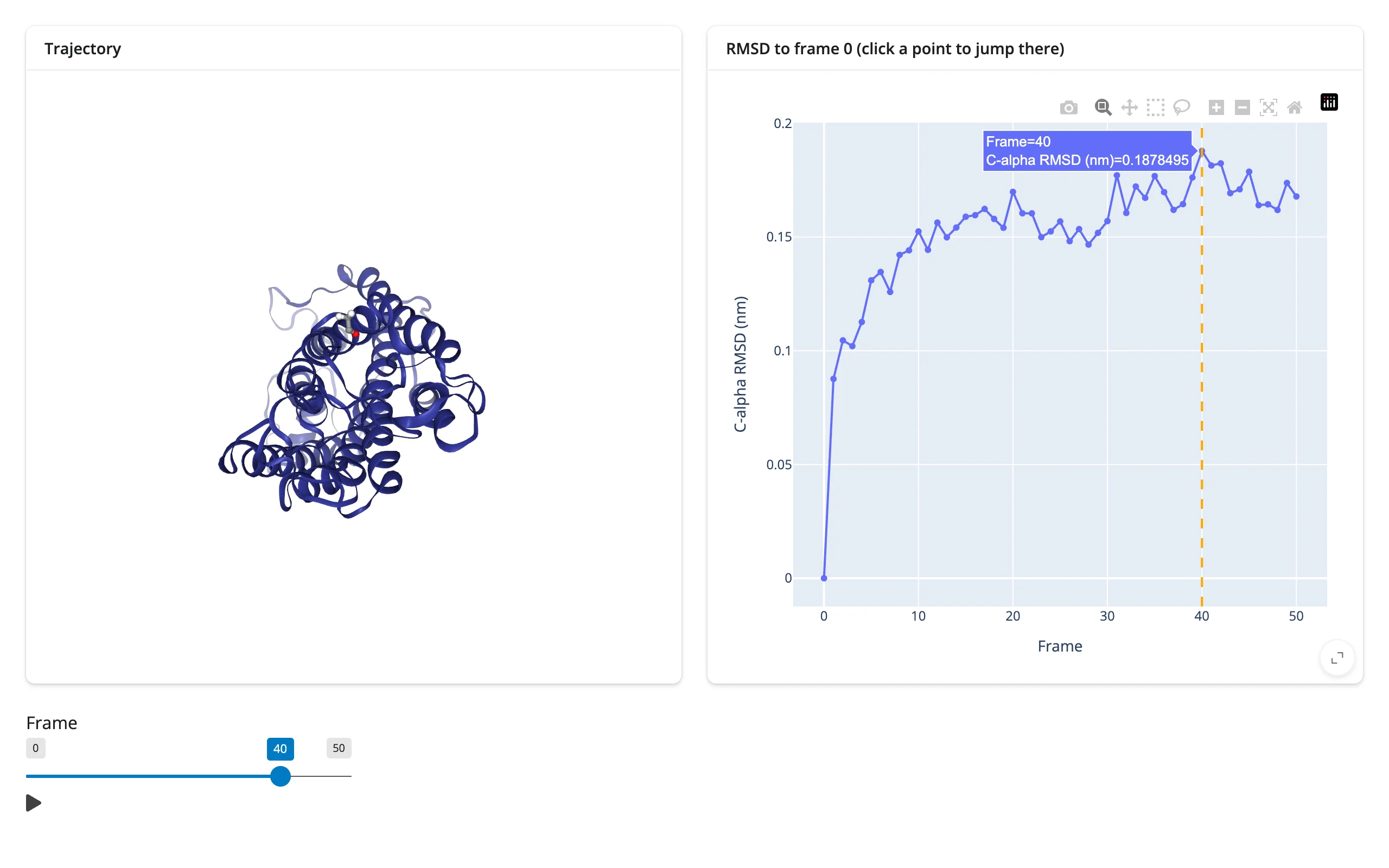
Scrub or click to move through a trajectory, with an RMSD chart along for the ride. This is the richest pattern NGLView supports: a Shiny slider and a plotly chart’s clicked() accessor both drive one shared reactive.value, and three separate effects keep the viewer’s frame, the chart’s marker, and the slider all in sync – each one updating in place.
# Needs mdtraj to load the bundled trajectory: `uv run --with mdtraj shiny run ...`
import mdtraj
import nglview
import plotly.express as px
from shiny import reactive, req
from shiny.express import input, ui
from shinywidgets import render_nglview, render_plotly

ui.page_opts(fillable=True)

# A bundled 1 ns rhodopsin trajectory, 51 frames, 20 ps apart
traj = mdtraj.load(nglview.datafiles.XTC, top=nglview.datafiles.PDB)
ca = traj.topology.select("name CA")
rmsd = mdtraj.rmsd(traj, traj, 0, atom_indices=ca)

current_frame = reactive.value(0)

with ui.layout_columns():
    with ui.card(full_screen=True):
        ui.card_header("Trajectory")

        @render_nglview
        def structure():
            return nglview.show_mdtraj(traj)

    with ui.card(full_screen=True):
        ui.card_header("RMSD to frame 0 (click a point to jump there)")

        @render_plotly
        def rmsd_plot():
            with reactive.isolate():
                start = current_frame.get()
            fig = px.line(
                x=list(range(len(rmsd))), y=rmsd, markers=True,
                labels={"x": "Frame", "y": "C-alpha RMSD (nm)"},
            )
            fig.add_vline(x=start, line_dash="dash", line_color="orange")
            return fig

ui.input_slider("frame", "Frame", min=0, max=traj.n_frames - 1, value=0, animate=True)


# The slider drives the shared frame value ...
@reactive.effect
def _slider_to_frame():
    current_frame.set(input.frame())


# ... and so does clicking a point on the RMSD plot, via plotly's clicked()
# accessor, keeping the slider in sync
@reactive.effect
def _chart_to_frame():
    pts = rmsd_plot.clicked()
    req(pts is not None)
    frame = int(pts["x"].iloc[0])
    current_frame.set(frame)
    ui.update_slider("frame", value=frame)


# Both the viewer and the plot's marker update in place: no re-render, so
# zoom/selection on the plot and the camera on the viewer are preserved
@reactive.effect
def _move_viewer():
    view = structure.widget
    if view is not None:
        view.frame = current_frame()


@reactive.effect
def _move_marker():
    fig = rmsd_plot.widget
    if fig is not None:
        frame = current_frame()
        with fig.batch_update():
            fig.layout.shapes[0].x0 = frame
            fig.layout.shapes[0].x1 = frame
Starting state, then after clicking the RMSD peak near frame 40 – the marker, the slider, and the 3D conformation all moved together:
| Initial (frame 0) | After clicking frame 40 on the chart |
|---|---|
 |
 |
Pairs with: plotly (clicked() drives the frame; see also the matplotlib guide’s similar clicked() accessor if you’d rather plot with ipympl).
Large data
NGL draws with the GPU (WebGL), the “draw it with the GPU in the browser” approach – see Large data & performance’s three approaches – so a single large assembly’s rendering cost is NGL’s own (see the upstream NGL docs for per-representation scale guidance; not re-measured here). The scale question this guide actually verified is trajectories: show_mdtraj() loads every frame’s coordinates once, and after that, scrubbing with .widget.frame (see “Trajectory playback” above) streams only the new frame’s positions – not the whole structure again – so long trajectories stay cheap to scrub once loaded.
Layout and sizing
The viewer fills its container by default – a ui.card(full_screen=True), a sidebar, a column – and tracks width (and height, if nothing claims it) as the container resizes, including on full_screen enter/exit and sidebar collapse. Three constructor-level overrides opt a viewer out of parts of that tracking, and shinywidgets honors all of them, verified against the shipped tests/playwright/render_nglview suite plus this guide’s own examples:
NGLWidget(height=...)(orshow_file(..., height=...)): the viewer keeps that height and stops filling, but its width still tracks the container.NGLWidget(width=...): the viewer keeps that width regardless of the container’s size.widget.layout = Layout(width=..., height=...): both dimensions are pinned to theLayout, applied once ipywidgets attaches the styles to the view (which happens slightly after display, so the stage resizes a moment later).
For an explicit pixel size on the output instead of the widget, use output_widget("id", height="400px") as with any shinywidgets renderer.
Gotchas and limitations
Verified on current main (shiny 1.9.0, nglview 4.0.1):
- The NGL GUI (
view.gui_style = "ngl") renders unstyled. Its theme CSS ships as a separate file (nglview/theme/{light,main}.css) that a notebook loads implicitly; Shiny never does, so the panel shows as stacked, unstyled HTML (verified with a screenshot). You can inject the CSS yourself withui.head_content(ui.tags.style(...)), butmain.cssrestyles page-wide elements (links, range inputs), so shinywidgets doesn’t do this for you automatically. For an in-app GUI, build your own Shiny inputs instead (as every example in this guide does). show_file(..., gui=True)does nothing. The stored flag is read nowhere in nglview; setview.gui_style = "ngl"instead.nglview.show_pdbid()blocks the server. It callsurlopen()synchronously inside widget construction, stalling every session’s event loop for the download. Useshow_url()(browser-side fetch) orshow_file()/show_text()(server-side, but local/fast) instead.- A click on empty space, or on a representation with no underlying atoms (e.g. an undecorated surface patch), resets
pickedto{}rather than leaving the previous pick in place. Code readingpickedacross multiple clicks should not assume monotonic state. - Two prior releases’ issues are now fixed on
mainand don’t need workarounds: nglview’s background “remote call” threads (two perNGLWidget, polling forever) are stopped when shinywidgets retires or closes the widget, so repeated re-renders don’t leak threads; and in-place method calls made from nglview’s background thread (e.g.add_representation()right after construction) are delivered promptly rather than waiting for an unrelated input, because shinywidgets requiresshiny>=1.9.
Gallery candidates
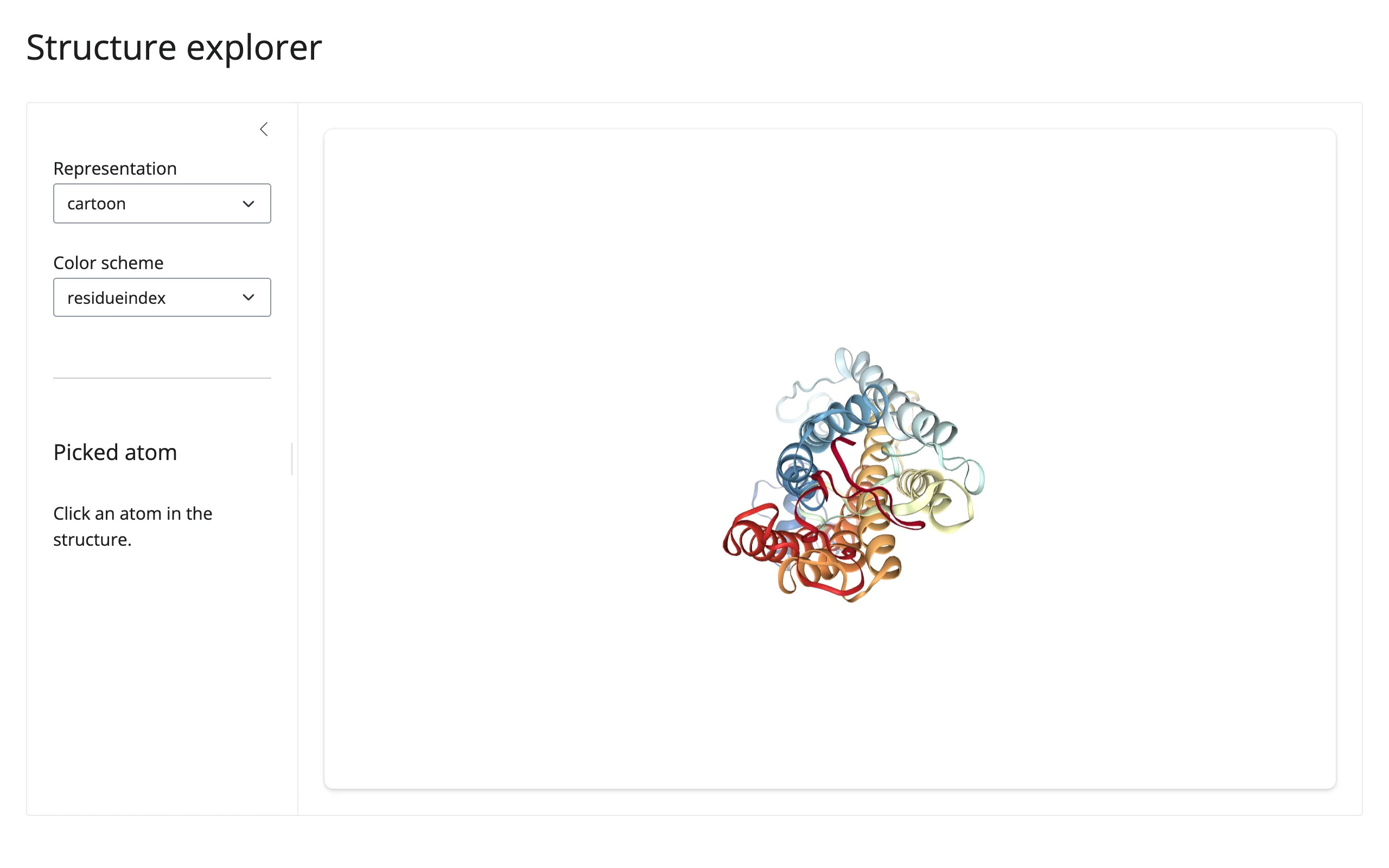
template_structure_explorer.py – a compact starting point: pick a representation and color scheme, click an atom for its residue/chain/element, all on nglview’s bundled rhodopsin structure (no network).
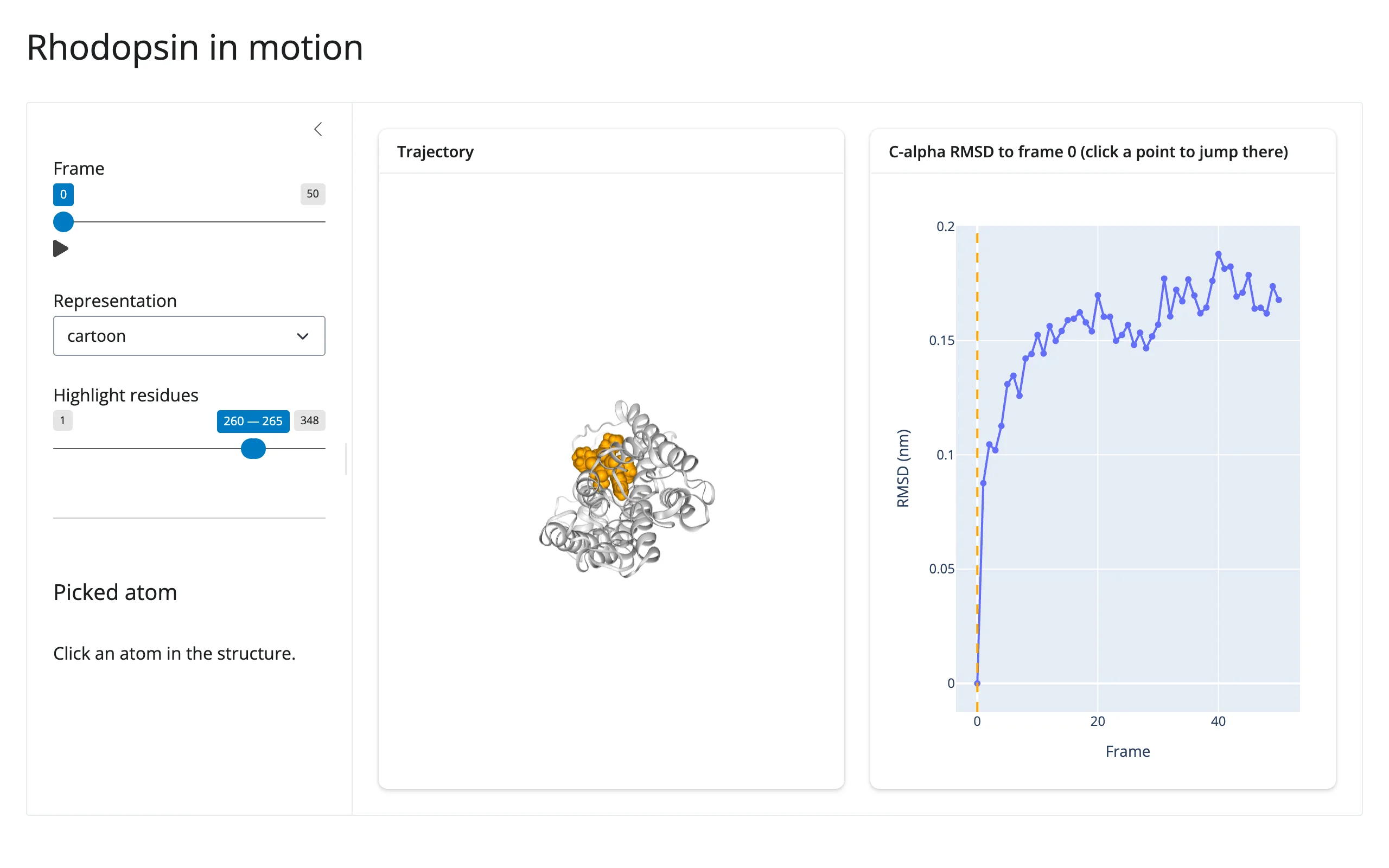
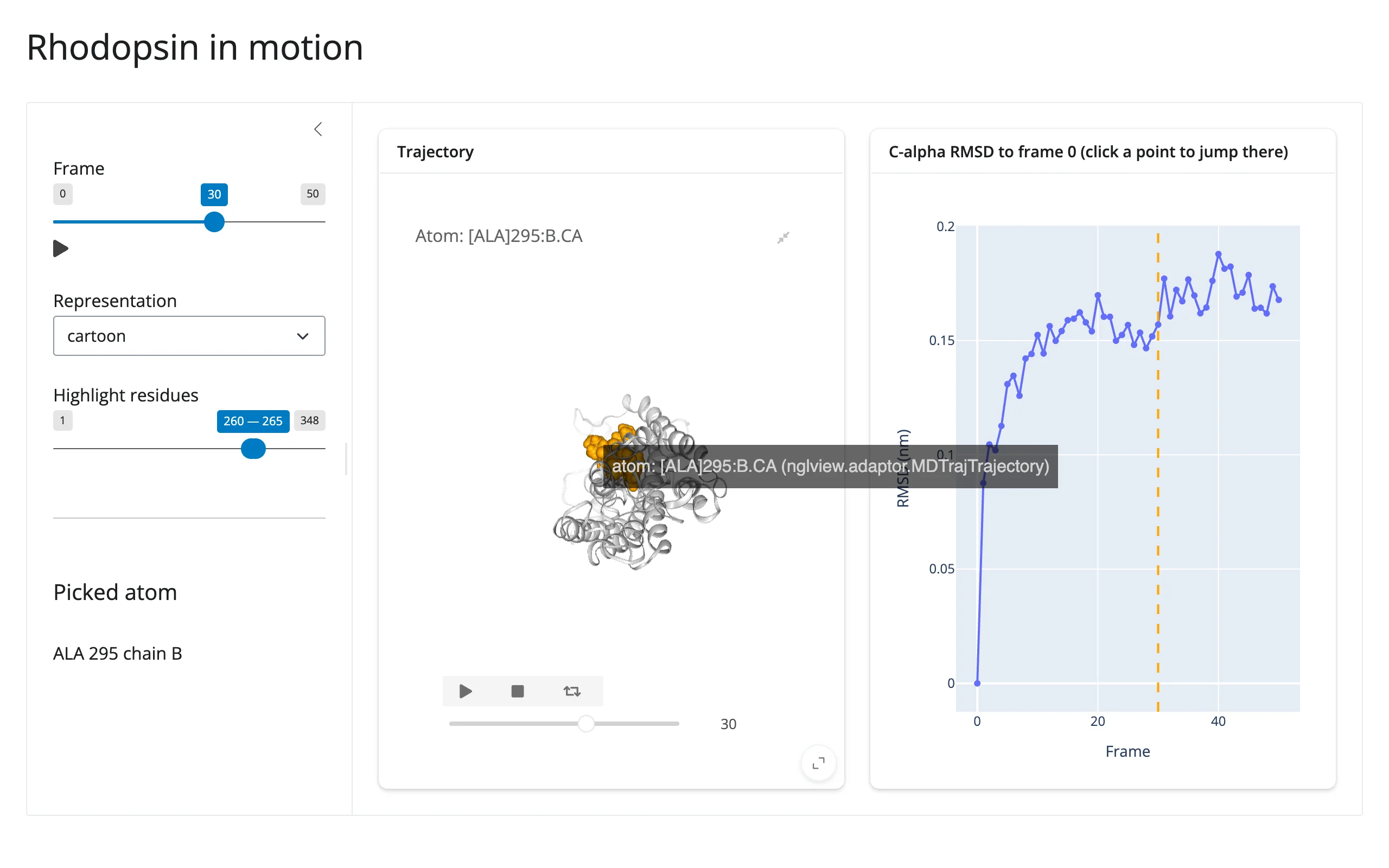
showcase_md_explorer.py – “Rhodopsin in motion”: the full trajectory + RMSD linked-view pattern from above, plus representation switching and a residue-range highlight, combined into one MD trajectory explorer.
| Initial | After scrubbing to frame 30 and clicking an atom |
|---|---|
 |
 |
Learn more
- nglview documentation and its API reference
- NGL selection language
- NGL molecular representations
- Related guides in this roster: plotly (used here for the RMSD chart), mols2grid (2D chemistry), k3d / ipyvolume / pythreejs (general-purpose 3D)