Plan Mode
Plan mode lets you collaborate with Posit Assistant on a design before any changes are made to your project. The assistant explores your codebase, asks questions, and writes a plan file — but doesn’t modify any code until you approve.
Entering Plan Mode
Type /plan to enter Plan mode. The assistant will:
- Create a plan file (Markdown) to capture the approach
- Explore your codebase using read-only tools
- Ask clarifying questions about your requirements
- Write a step-by-step implementation plan
While in Plan mode, the assistant can still edit files, run code, or make any changes to your project, but it has been instructed to avoid doing so unless necessary. Instead, it will primarily read files and write only to the current plan file.
The Plan File
Plan files are saved to:
.positai/plans/in your project root (if the directory exists)~/.positai/plans/otherwise
Files are named with a timestamp and subject: 2026-04-01-1430-refactor-auth.md
Exiting Plan Mode
When the assistant is satisfied with the plan, it will ask you to review and approve. You can:
- Exit and implement — approve the plan and let the assistant start making changes
- Keep planning — continue refining the approach
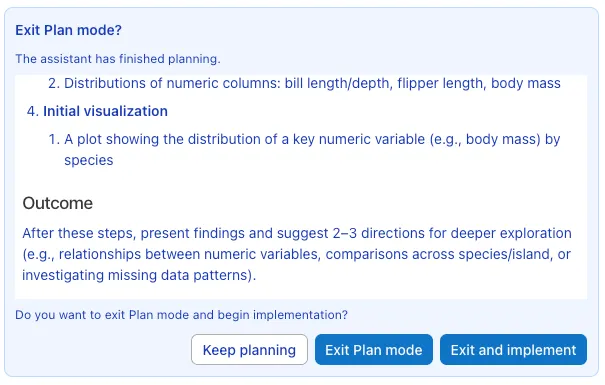
After approval, the assistant begins implementing the plan immediately, using the plan file as its guide.
When to Use Plan Mode
Plan mode is most useful for:
- Multi-step features that span several files
- Complex refactoring where you want to align on approach first
- Unfamiliar codebases where exploration should precede changes
- Architectural decisions that benefit from discussion before implementation
For simple tasks like bug fixes or single-file changes, you can skip Plan mode and work directly.