Context Management
Posit Assistant works within a finite context window — the amount of text the model can consider at once. Understanding how context is managed helps you get better results in long conversations.
Session Context
When connected to an R or Python session, Posit Assistant automatically includes session information in its context: the language, version, and names and types of variables in your environment (not their values).
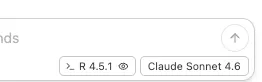
In Positron, you can toggle session context on or off using the eye icon in the status bar. Disabling it removes session information from the assistant’s context, which can be useful if you want generic answers uninfluenced by your current environment.
Token Counter
The token counter in the status bar shows how much of the model’s context window is in use.
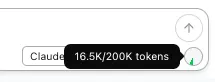
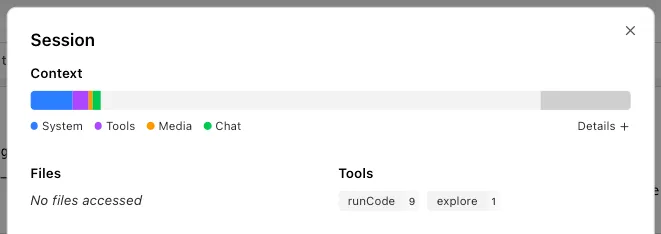
Click it to open the Session HUD with a detailed breakdown of token usage by turn, including system prompt, messages, and tool results.
Compaction
Long conversations accumulate tokens. When the conversation approaches the model’s context limit, Posit Assistant compacts it to free up space by summarizing earlier messages.
Auto-Compaction
When token usage reaches a threshold, compaction triggers automatically. The assistant generates a summary of the conversation so far and hides earlier messages from future requests.
The autoCompactTokenBuffer setting (default: 30,000 tokens) reserves space for the compaction summary. Auto-compaction triggers once fewer than autoCompactTokenBuffer tokens remain in the context window.
Compacted messages are never deleted — they’re preserved in the conversation tree and remain visible in the chat history. They’re just excluded from what the model sees.
Manual Compaction
You can also trigger compaction yourself with the /compact command. This uses the same mechanism as auto-compaction — useful if you want to free up context space proactively.
Micro-Compaction
Separately from compaction, micro-compaction silently trims old tool results to save space without generating a full summary. This kicks in automatically when the conversation exceeds a token threshold.
- Tool results from older messages are replaced with a short placeholder.
- Recent messages are preserved in full — by default, the last 8 user turns are kept intact.
- Media attachments (images, files) in old tool results are removed; text is kept where possible.
Configuration
| Setting | Default | Description |
|---|---|---|
microCompactTokenThreshold | 150000 | Token count above which micro-compaction activates. |
microCompactKeepRecentCount | 8 | Number of recent user turns preserved without compaction. |
autoCompactTokenBuffer | 30000 | Tokens from the context limit at which auto-compaction triggers. |
These settings go in the config file under the top level:
{
	"microCompactTokenThreshold": 150000,
	"microCompactKeepRecentCount": 8,
	"autoCompactTokenBuffer": 30000
}