Commands
Type a slash command at the start of your message to trigger special actions.
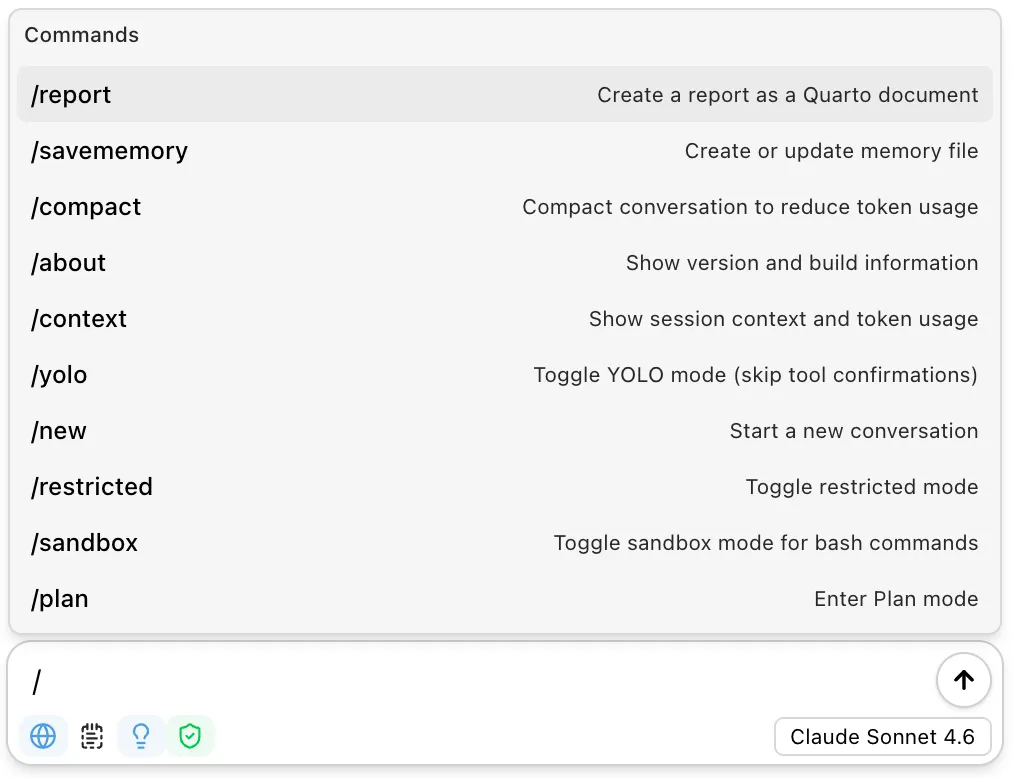
Command Reference
| Command | Description |
|---|---|
/report | Create a Quarto document from the current conversation. Optionally add instructions after the command. |
/notebook | Export the conversation as a Jupyter notebook. |
/savememory | Create or update the project memory file. Add instructions to guide what gets saved. |
/compact | Summarize the conversation to reduce token usage. Previous messages are hidden but preserved. |
/plan | Enter Plan mode to design an implementation approach before making changes. |
/new | Start a new conversation. Also available as /clear. |
/context | Show session context and token usage for the current conversation. |
/about | Show version and build information. |
/trust | Mark the current workspace as trusted. Required for memory files and project-level skills. |
/restricted | Toggle restricted mode. When enabled, every tool call requires confirmation. |
/sandbox | Toggle sandbox mode for bash commands. Isolates filesystem and network access. |
/yolo | Toggle automatic tool confirmation. When enabled, the assistant runs tools without asking. |
Usage
Commands can be used on their own or with additional instructions:
/report/report Focus on the visualization section and include the final plot code/savememory Remember that this project uses tidymodels for all modeling workNotes
/reportand/notebookuse thereportskill to generate documents./compactuses a fast model to summarize, so it completes quickly. The original messages are preserved — compaction just hides them from future requests.