Getting Started
Posit Assistant is a data analysis assistant that works across multiple environments — Positron and RStudio. It connects to your live R and Python sessions, sees your data, and helps you explore, visualize, build, and debug.
This site documents Posit Assistant, which is distinct from Positron Assistant. See Related Products below for details.
Install
Choose your platform:
- Positron — Pre-installed in recent versions. Configure a model provider and you’re ready.
- RStudio — Available in the latest RStudio beta. Includes chat and Next-Edit Suggestions.
- Terminal — The
paTUI for interactive or headless use.
Model Provider
Posit Assistant needs a model provider to power its responses.
- RStudio uses Posit AI — a managed service from Posit that gives you access to frontier LLMs through a single account. Just sign in and start chatting.
- Positron supports Posit AI as well as direct API access to other providers, including Anthropic, OpenAI, Amazon Bedrock, and others. See the Positron setup guide for details.
- Terminal (TUI) uses Posit AI by default and supports other providers via the config file.
Your First Conversation
Once installed, open the chat panel and try something like:
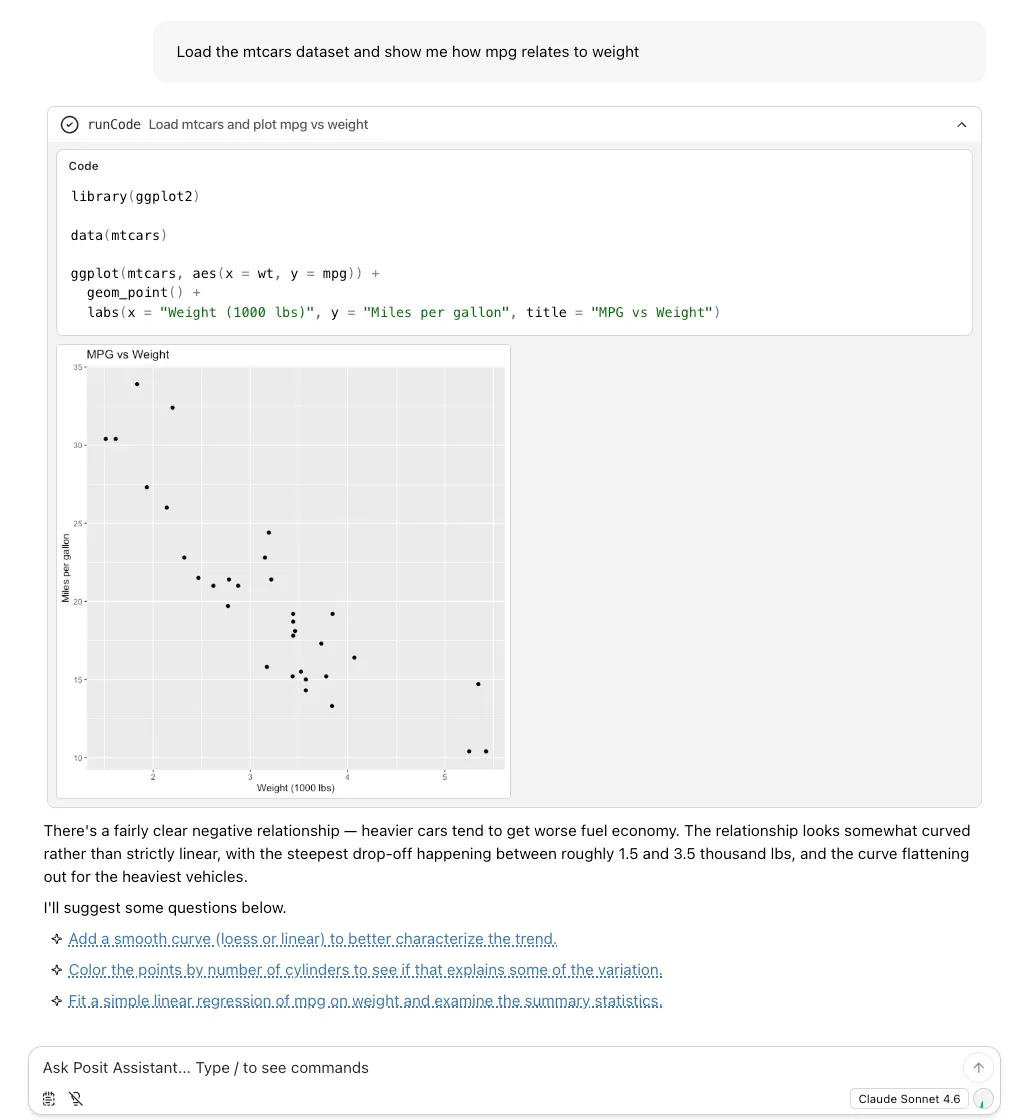
- “Load the mtcars dataset and show me how mpg relates to weight”
- “What does this data look like?”
- “Build a dashboard showing sales by region”
Posit Assistant reads your session — loaded packages, data frames, and console history — so it generates code that works with your actual environment.
Key Concepts
A few things worth knowing early:
- Commands — Type
/reportto generate a Quarto document,/compactto reduce token usage,/planto design before implementing, and more. - Skills — Specialized knowledge modules that load automatically. When you ask about building a Shiny app, the
shiny-bslibskill activates. You can also create your own. - Memory — Place an
AGENTS.mdfile in your project root to give the assistant persistent context about your project. Use/savememoryto create one from a conversation. - MCP Servers — Connect external tools via the Model Context Protocol for database access, API integrations, and more.
Next Steps
- Configuration — Customize model selection, runtime paths, permissions, and behavior.
- Guides — Walkthroughs for data exploration, building dashboards, debugging, and more.
Related Products
If you’re already a Positron user, you might be familiar with Positron Assistant or Databot. Despite their similar names, Positron Assistant and Posit Assistant are distinct coding assistants. This website documents how to use Posit Assistant. Posit Assistant combines the abilities of Positron Assistant and Databot, and is intended as their successor.
Posit AI is a managed LLM service that provides access to a variety of models through a single account.
The table below summarizes the difference between these four terms.
| Name | Description | Status |
|---|---|---|
| Posit Assistant | Coding agent available in RStudio and Positron (and more) | Active |
| Posit AI | Model subscription service | Active |
| Positron Assistant | Coding agent available in Positron | Planned to be superseded by Posit Assistant in Q3 2026 |
| Databot | EDA agent | Superseded by Posit Assistant |