Positron
This page (and website) documents Posit Assistant, which is distinct from Positron Assistant. Posit Assistant is an evolution of Positron Assistant and is intended as its replacement, although Positron Assistant is still currently available.
Posit Assistant comes pre-installed in recent versions of Positron.
1. Enable Posit Assistant
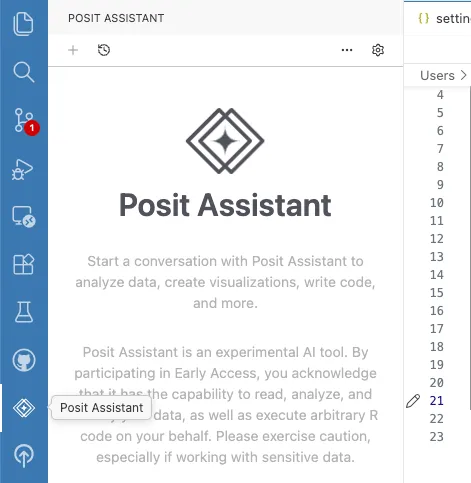
Open the Posit Assistant sidebar (it’s visible by default in the activity bar) and click the Enable Posit Assistant button, or open your settings.json (Cmd+Shift+P / Ctrl+Shift+P, then Open User Settings (JSON)) and add:
"assistant.enabled": true,This enables chat and AI features in Posit Assistant.
2. Configure a Model Provider
You need at least one model provider to use Posit Assistant. Positron supports many providers — choose the one that fits your setup.
Posit AI
Posit AI is a managed service from Posit that gives you access to frontier LLMs through a single account. It’s the easiest way to get started. See the Posit AI documentation for account setup and available models.
Other Providers
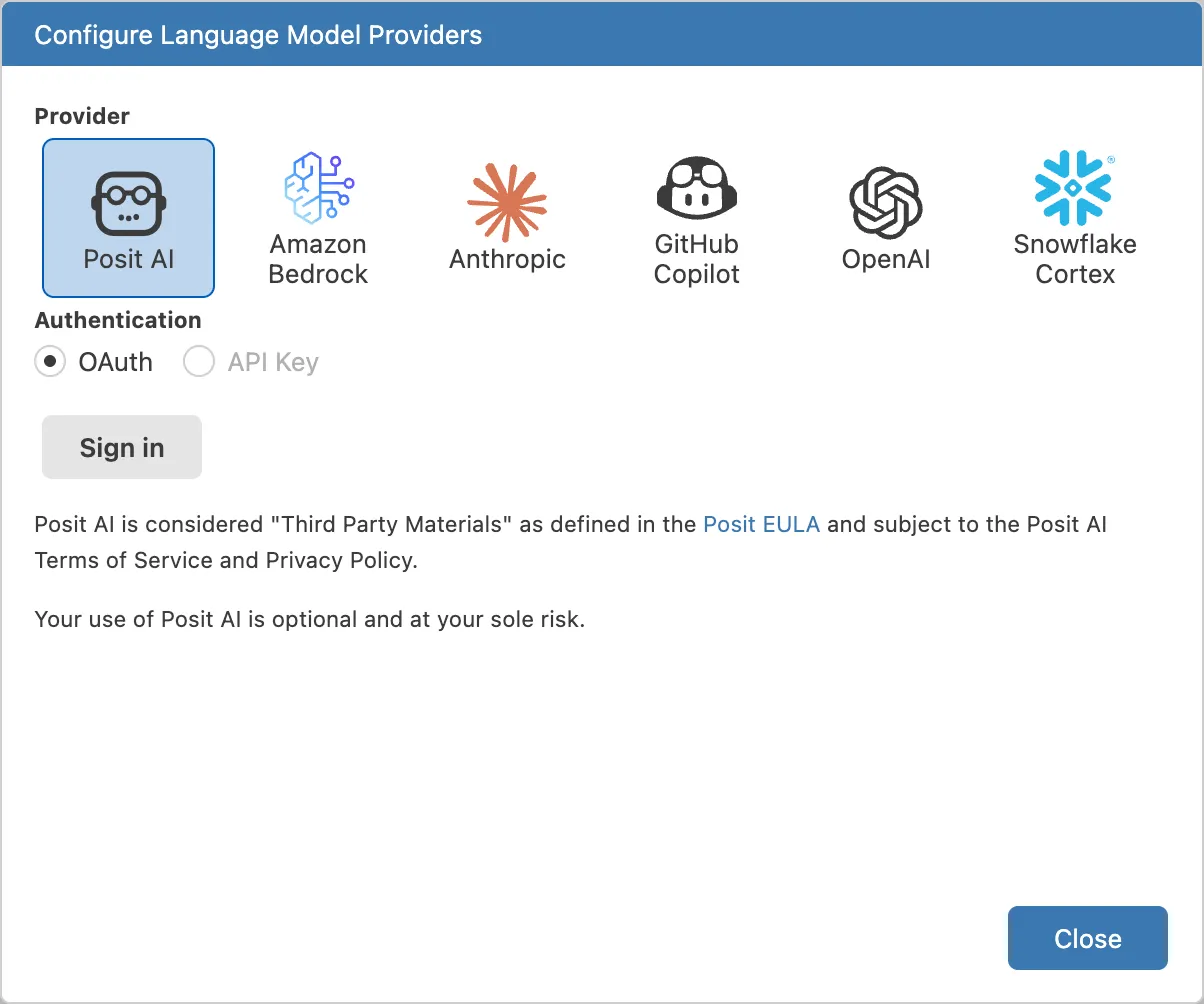
Positron also supports direct API access to Anthropic, OpenAI, GitHub Copilot, Amazon Bedrock, Snowflake Cortex, and more. Each provider requires its own credentials (API key, SSO, etc.).
Signing In
Open the provider configuration dialog to sign in or enter your credentials:
- Open the Command Palette (Cmd+Shift+P / Ctrl+Shift+P) and run Configure Language Model Providers, or
- Click the gear icon in the top bar and select Setup Instructions.
On older versions of Positron, you may need to manually enable LLM providers. To enable additional providers, open your settings.json (Cmd+Shift+P / Ctrl+Shift+P → Open User Settings (JSON)) and add the appropriate setting:
// Posit AI (managed service — sign in via the provider dialog)
"positron.assistant.provider.positAI.enable": true,

// Amazon Bedrock (uses AWS CLI credentials)
"positron.assistant.provider.amazonBedrock.enable": true,

// OpenAI (requires API key)
"positron.assistant.provider.openAI.enable": true,

// Snowflake Cortex
"positron.assistant.provider.snowflakeCortex.enable": true,
3. Start a Conversation
Click the Posit Assistant icon in the activity bar (or run Open Posit Assistant in Editor Panel from the Command Palette), type a question, and press Enter.
Further Configuration
See Positron Settings for model routing, experimental features, and other Positron-specific options.
Known Issues
GitHub Copilot Premium Request Usage
When using GitHub Copilot models through Posit Assistant, each tool call and follow-up request made during a conversation counts as a separate premium request against your Copilot quota. This means a single user message may consume multiple premium requests if the assistant uses tools to complete the task.
This is a limitation of the VS Code Language Model API that Posit Assistant uses to access Copilot models. The API does not currently distinguish between an initial user request and the follow-up calls needed to fulfill it. To reduce consumption, you can use models from other providers (such as Anthropic or OpenAI) configured with direct API access, which do not have this limitation.