Tools
querychat combines tool calling with reactivity to not only execute SQL, but also reactively update dependent data views. Understanding how these tools work will help you better understand what querychat is capable of and how to customize/extend its behavior.
One important thing to understand generally about querychat’s tools is they are Python functions, and that execution happens on your machine, not on the LLM provider’s side. In other words, the SQL queries generated by the LLM are executed locally in the Python process running the app.
querychat provides the LLM access to four tool groups:
- Schema retrieval - Fetch table structure before writing SQL.
- Data updating - Filter and sort data (without sending results to the LLM).
- Data analysis - Calculate summaries and return results for interpretation by the LLM.
- Data visualization - Create charts inline in the chat.
Schema retrieval
Before writing any SQL query, the LLM calls the querychat_get_schema tool to retrieve column names, types, value ranges, and descriptions for a specific table. This on-demand approach means the LLM only fetches schema for the tables it actually needs, keeping the system prompt lean and startup fast — especially when working with multiple tables or large databases.
If you’ve provided a data dictionary, the schema response includes your column descriptions and relationship information. Columns annotated in the data dictionary are excluded from the auto-generated schema metadata (since your description supersedes it).
This tool is always registered and cannot be disabled.
Data updating
When a user asks to “Show me…” or “Filter to…” or “Sort by…”, the LLM requests a call to the update_dashboard tool with an appropriate SQL query as input. An important constraint is that the query must return all original schema columns (typically using SELECT *). When called, querychat will both set a reactive value holding the current SQL query and execute the query to get the result. The result of query then used to set a reactive value holding the filtered/sorted data frame. Thanks to reactivity, this will automatically update any views depending on this data frame, such as the data table displayed in the UI.
This tool also takes a title parameter, which is a short description of the filter/sort operation (e.g., “First-class passengers”). This, also, is made available through a reactive value for display somewhere in your app.
Here’s a basic example of this tool in action with the .app() method. Notice how this pre-built app not only shows the data table, but also the SQL query and title generated by the LLM (for transparency):
titanic-app.py
from querychat import QueryChat
from querychat.data import titanic

qc = QueryChat(titanic(), "titanic")
app = qc.app()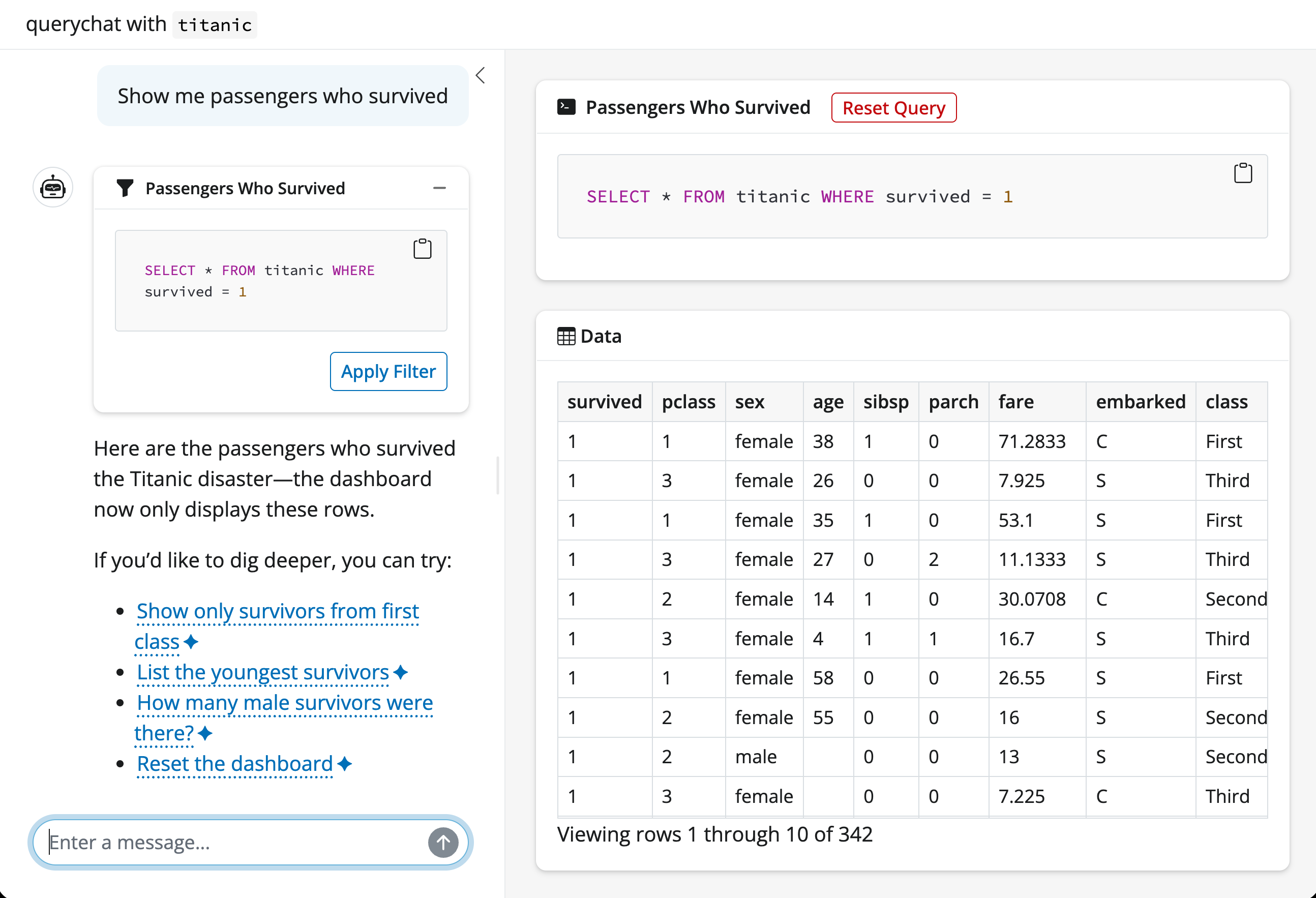
The other data updating tool is reset_dashboard, which clears any active filters and returns the data table to its original unfiltered state. The LLM typically uses this when users say “reset”, “start over”, or “clear filters”.
Data analysis
When a user asks analytical questions like “What is the average…?”, “How many…?”, or “Which item has the highest…?”, the LLM generates a SQL query and requests a call to the query tool. Unlike the data updating tools, this tool will not update any reactive values. Instead, it will:
- Execute the SQL query
- Display both the SQL query and results in the UI
- Return the results back to the LLM for interpretation
Here’s an example of it in action:
titanic-app.py
from querychat import QueryChat
from querychat.data import titanic

qc = QueryChat(titanic(), "titanic")
app = qc.app()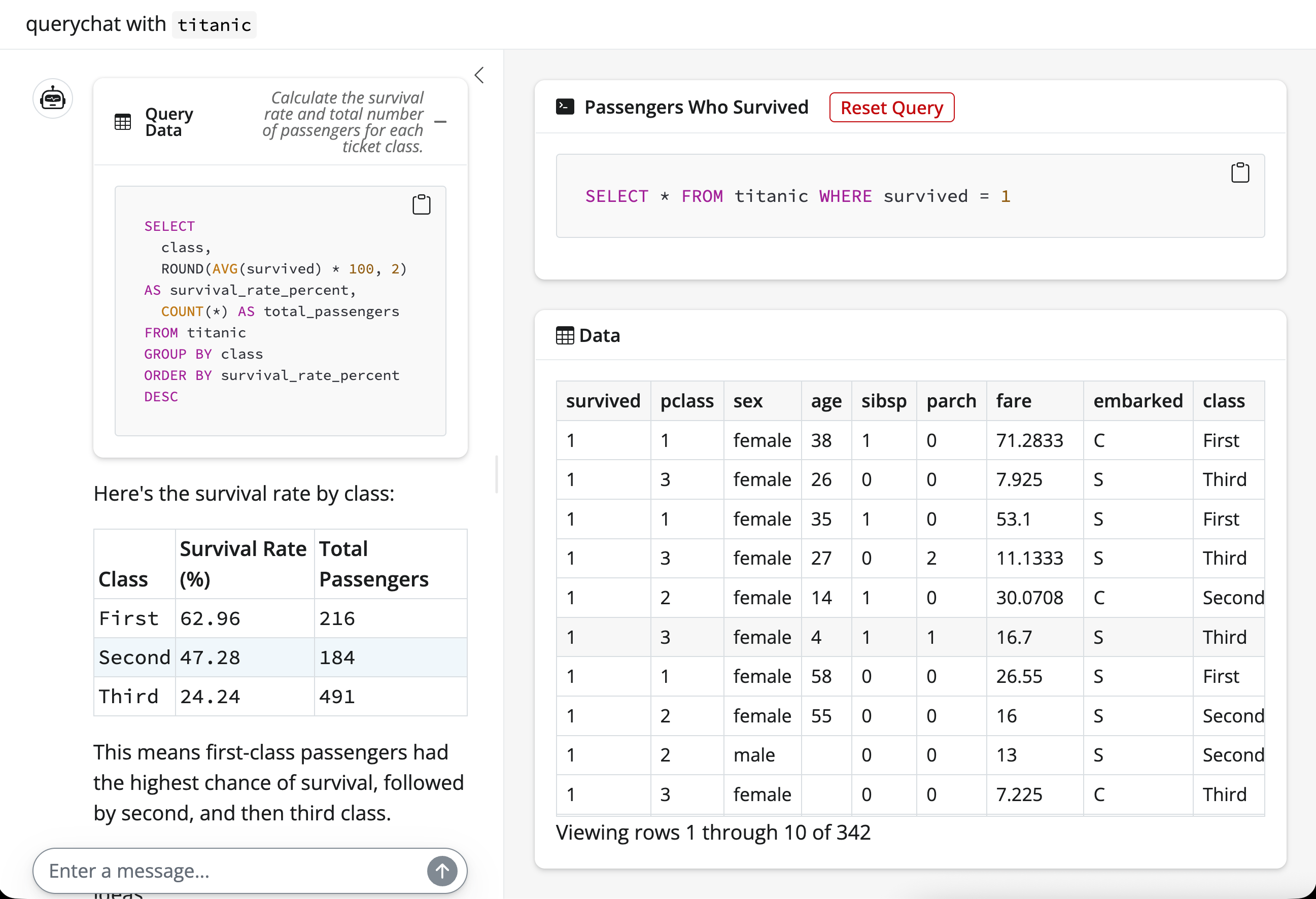
Data visualization
When a user asks for a chart or visualization, the LLM generates a ggsql query — standard SQL extended with a VISUALISE clause — and requests a call to the visualize tool. This tool:
- Executes the SQL portion of the query
- Renders the
VISUALISEclause as an Altair chart - Displays the chart inline in the chat
Unlike the data updating tools, visualization queries don’t affect the active data filter. They query the full dataset independently, and each call produces a new inline chart message in the chat.
The inline chart includes controls for fullscreen viewing, saving as PNG/SVG, and a “Show Query” toggle that reveals the underlying ggsql code.
To use the visualization tool, first install the viz extras:
pip install "querychat[viz]"Then include "visualize" in the tools parameter (it is not enabled by default):
viz-app.py
from querychat import QueryChat
from querychat.data import titanic

qc = QueryChat(titanic(), "titanic", tools=("query", "update", "visualize"))
app = qc.app()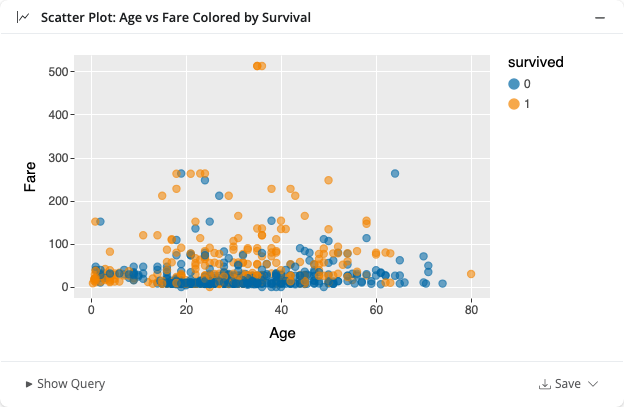
See Visualizations for more details.
View the source
If you’d like to better understand how the tools work and how the LLM is prompted to use them, check out the following resources:
Source code:
Prompts: