Point cloud explorer
3D
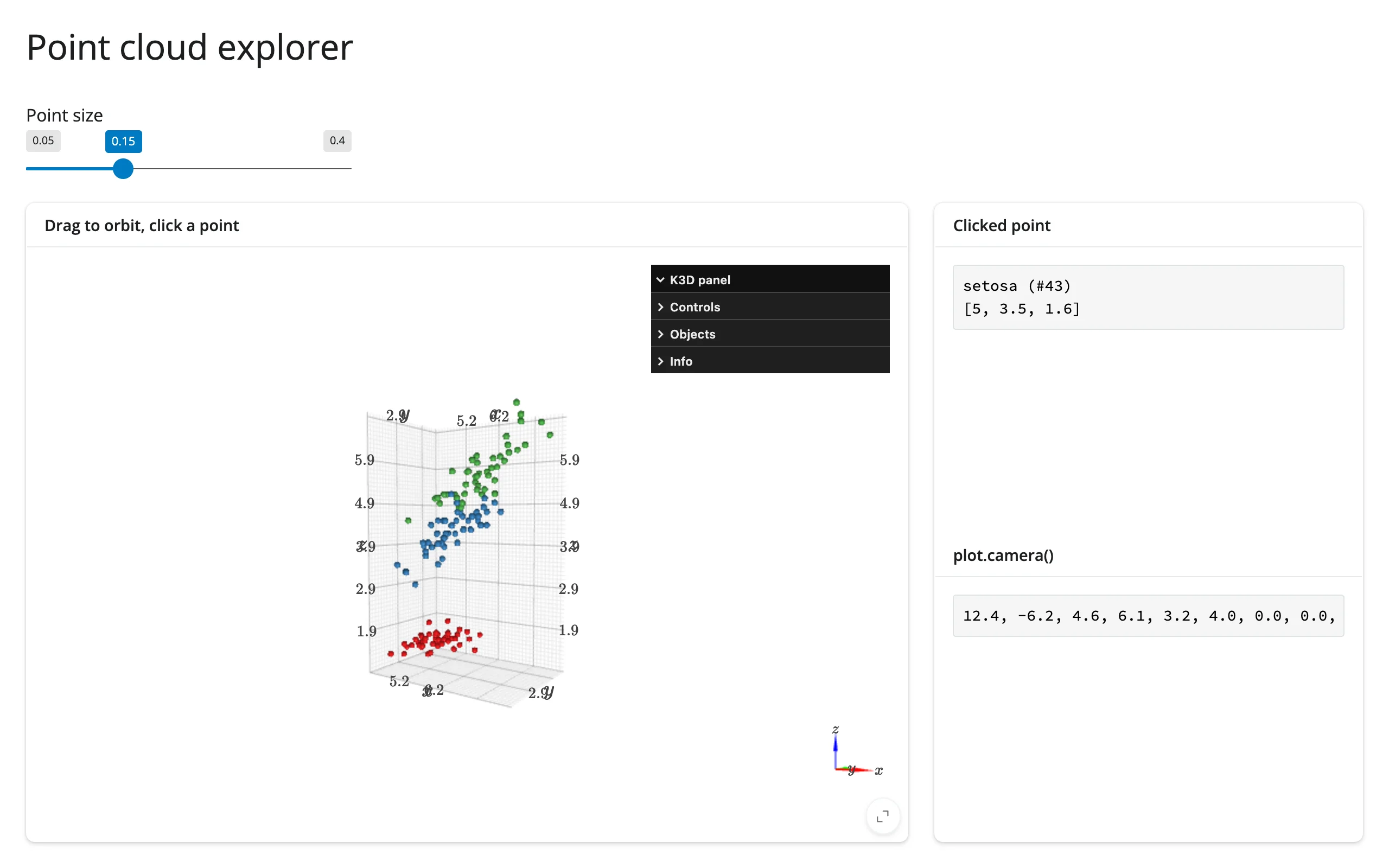
Orbit a 3D point cloud, resize points live, click a point for details, and read the camera – a clean starting point for any (n, 3) array.
A k3d scene in mode="callback" (required for picking), with a slider that resizes points in place, a click handler that reports the clicked point’s label and coordinates, and the current camera vector read back as text.
Run it
git clone --depth 1 https://github.com/posit-dev/py-shinywidgets
cd py-shinywidgets/website/gallery/templates/k3d-point-cloud-explorer
uv run --with scikit-learn shiny run app.py
Source: app.py · Open in Shinylive
Try it
- Drag to orbit the scene; scroll to zoom.
- Click a point; its species label, index, and (x, y, z) position appear on the right.
- Move the “Point size” slider; the scene updates in place (no re-render).
- Watch
plot.camera()track your orbit/zoom.
Accessors demonstrated
plot.camera()– the current camera vector ([pos_x, pos_y, pos_z, target_x, ..., up_z]), nine floats. Updates as you orbit/pan/zoom.- The click handler is a plain k3d
click_callback, bridged to areactive.value(k3d has no dedicatedclicked()accessor by design – picking needsmode="callback").
What to change for your own data
- Swap
xyz/labels/colorsfor your own(n, 3)array and label/color scheme. - The point-size slider writes to
plot.widget.objects[0].point_sizein a@reactive.effect– the in-place-update pattern to copy for any other per-object trait.
Gotcha
Click picking needs a geometrically precise gesture: Playwright must land the click pixel-exactly on a rendered point, not just “near” it (verified here with a pixel-calibrated click from a reference screenshot). A real user has no such problem since they can see the points.