Python stdlib import graph
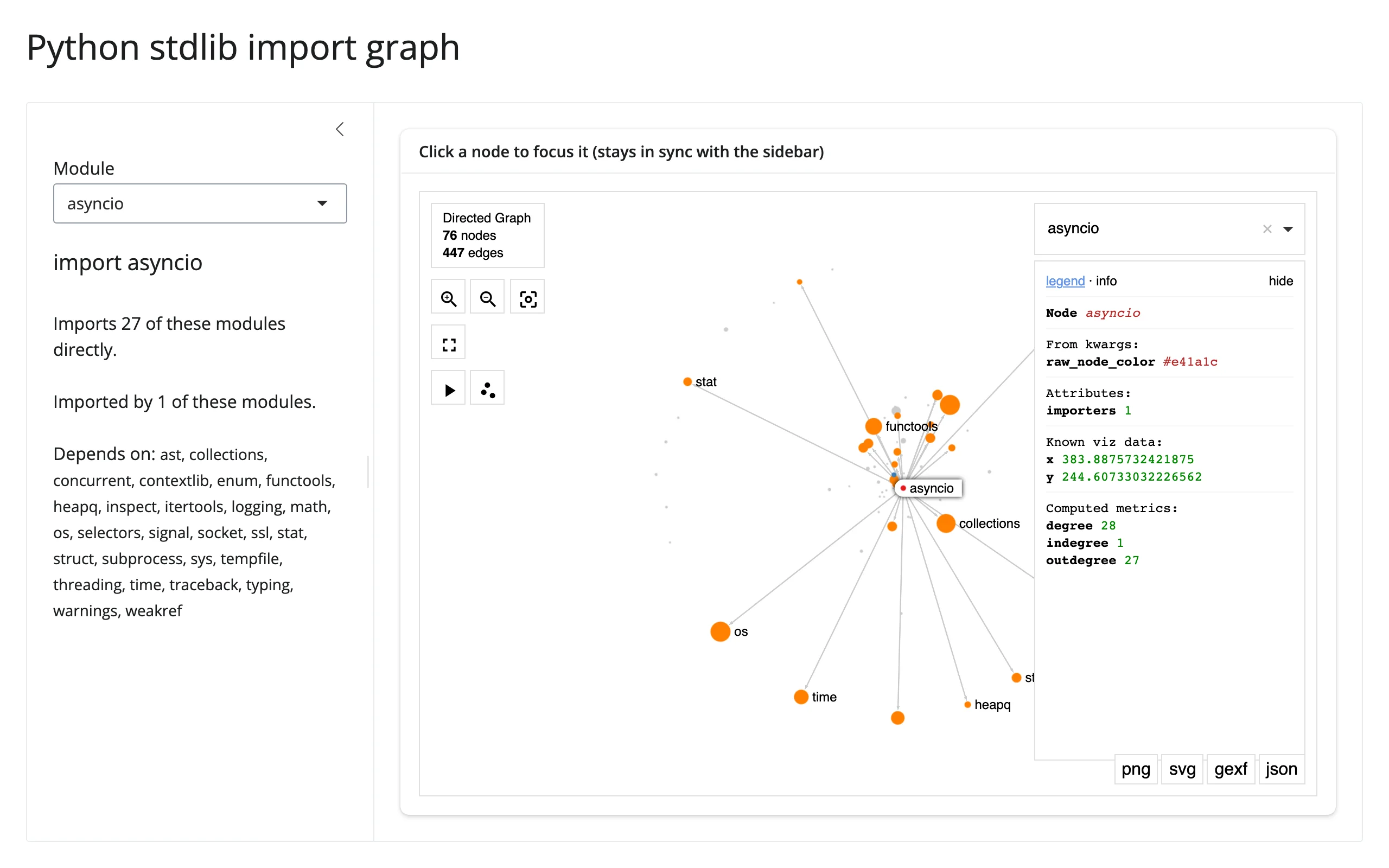
A directed graph of ~80 curated Python standard-library modules, built entirely by statically parsing each module’s own source with ast.walk() – no downloads, no network, just the interpreter running the app. Clicking a node (or typing into the sidebar) recolors the graph: red/halo for the focused module, orange for what it imports, blue for what imports it. Node size is in-degree (how many other modules depend on it). The camera is carried across every re-render, so clicking around doesn’t reset your pan/zoom.
Run it
git clone --depth 1 https://github.com/posit-dev/py-shinywidgets
cd py-shinywidgets/website/gallery/showcases/stdlib-import-graph
uv run shiny run app.py
Source: app.py · Open in Shinylive
Try this
- Click a node: the sidebar updates to match, and the graph recolors around it.
- Type a module name into the sidebar’s Module selectize (or use ipysigma’s own built-in search box): same effect, the other direction.
- Pan and zoom freely – it survives every click, since each click just re-renders with a different
raw_node_colormap and the samecamera_statefed back in from Python.
Accessors demonstrated
graph.read("selected_node")– ipysigma’s own trait for “what node is currently selected,” read here (sincerender_ipysigmahas no dedicated click accessor) to drive the sidebar’s selectize two-way..read()is the taught fallback for a renderer output’s bare synced traits, replacingreactive_read(graph.widget, ...).graph.read("camera_state")– read on every render and fed back into the nextSigma(..., camera_state=cam)construction, which is what makes re-renders preserve pan/zoom instead of resetting the view.
Verification
No extra packages needed (pure stdlib + networkx + ipysigma). A real Playwright click on the “os” node changed the sidebar from "import asyncio" (28 modules, 1 importer) to "import os" (0 modules, 28 importers) – confirming selected_node fires on a genuine click and the full round trip (click -> .read() -> sidebar selectize -> re-render -> recolored graph) works. See img/hero.webp and img/after_select.webp.
Source: promoted from docs/widget-guides/ipysigma/gallery/showcase_stdlib_imports.py.